V-Ray for SketchUp
Matte Shadows
This page provides information about the Matte Shadows render element in V-Ray for SketchUp.
Last updated 1 September 2026
This page provides information about the Matte Shadows render element in V-Ray for SketchUp.
Overview
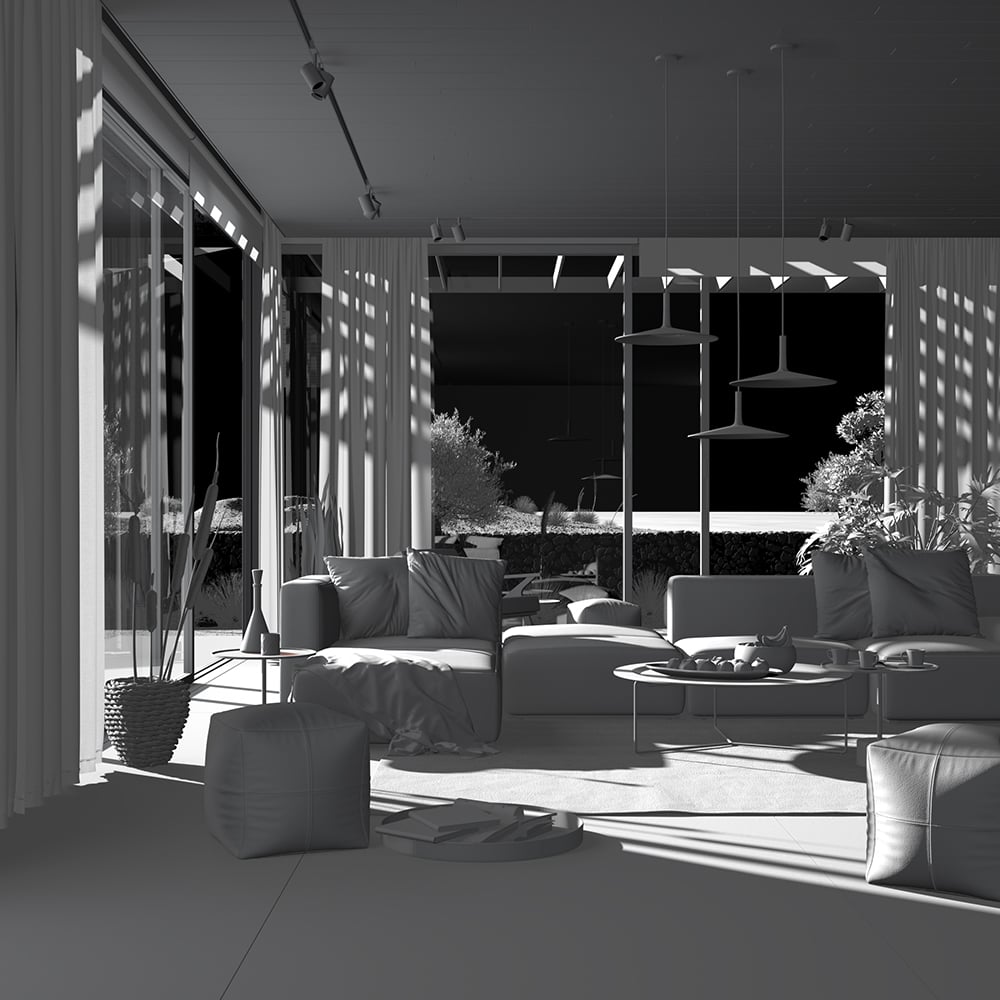
Shows areas where light doesn't reach. Compare with the Raw Shadow Render Element, which gives areas of cast shadows.

UI Paths
||V-Ray Asset Editor|| > Render Elements (right-click) > Matte Shadows
||V-Ray Asset Editor|| > Create Asset (left-click) > Render Elements > Matte Shadows
Parameters
Denoise – Specifies whether to denoise this render element.

Common Uses
The Matte Shadows Render Element is useful for changing the appearance of shadowed areas in compositing or image editing software. In the example, the shadows are brightened and tinted with a warmer tone using the Matte Shadows RE. See the render before and after compositing.

Compositing
Matte Shadows + Raw Light
