V-Ray for SketchUp
MultiMatte Materials
This page provides information on the MultiMatte Materials Render Element.
Last updated 1 September 2026
This page provides information on the MultiMatte Materials Render Element.
Overview
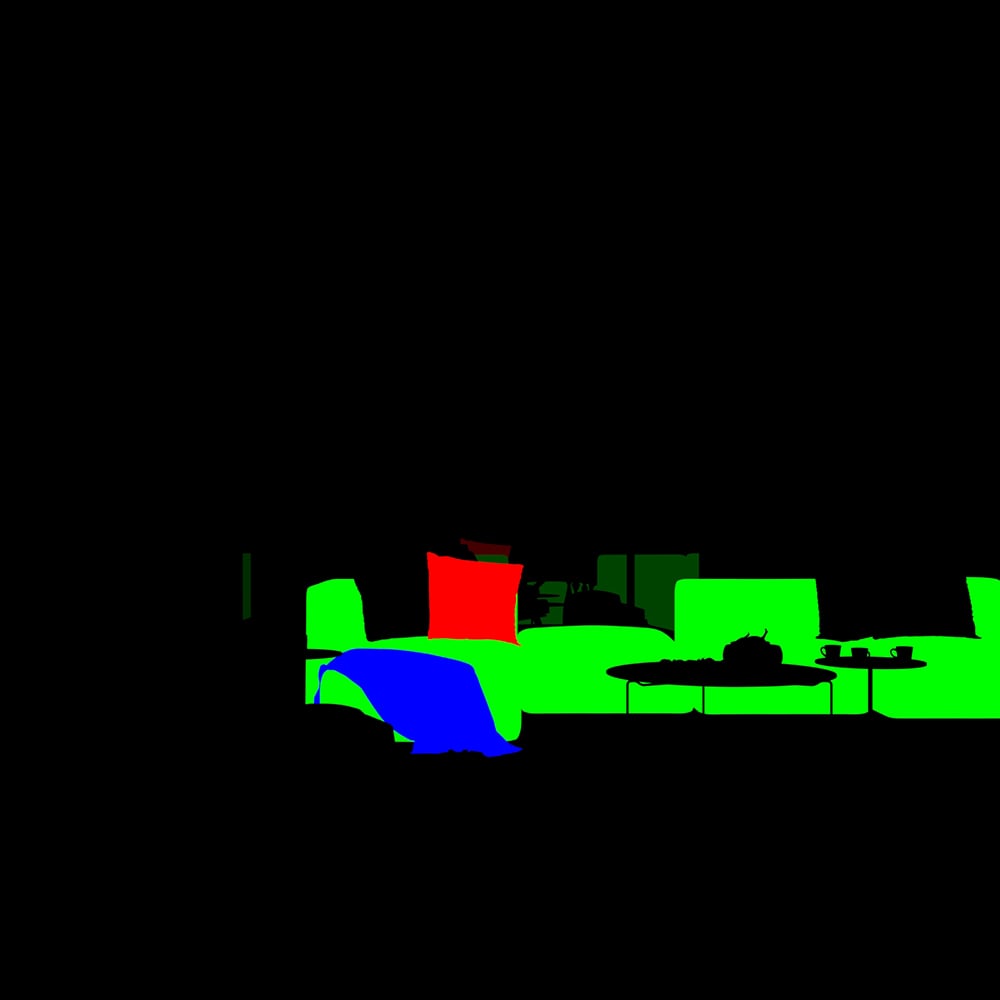
The MultiMatte Materials Render Element creates red, green, and blue selection masks based on the material's ID number. Please note that this channel does not take into consideration the Material's ID color.
With this render element, only three colors are possible: red, green, and blue. It analyzes the scene at render time and automatically creates the necessary number of channels based on the number of unique specified IDs. Each channel holds up to 3 unique IDs. Each channel's name indicates the IDs it represents.
With MultiMatte, a single R, G, or B channel can be used directly as a matte, eliminating the step of selecting the color in the compositing software. This ease of use makes MultiMatte a popular choice for compositors.
The MultiMatte Materials Render Element includes an antialiasing option.
Besides this render element, V-Ray also supports the MultiMatte Objects channel, which uses Object ID numbers.

UI Paths
||V-Ray Asset Editor|| > Render Elements (right-click) > MultiMatte Materials
||V-Ray Asset Editor|| > Create Asset (left-click) > Render Elements > MultiMatte Materials
How to Set Material IDs
Assign the Material ID attribute from the Add Attribute button to all materials. Set ID numbers in the newly appeared rollout for each material.
You can select one ID number for more than one material in order to create a group of objects in the MultiMatte channel.
All items with the material assigned are colored in the same color in this channel. See the result in the overview.

Common Uses
The MultiMatte Materials Render Element is useful for isolating Materials in a scene. While other matte render elements perform similar tasks, MultiMatte is often quicker to use in compositing software because it can be made to include only pure red, green, or blue channels to represent objects in the scene. Compositing software often has a feature for easily selecting the red, green, or blue channels in an image for use as mattes.
In this example, we set the pillow material ID as 1, the sofa material ID as 2, and the blanket material ID as 3. Thus, masks are created in compositing to modify the isolated materials. See the render before and after compositing.