Use the folders tab to set local or shared folders for these KeyShot Studio resources:
- Textures
- Backplates
- Environments
- Materials
- Renderings
- Scenes
- Animations (including KeyShotXR files)
- Material Templates
- Colors
- Scripts
- Plugins
- Models.
Specify the location for all folders
This option sets the default location for all resource folders. You need administrator permissions to change a folder location.
Resources
Select the folder icon  to set the default location for all KeyShot Studio resource folders.
Customise each folder
Use this option to set a separate location for each resource type or add folders, including shared folders.
By default, each resource type uses its matching folder within the resource folder. To change a location, select the folder icon next to the resource type.
Additional folders
When you choose to customise your folders, you can add folders for each resource type.
1. Select the folder icon next to the resource type you want to change.
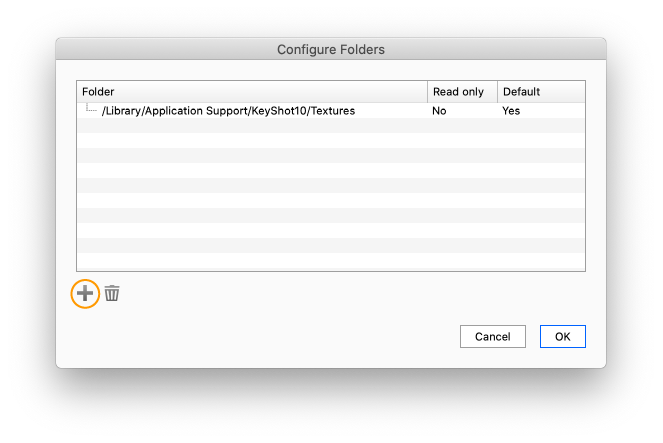
2. In the Configure Folders window, select the  add icon.
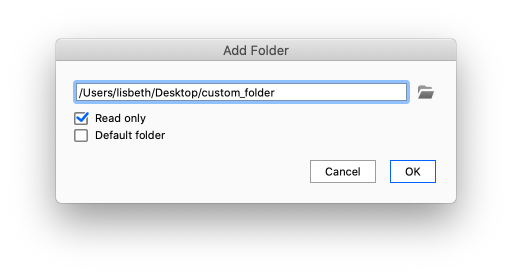
3. Browse to the folder you want to add and choose whether it is Read only or your Default folder. Each resource type needs at least one default folder.
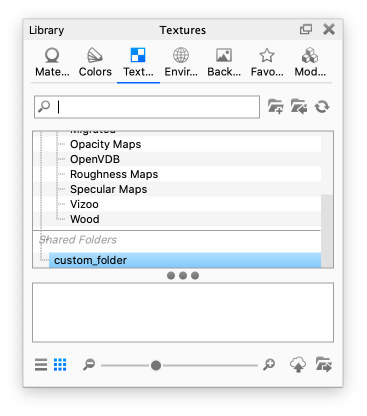
4. KeyShot Studio restarts when you finish customising your folders. The folder then appears in the library.