Skip to content
07-848 2005

KeyShot Studio, preferences

Import Settings tab

Set up quick import in KeyShot. Enable it in the Import dialog, or clear Always Show Import dialog when importing… for the file type.

On this page
  1. Filetype
  2. Always Show Import dialog when importing XX files
  3. Settings

Use Import Settings to configure quick import in KeyShot. Enable quick import in the Import dialog, or clear the Always Show Import dialog when importing… option for the file type.

Filetype

Select a file type to configure its import settings.

Always Show Import dialog when importing XX files

When you enable this option, all import methods show the Import dialog.

Settings

The remaining settings depend on the file type you select. See the Import page for detailed descriptions of all settings.
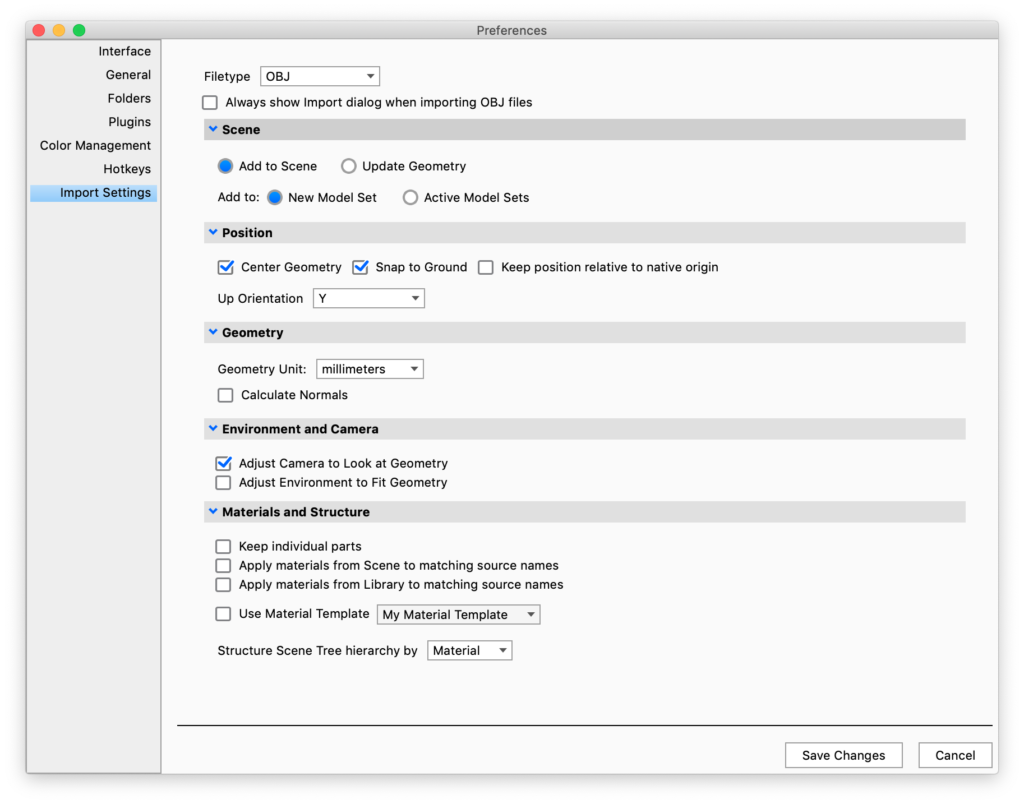
Preferences import settings

Procadsys customer support

Still need help?

Licences, renewals and billing

Our New Zealand team looks after your KeyShot licences, renewals and invoices.

Monday to Friday, 9:00 am to 4:30 pm NZ time, excluding New Zealand public holidays.

Technical problems

Installation errors, crashes and other technical problems with KeyShot are handled by KeyShot support.