Skip to content
07-848 2005

KeyShot Studio, image

Image settings

Adjust resolution and image styles in the Image tab of the Project Window in KeyShot.

On this page
  1. Resolution
  2. Image styles

Use the Image tab of the Project Window in KeyShot to adjust resolution and image styles.

Resolution

Resolution sets the size of the image rendered in the Real-time View and the aspect ratio used in the Render dialog.

Image styles

Use Image Styles to make non-destructive adjustments to your scene. The settings cover tone, curve, colour and image effects. You can see the results immediately in the Real-time View or render output window.
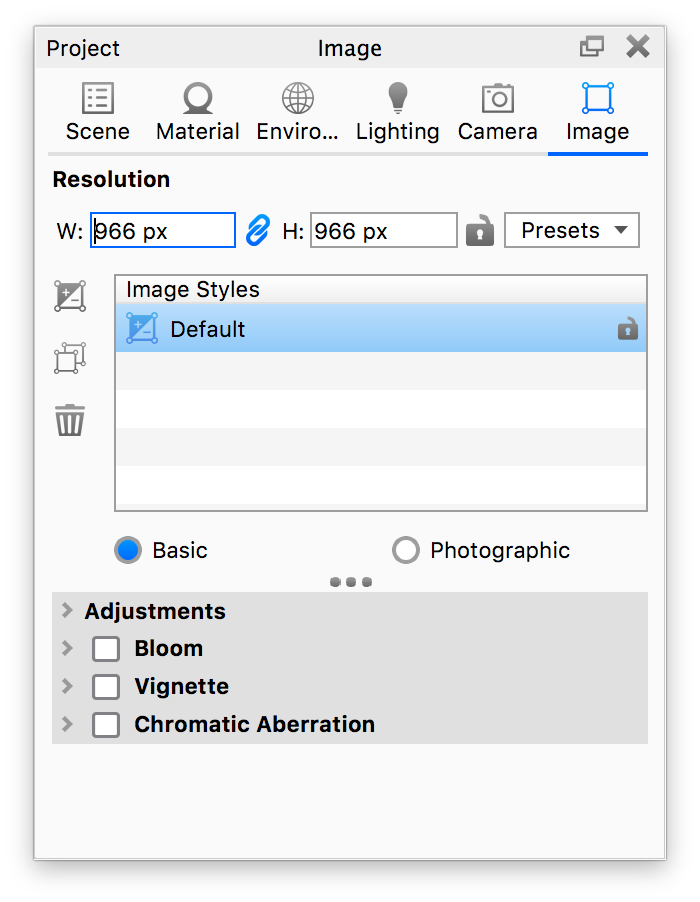
Image tab
Adapted from KeyShot Studio documentation: Image settings. © 2026 KeyShot

Procadsys customer support

Still need help?

Licences, renewals and billing

Our New Zealand team looks after your KeyShot licences, renewals and invoices.

Monday to Friday, 9:00 am to 4:30 pm NZ time, excluding New Zealand public holidays.

Technical problems

Installation errors, crashes and other technical problems with KeyShot are handled by KeyShot support.