Skip to content
07-848 2005

KeyShot Studio, installation

KeyShot Account

You need a KeyShot Account to use a subscription licence or to upload or like resources in the KeyShot Cloud Library.

On this page
  1. Sign in or create an account
  2. Sign out
  3. Delete your account

You need a KeyShot Account to use a subscription licence or to upload or like resources in the KeyShot Cloud Library.

Sign in or create an account

Go to the KeyShot account page and select sign up at no cost. If you already have an account, select sign in.

Selecting sign up opens a registration window. Follow the instructions to create your account.
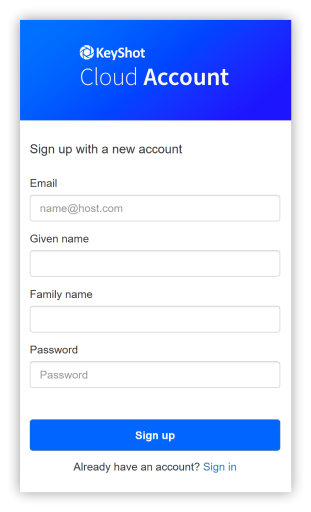
KS cloud account sign up 1 EN

Sign out

To sign out of your account page, click your initials in the top-right corner and select Sign Out.

To sign out inside KeyShot Studio, go to File > Sign Out and Exit > Username.

Delete your account

To request account deletion, contact KeyShot's privacy team. KeyShot will delete the personal information it holds about you unless it needs to retain it for the purposes set out in the Privacy Policy.

Adapted from KeyShot Studio documentation: KeyShot Account. © 2026 KeyShot

Procadsys customer support

Still need help?

Licences, renewals and billing

Our New Zealand team looks after your KeyShot licences, renewals and invoices.

Monday to Friday, 9:00 am to 4:30 pm NZ time, excluding New Zealand public holidays.

Technical problems

Installation errors, crashes and other technical problems with KeyShot are handled by KeyShot support.