Set up KeyShot License Server for the first time. The KeyShot licensing team provides your licence file and software download links.
1. Install the server
Install KeyShot License Server. The KeyShot licensing team provides software download links once your purchase has been processed.
2. Request a licence
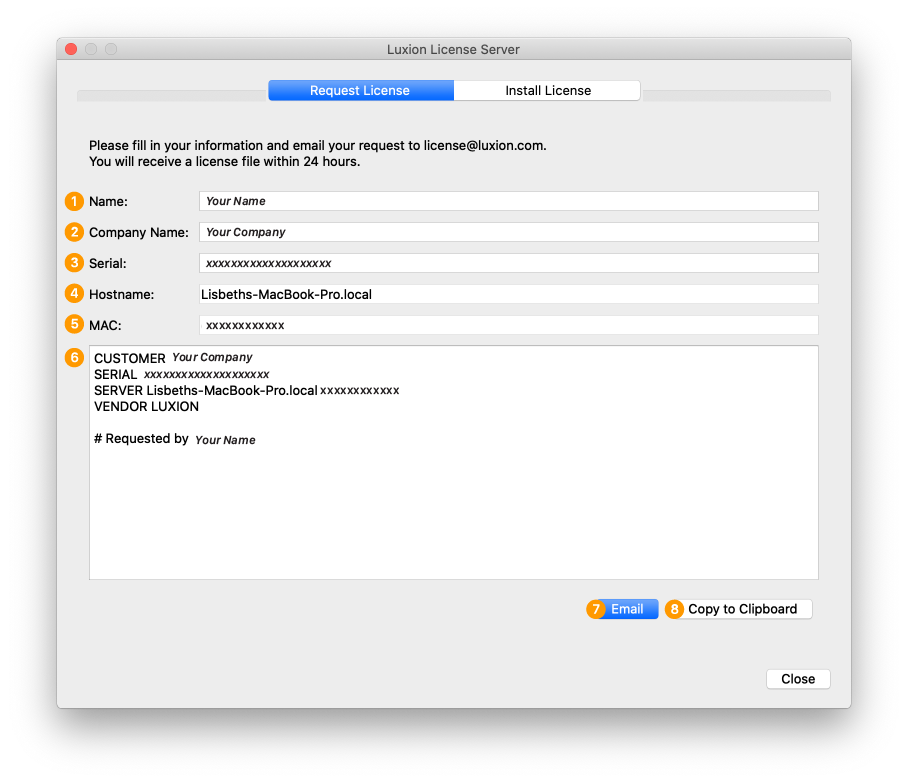
Select the Request License tab to create a request message for the KeyShot licensing team.
- Enter your name in Name.
- Enter your company name in Company Name.
- Enter the 20 character serial code from the KeyShot licensing team in Serial.
- Hostname is pre-filled with your computer's information.
- MAC address is pre-filled with your computer's information.
- Message combines the information you entered above into a message for the KeyShot licensing team.
- Email sends the request to the KeyShot licensing team by email.
- Copy to clipboard copies the entire message.
3. Install the licence
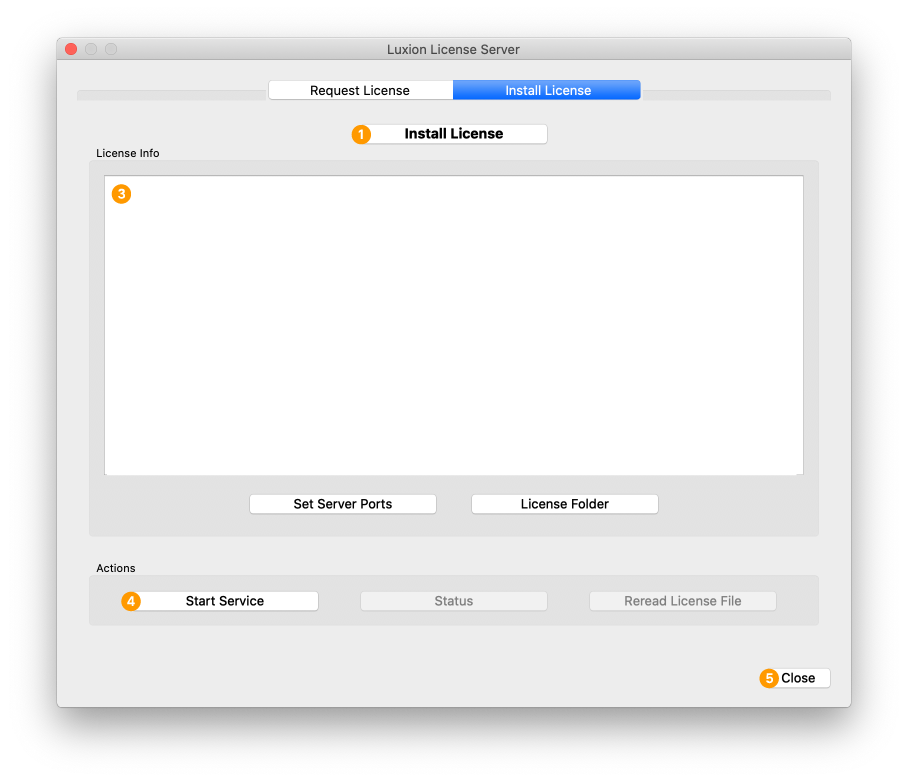
Select the Install License tab to install the .lic file from the KeyShot licensing team.
- Select the Install License button.
- Find and select the .lic file in the Explorer/Finder window.
- The License info appears.
- Check that the service has started.
- Close the KeyShot License Server window. Floating licences remain available while the server is online and the service is running.
4. Status of available and used licences
To check available and used licences:
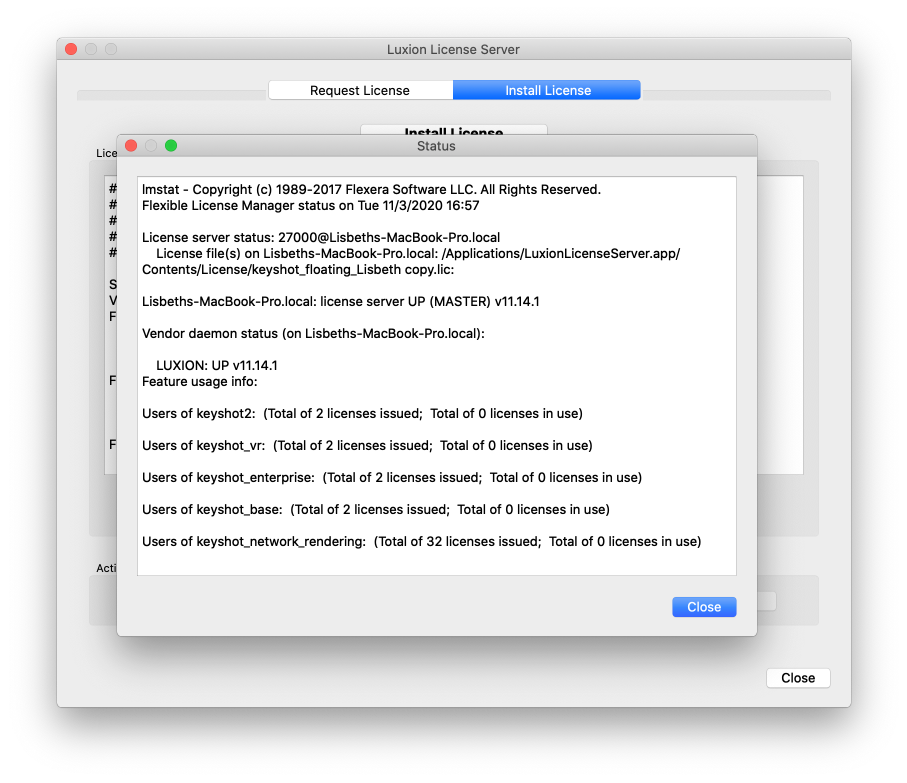
- Select the Status button to open the status window.
- The Status window shows the available licence types and how they are being used.
"keyshot2" identifies Floating pro licences. "keyshot_vr" identifies XR add-on licences.
5. Set server ports
If you use a firewall or run other licence servers on the same computer, you may need to change the server ports. Select the Server Ports button to change them.
- FlexLM Port: Change this to avoid port conflicts if you run other licence servers. The default is 27000.
- Deamon Port: This is only used for network setups with a firewall. If you use a firewall, set both ports and open both in the firewall.
6. Licence folder
The License Folder button is mainly used for support. It opens the License Folder, which stores log files and other files for KeyShot License Server.
The default licence folder locations are:
- Windows: C:\ProgramData\KeyShot\License
- Mac: /Applications/KeyShotLicenseServer.app/Contents/License