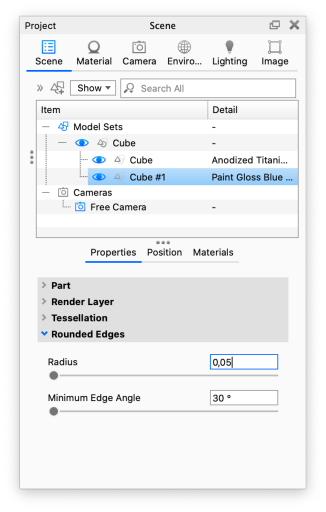
Use Rounded Edges in KeyShot to simulate fillets on parts without changing the geometry in your modelling software or increasing the triangle count.
Select one or more part-level objects in the Scene Tree to show the adjustment sliders in the Rounded Edges accordion, in the Properties sub-tab below.
Radius
The Radius slider uses your Scene Units. Keep the value low for the best results because Rounded Edges is a simulated effect.
Minimum Edge Angle
Use the Minimum Edge Angle slider to limit Rounded Edges to corners with an angle greater than the degree value you set.