Use SketchUp's AutoFit feature to fit compatible Live Components to flat faces in your model. Drag a component from the Components panel onto a flat face. The component adjusts its size and shape to fit the face.
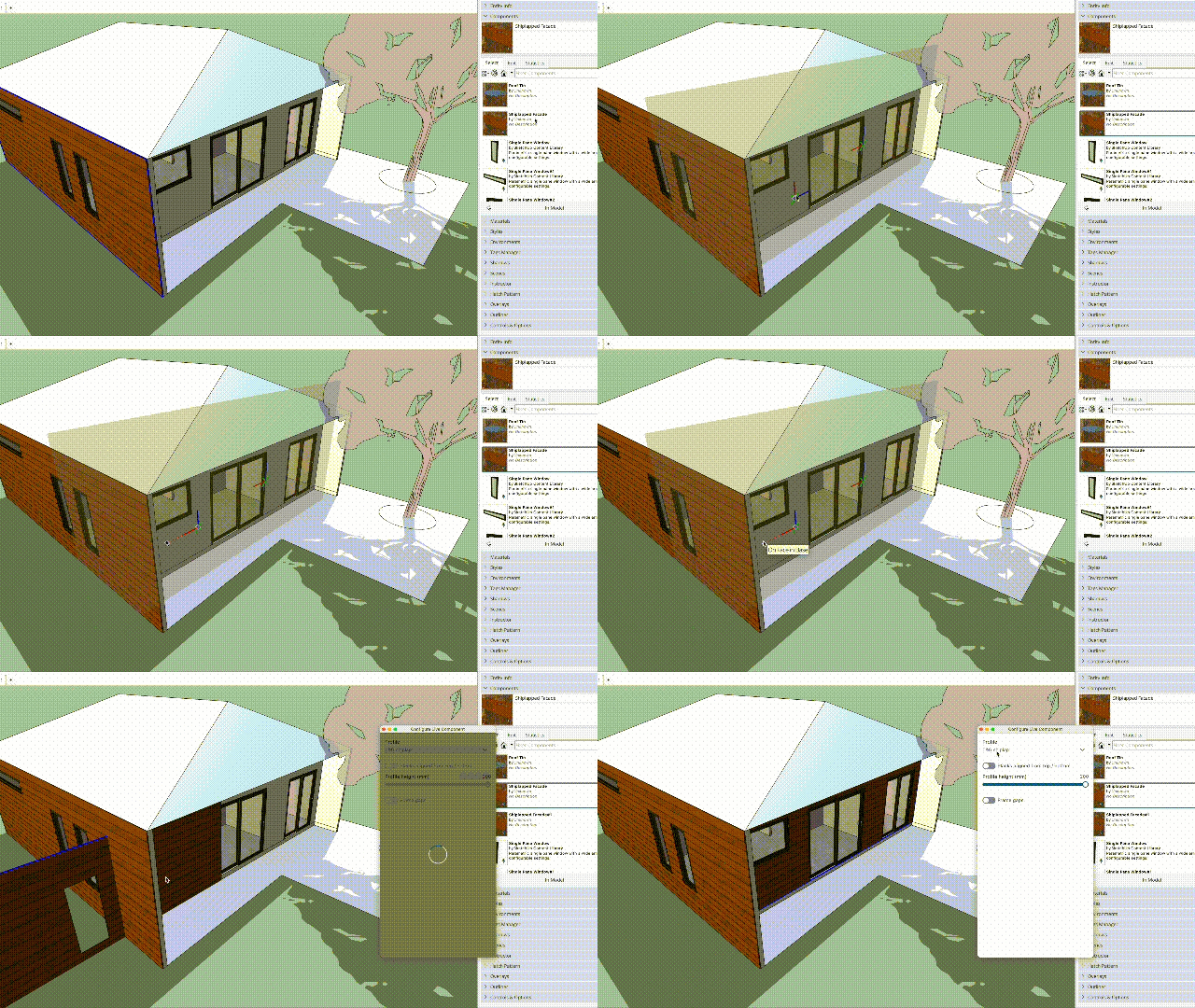
To AutoFit a component:
- Find and select the component you want to place in the Components panel.
- Drag the component from the panel into the modelling window.
- Hover over the face where you want to place the component. A highlight shows that the component can AutoFit to that face.
- Drop the component on the face.
- Adjust the component's origin point and orientation.
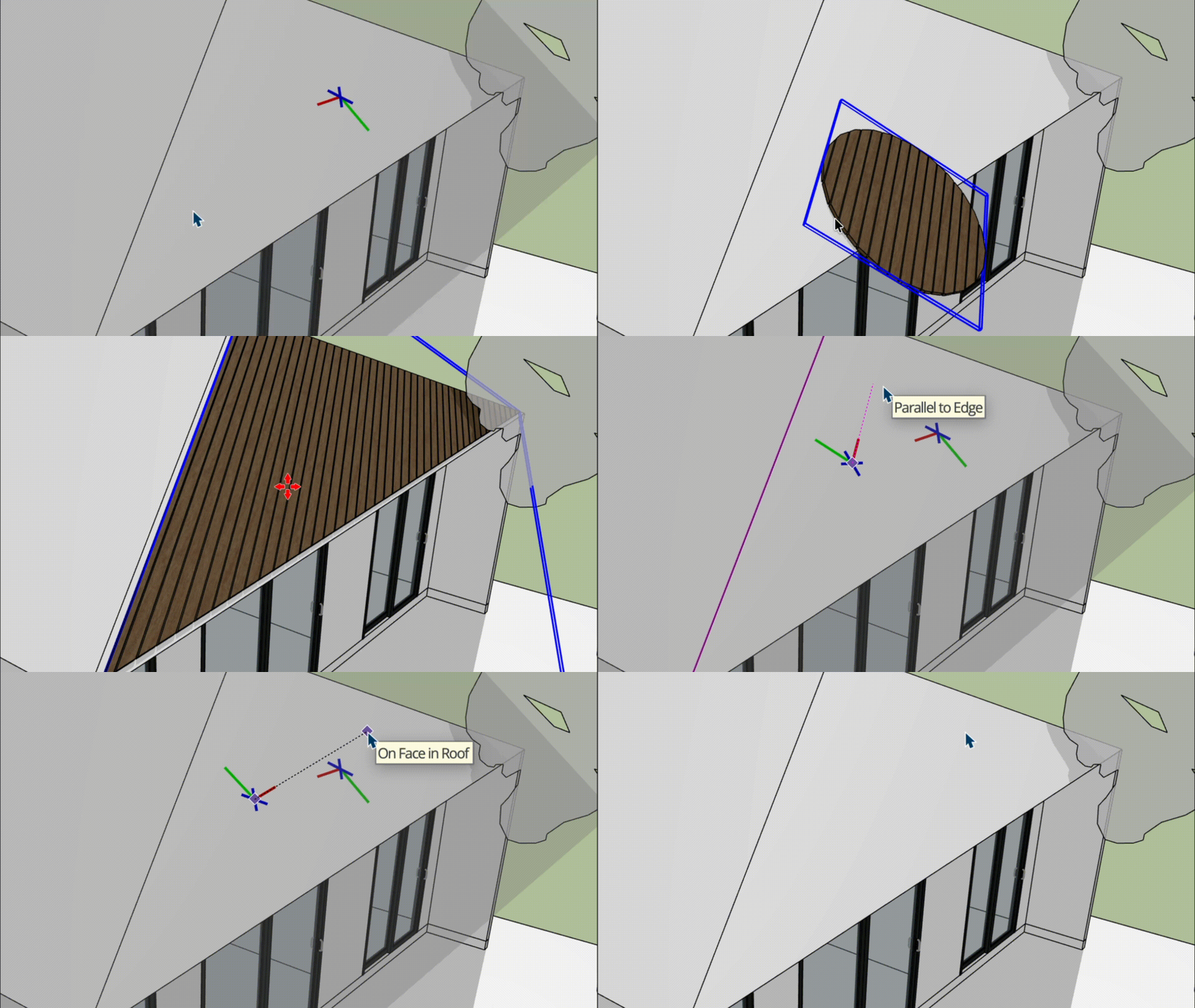
- Click again to confirm the component's orientation.
- If you need to refit the component, context-click the AutoFit component and select Refit Live Component.