Calculating Material Area
If you want SketchUp to calculate the surface area painted with a material, you can context-click the material and select Area > Material.
Last updated 17 July 2026
If you want SketchUp to calculate the surface area painted with a material, you can context-click the material and select Area > Material .
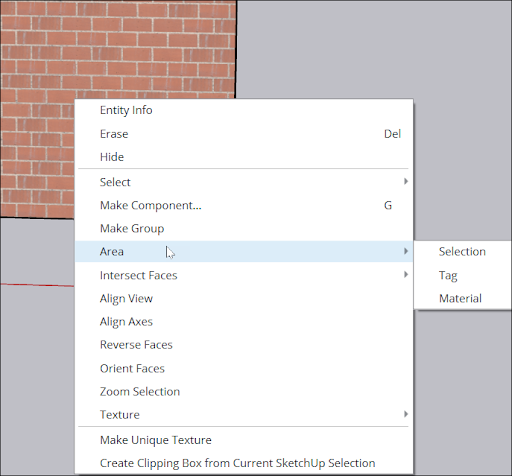
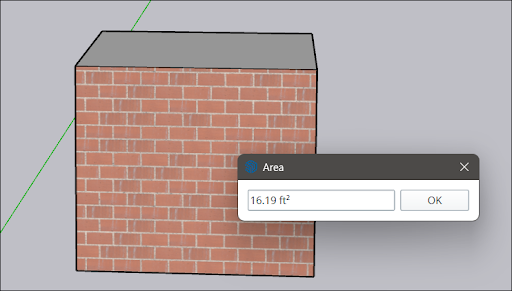
An Area dialog box shows the total area of faces to which the selected material is applied.
The units used depend on the units specified in your template. See Model Templates for details about changing your default units.
Using SketchUp’s classification tools, you can generate a report on materials in your whole model. See Classifying Objects for details.
Still need help?
Technical support from our New Zealand team is available to customers with a current Procadsys SketchUp Plus subscription: Pro Plus, Pro Scan Plus, Pro Civil Contractor Plus, Advanced Workflows Plus or Studio Plus. Self-help articles are public.
Contact SketchUp support