Skip to content
07-848 2005

SketchUp, SketchUp for Web and iPad

Solid Tools

Use SketchUp's Solid Tools to create shapes by combining or cutting solids. A solid is a 3D component or group with a finite, closed volume, no missing faces and all faces meeting at edges. Check that your geometry is a solid before you start.

Use SketchUp's Solid Tools to create shapes by combining or cutting solids. A solid is a 3D component or group with a finite, closed volume, no missing faces and all faces meeting at edges.

Before you start, check that your geometry is a solid. Select the group or component and check the Entity Info panel. The panel confirms whether your selection is a solid.
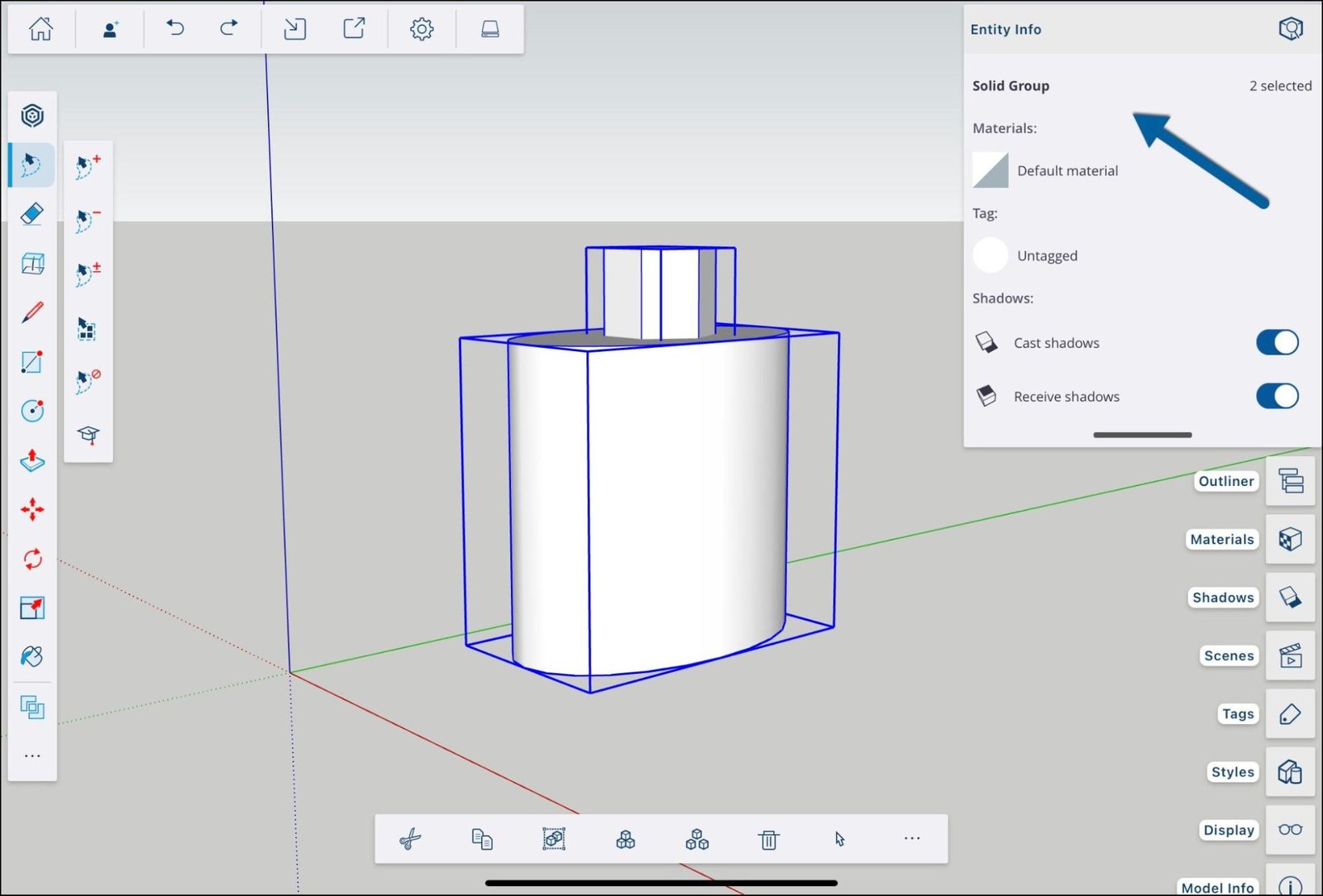
Entity Info panel showing 'Solid Group' for two selected objects.

SketchUp has the following Solid Tools:

Name

Icon

Description

Intersect

Intersect tool icon in SketchUp for iPad.

Remove all geometry from two solids except where they overlap.

Outer Shell

Outer Shell tool icon.

Combine multiple solid objects and remove unwanted interior geometry.

Split

Split tool icon.

Create a third solid object where two solids overlap. Remove that space from the original solids.

Subtract

Subtract tool icon.

Subtract one solid object from another and remove the cutting object from your model.

Trim

Trim tool icon.

Subtract one solid object from another and keep the cutting object in your model.

Union

Union tool icon.

Combine two or more solids into a single form and keep any voids where the objects overlap.

Adapted from SketchUp Help Center documentation: Solid Tools. © 2026 Trimble Inc.

Procadsys customer support

Still need help?

Licences, renewals and billing

Our New Zealand team looks after your SketchUp licences, renewals and invoices.

Monday to Friday, 9:00 am to 4:30 pm NZ time, excluding New Zealand public holidays.

Technical problems

Technical support from our New Zealand team is available with a current Procadsys SketchUp Plus subscription: Pro Plus, Pro Scan Plus, Pro Civil Contractor Plus, Pro Advanced Workflows Plus or Studio Plus.

Initial response within one business day.

On another SketchUp plan? Technical problems go to Trimble support.