Corona for 3ds Max
Corona Error Messaging
This page provides information about the Corona Error Messaging.
Last updated 1 September 2026
This page provides information about the Corona Error Messaging.
Overview
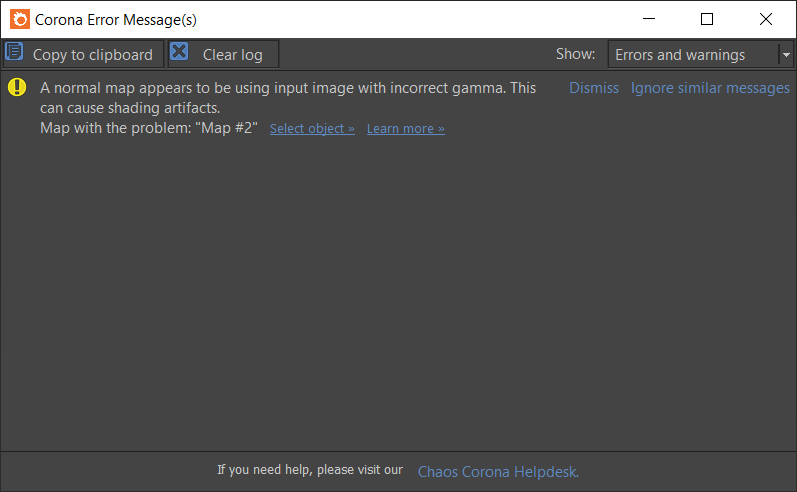
Corona Error Messaging detects various possible issues with the scene or the rendering process and informs you about them. Usually, it also provides a link to the Chaos Help Center with a more in-depth explanation of the issue and a list of possible solutions.
Description
Copy To Clipboard – Copies the error message or warning to the clipboard.
Clear Log – Сlears all current error messages and warnings.
Show – Allows to select which messages to show: Errors Only or Errors and Warnings.
Select Object – Selects the object where the problem is found.
Learn More – Opens a Chaos Help Center article related to the error/warning with various possible solutions.
Dismiss – Removes the current notification from the log.
Ignore Similar Messages – Stops showing similar messages.
Chaos Corona Helpdesk – Open the Chaos Help Center.