V-Ray for Maya
Light Path Expressions
This page provides information about Light Path Expressions.
Last updated 17 December 2025
This page provides information about Light Path Expressions.
Overview
Light Path Expressions, or LPEs, are a powerful and advanced tool for extracting specific lighting events from a scene and assigning them to a separate channel. This allows for very fine control of the image in compositing.
For example, LPEs allow breaking the GI down to different types of light sources like lights, the environment, and self-illuminating objects, or breaking down the GI to its separate bounces, or capturing only self-reflections, or the SSS that's only seen behind glass, and similar for compositing control of only this aspect of the image.
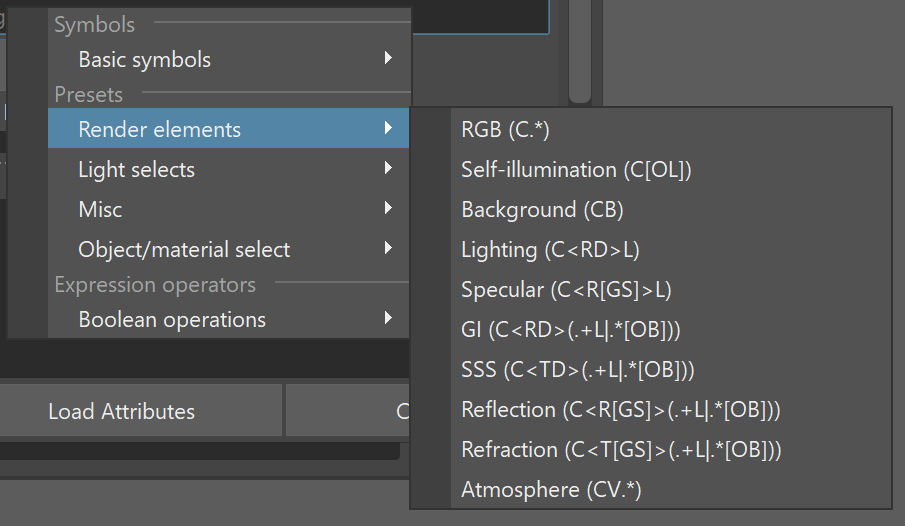
The right-click menu provides a list of all symbols in LPEs, along with presets to help you get started.
There are preset equivalents to already available render elements (such as Beauty, Lighting, GI, and Light Select types, etc.). There are also Misc and masking presets for the GI coming from the environment or for the GI coming from a specific object.
Also available is a list of Boolean operations that allow more complex expressions to be rendered in a single channel. For example, this approach allows some compositing operations, such as union or subtraction, to be performed in the renderer instead of in the compositing application.
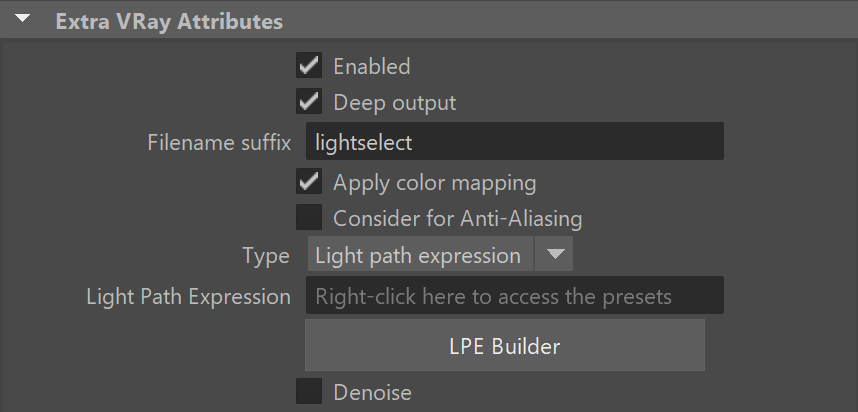
Scene Setup
The scene setup is similar to the Light Select workflow. As LPEs are a mode of the Light Select render element, the expression will capture contributions of the light(s) added to the Light Select set. If the Light Select is empty, the expression will capture contributions for all scene lights.
LPEs also allow extracting information from the environment, for example, capturing the GI that comes from the environment only. This does not require adding lights to the Light Select set.
Syntax
The LPE syntax is based on regular expressions.
Expressions describe a light path that starts from the camera and traces all light bounces to a light source.
Essentially, the syntax follows the direction in which a ray travels in the scene and captures information along the ray path.
Keep this information in mind, as light in the scene travels from the light source to the camera, but the expression is in reverse, following the path of the rays shot from the camera.
For example, if you need to capture GI bounced off one object onto another, light will travel from the light source onto the object that casts GI, then onto the object that receives GI, and finally end at the camera. However, in LPEs, just like in ray tracing, the expression will be in reverse, starting from the camera, asking for which object receives GI, then which object casts the GI, and ending at the light source.
LPE Symbols
The LPE alphabet consists of the symbols representing a ray event/type and additional regular expression symbols (“.”, “+”, “*”, “<”, “>”, “[“, “]”, “|”, “?”, “^”, and additional label strings).
A valid expression starts from the camera (C), captures ray spawn and scattering events, and ends at the light (L), emissive object (O), or the environment (B).
Ray spawn events other than C or V can be combined with scattering types (e.g. <RD> - capture only diffuse reflection) to get a more specific ray event, or they can be used directly (e.g. R - capture reflections of any scattering type. This is also equivalent to <R.>)
Ray termination events can also be combined with each other when you want to capture the contribution of a light together with emissive objects, e.g., C<RD>.*[LO] will capture the GI coming from lights or emissive objects.
See a complete list of LPE Symbols below:
LPE Symbols
Symbol | Description | Type |
Symbol | Description | Type |
Initial ray spawn event | ||
C | Camera ray | Initial ray spawn event |
Ray spawn events | ||
R | Reflection ray | Ray spawn event |
T | Transmission ray | Ray spawn event |
V | Volume ray | Ray spawn event |
Scattering types | ||
D | Diffuse scattering | Scattering type |
G | Glossy scattering | Scattering type |
S | Singular scattering | Scattering type |
s | Straight (no) scattering | Scattering type |
Ray termination (final) events | ||
L | Light hit | Ray intersection event |
O | Emitting object hit | Ray intersection event |
B | Background hit | Ray intersection event |
V-Ray 7 Beta Optional Modifier/Mode Prefix | ||
shadow; | Shadow instead of real lighting | Contribution modifier |

Presets
A number of presets are available for Light Path Expressions.
There are preset equivalents to already available render elements (such as Beauty, Lighting, GI, and Light Select types, etc.).
The Misc and masking presets are useful in common use cases.
Any preset can be used as a starting point for building other expressions, and like any LPE, they can be combined with boolean operations.
LPE Presets: Render Elements equivalents
Preset | Light path expression |
Preset | Light path expression |
Render elements | |
RGB | C.* |
Self-illumination | C[OL] |
Background | CB |
Lighting | C<RD>L |
Specular | C<R[GS]>L |
GI | C<RD>(.+L|.*[OB]) |
SSS | C<TD>(.+L|.*[OB]) |
Reflection | C<R[GS]>(.+L|.*[OB]) |
Refraction | C<Т[GS]>(.+L|.*[OB]) |
Atmosphere | CV.* |
LPE Presets: Light Select equivalents
Preset | Light path expression |
Preset | Light path expression |
Light selects | |
Direct Illumination | CRL |
Direct Diffuse | C<RD>L |
Direct Specular | C<R[GS]>L |
Full | C.*L |
Indirect | CR.+L |
Indirect Diffuse | C<RD>.+L |
Indirect Specular | C<R[GS]>.+L |

LPE Presets: Misc
Preset | Light path expression |
Preset | Light path expression |
Misc | |
Self-illumination, no lights | CO |
GI from self-illumination | C<RD>.*O |
GI from environment | C<RD>.*B |

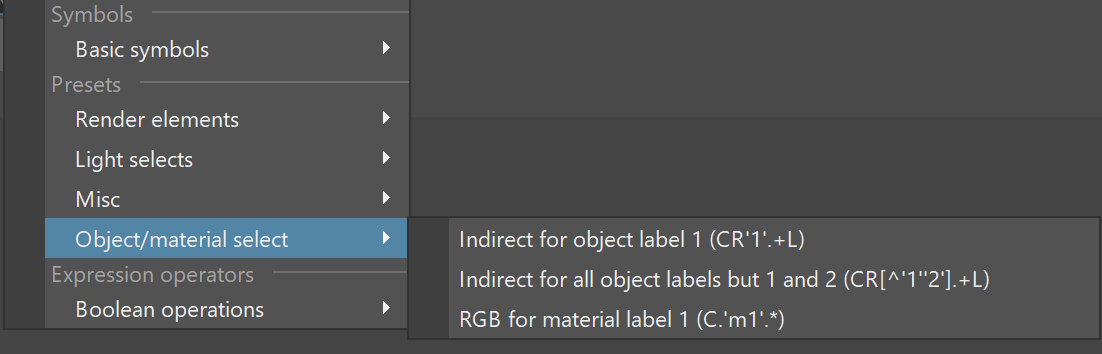
LPE Presets: Object and Material Select
Preset | Light path expression |
Preset | Light path expression |
Object/Material select | |
Indirect for object label 1 | CR'1'.+L |
Indirect for all object labels but 1 and 2 | CR[^'1''2'].+L |
RGB for material label 1 | C.'m1'.* |
Boolean operations
Boolean operations allow us to combine expressions. We can complement (^), intersect (&), or unite (|) expressions, or we can subtract (-) one expression from another.
Boolean operations can also be very useful in various scenarios to simplify the compositing workflow.
Boolean operation symbols
Boolean operation | Symbol |
Boolean operation | Symbol |
Expression operators | |
Complement | ^ |
Intersection | & |
Union | | |
Subtraction | - |

Example: ^(C<RD>L) - Returns everything except the direct diffuse lighting. For more examples, see the Advanced Light Path Expressions page.