V-Ray for Rhino
Cosmos Materials
This page gives information on how to use the Chaos Cosmos Browser Material library in Rhino.
Last updated 1 September 2026
This page gives information on how to use the Chaos Cosmos Browser Material library in Rhino.
Materials
Use the Import button to add Cosmos Browser Materials to the V-Ray Asset Editor Materials list or drag and drop the material directly on to a scene object.
Use the Import Options button to enable the triplanar mapping function for the selected material. This feature automatically scales materials to their actual size taking into account the scene units.


Decals
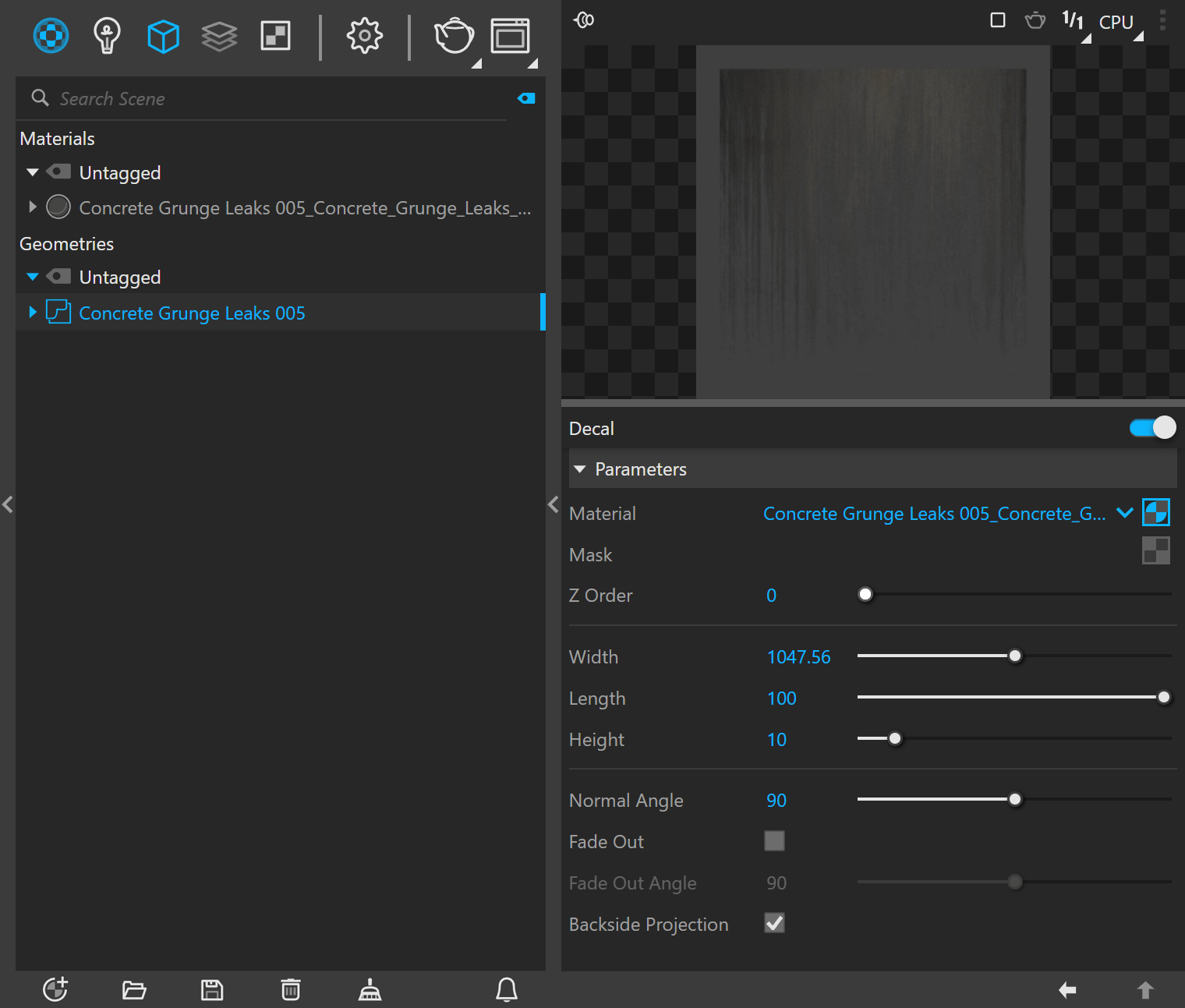
Starting with V-Ray 6, Cosmos decal assets are supported in Rhino.
The Cosmos Decal material asset consists of a geometry Decal asset coupled with a material asset, which the decal projects. Opacity mask controlling which parts of the material is projected is found in most Cosmos Decal assets. Additional opacity texture can also be added in the Decal mask's slot to adjust the projection manually.
See more information on how to apply Cosmos materials in your scene in the video.
www.youtube.com
Scans Materials
Chaos Scans materials are now available through the Chaos Cosmos Browser. They are marked with the Scans logo . Download and import them in the same way as standard Cosmos Materials.
