Use the V-Ray Curvature Texture to colour a mesh based on its curves. Adjust its settings to suit your model's scale.
Overview
Curvature samples the mesh for curves. It casts additional rays around each shaded point, similar to Dirt, and averages the sampled normals to calculate a "smooth" normal at that point. It uses this normal to calculate a greyscale colour. Darker values show dents or holes, and lighter values show peaks. Adjust the parameters by trial and error to suit your model's scale. The default settings may not suit your model.


UI paths
||V-Ray Asset Editor|| > Textures (right-click) > Curvature
||V-Ray Asset Editor|| > Create Asset (left-click) > Textures > Curvature
Parameters
Mode lets you switch between the curvature modes.
Legacy uses only the overall amount of curvature. It does not distinguish between outward (convex) and inward (concave) curves.
Convex generates a greyscale based on the mesh's outward curve.
Concave generates a greyscale based on the mesh's inward curve.
Both generates a red-green gradient based on the mesh's convex and concave curves. Red shows convex curves, and green shows concave curves.
Sample Spread sets the radius of the sampled region. A selected texture overrides the colour while the texture checkbox is enabled.
Radius controls the radius that the curvature traces. Use this factor to match curvature between large and small objects.
Threshold sets the curvature value below which values are ignored and shown as pure black. This limits the curvature effect to the most curved areas of the mesh.
Ignore Bump excludes Bump maps from VRayCurvature calculations when enabled.

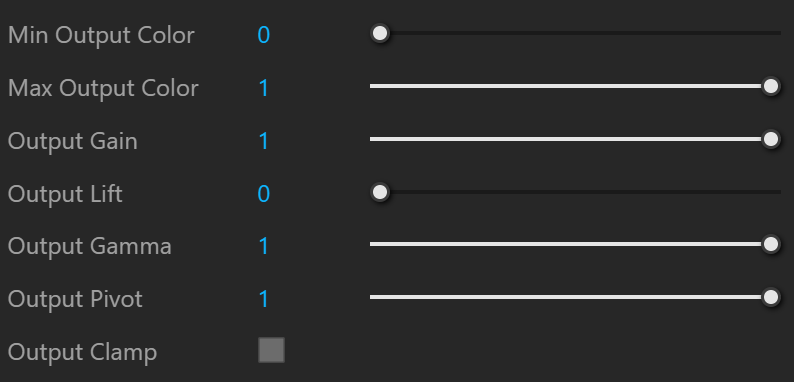
Min Output Color sets the minimum output colour for the most concave areas (dents in the mesh). The default value is 0, completely black.
Max Output Color sets the maximum output colour for the most convex areas (peaks in the mesh). The default value is 1, white.
Output Gain multiplies the output values.
Output Lift lightens the output values uniformly.
Output Gamma applies gamma correction to the output values.
Output Pivot sets the pivot value for gamma correction. Output values equal to the pivot value stay unchanged.
Output Clamp limits the Output min colour and Output max colour values to the [0,1] range when enabled. Negative values become 0, and values above 1 become 1.