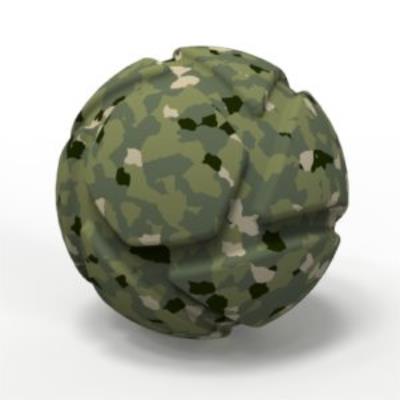
Use the Camouflage procedural texture in KeyShot to create camouflage patterns.
Updated 3 August 2026 1 minute read
Use the Camouflage procedural texture in KeyShot to create camouflage patterns.
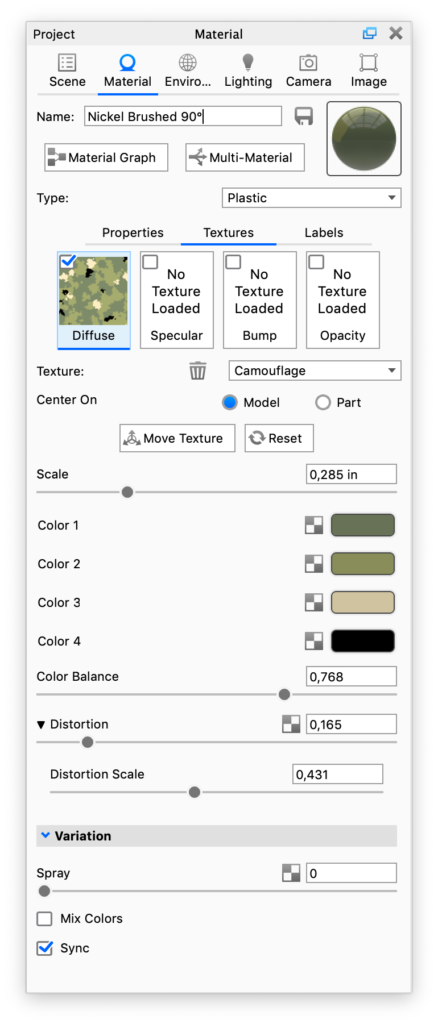
This example uses the Camouflage texture as a Diffuse map.
Scale Adjust the overall texture scale to fit your model.
Color 1/2/3/4 Choose the mix of colours for the texture.
Color Balance Colours 1-4 appear in the pattern in descending order of frequency. There are more spots of colour 1 than colour 3 or 4. Increase this value to make the colour proportions more even. Reduce it to make the proportions more different.
Distortion Adjust this value to control how complex the spot shapes are.
Distortion Scale Control the size of the grain that makes up the spots. Decrease the scale to create many small, irregular spots. Increase it to create blocks of colour.
Variation
Spray Increase this value to soften the edges of the spots.
Mix Colors Enable this option to blend colours where they overlap.