Use the Cellular procedural texture in KeyShot to create texture maps for crumpled textures, cracked surfaces, orange peel paint and hammered metal.
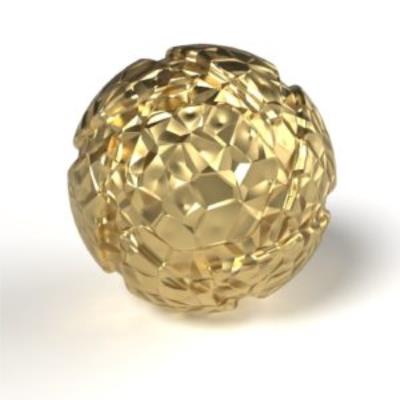
Apply the Cellular texture as a Bump map to create the crumpled effect shown here.
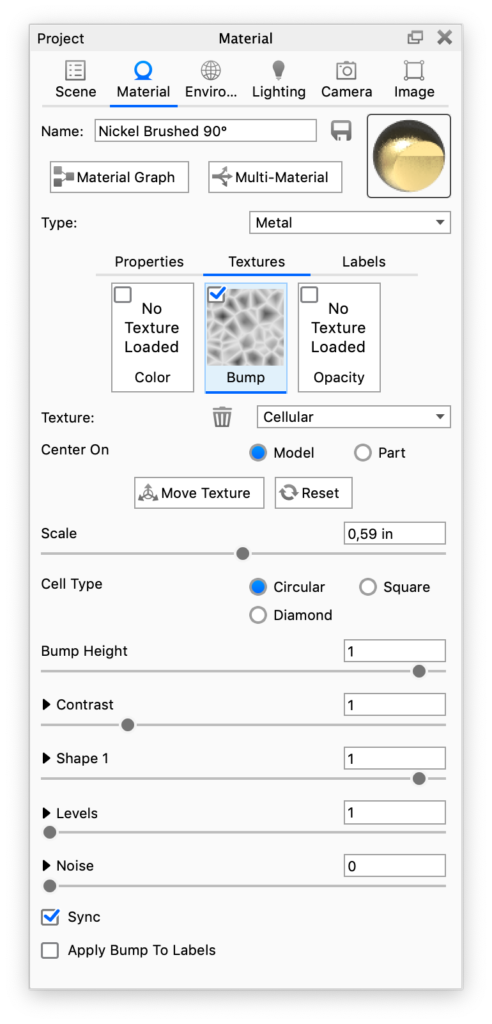
| Scale
Adjust the texture scale to fit your model. Cell Type
Choose circular, square or diamond-shaped cells. Bump Height
Control the overall intensity of the texture map. Contrast
Adjust the difference between the peaks and valleys of the bump map. Adjust them globally, or expand for finer controls. Shape 1
Use this slider to control the generated fractal shapes. Adjust them globally, or expand for finer controls. Levels
Increase or decrease the levels of fractals generated. Adjust them globally, or expand for finer controls. Noise
Use this slider to add noise to the lines of the fractal shapes. |