Skip to content
07-848 2005

KeyShot Studio, Working With Models

Geometry View

Geometry View is a Pro feature in KeyShot. Use this OpenGL viewer alongside the Real-time View to set up your scene.

On this page
  1. What you can do in Geometry View
  2. In this section
  3. Also see

Geometry View is a Pro feature in KeyShot. Use this OpenGL viewer alongside the Real-time View to set up your scene.

What you can do in Geometry View

  • Play animations at a true 1:1 speed.
  • Use a secondary camera to position physical lights in your scene.
  • Set up scene transformations and composition faster.
  • View and edit all Camera Path Animations.
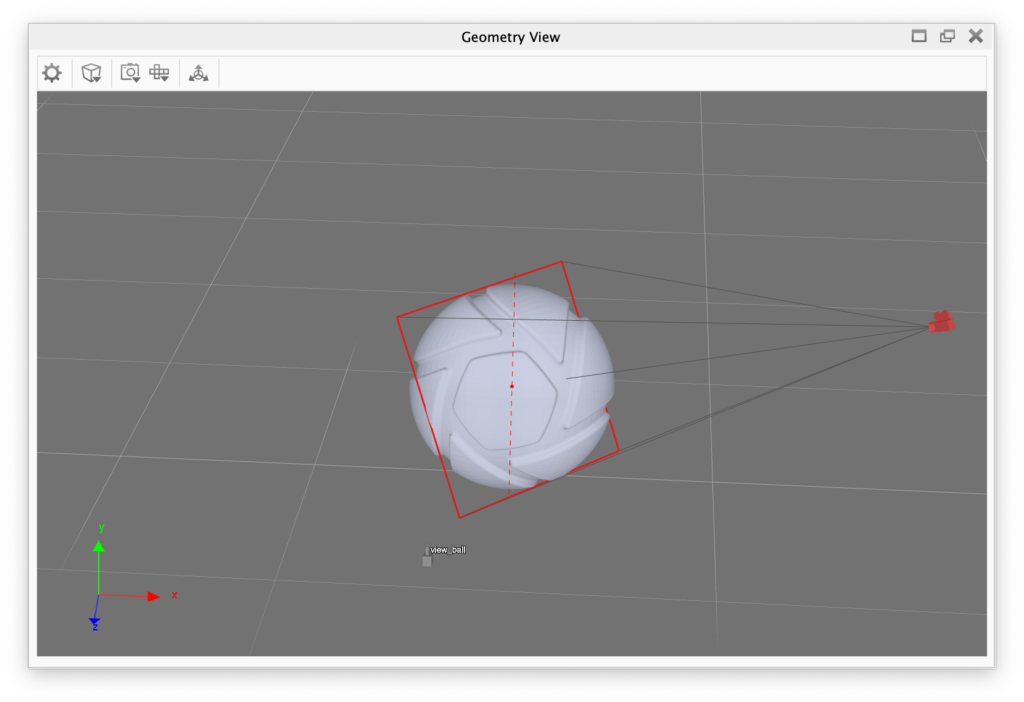
Geometry view panel

In this section

Also see

Adapted from KeyShot Studio documentation: Geometry View. © 2026 KeyShot

Procadsys customer support

Still need help?

Licences, renewals and billing

Our New Zealand team looks after your KeyShot licences, renewals and invoices.

Monday to Friday, 9:00 am to 4:30 pm NZ time, excluding New Zealand public holidays.

Technical problems

Installation errors, crashes and other technical problems with KeyShot are handled by KeyShot support.