Skip to content
07-848 2005

KeyShot Studio, textures

Marble

Use the Marble procedural texture to simulate marble on a benchtop, tile or stone in KeyShot.
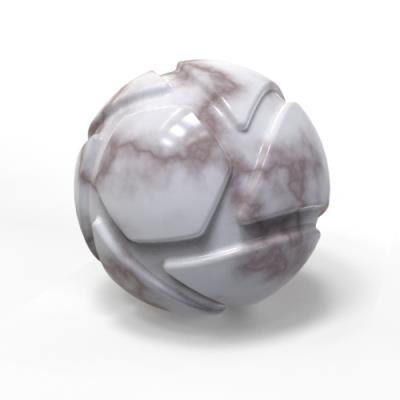
Use the Marble procedural texture to simulate marble on a benchtop, tile or stone in KeyShot.

Marble texture example

Marble texture applied as a diffuse map.

Scale
Controls the scale of the veins in your marble texture.

Color
Sets the overall colour of your marble texture.

Vein Color
Sets the colour of the veins in your marble texture.

Vein Thickness
Adjusts the thickness of the marble veins.

Vein Noise
Adds random variations to the marble veins.

Vein Noise Scale
Adds variations to the overall direction of the marble veins.

Adapted from KeyShot Studio documentation: Marble. © 2026 KeyShot

Procadsys customer support

Still need help?

Licences, renewals and billing

Our New Zealand team looks after your KeyShot licences, renewals and invoices.

Monday to Friday, 9:00 am to 4:30 pm NZ time, excluding New Zealand public holidays.

Technical problems

Installation errors, crashes and other technical problems with KeyShot are handled by KeyShot support.