KeyShot Studio resource folder
The KeyShot Studio resources folder stores preset assets such as materials, environments and textures. When you open a .bip file, KeyShot Studio loads the files the scene uses from this folder. You can set the folder location on the Folders Tab.
On Windows, open Preferences from the Main Menu under Edit > Preferences. On Mac, use KeyShot Studio> Preferences in the Main Menu.
The KeyShot Studio resources folder contains these subfolders:
Animations
KeyShot Studio saves animations here by default. You can choose another location in the Render Options window when you render.
Backplates
The KeyShot Studio Library loads backplates from this folder and saves imported backplates here by default.
Colors
The KeyShot Studio Library loads colour library files from this folder and saves imported colour library files here by default.
Downloads
KeyShot Studio saves resources downloaded from KeyShot Cloud here.
Environments
The KeyShot Studio Library loads environments from this folder and saves imported environments here by default.
Favorites
This folder stays empty until you create a favourite list of resources. KeyShot Studio then saves the list here as an XML file.
Materials
The KeyShot Studio Library loads materials from this folder and saves imported materials here by default.
Material Templates
This folder stays empty until you create a material template. KeyShot Studio then saves the template here.
Models
This folder contains standard primitives you can import into KeyShot Studio. KeyShot Studio also saves imported model library files here by default.
Renderings
KeyShot Studio saves renderings here by default. You can choose another location in the Render Options window when you render.
Scenes
This folder contains sample scenes saved as BIP files. You can only open these scenes with KeyShot Studio.
Scripts
This folder contains sample scripts you can use with KeyShot Studio.
Textures
The KeyShot Studio Library loads textures from this folder and saves imported textures here by default.
Windows location
Installing KeyShot Studio 2026 creates a "KeyShot Studio 2026 Resources" shortcut on your desktop. By default, it points to Documents/KeyShot Studio 2026.
Set permissions
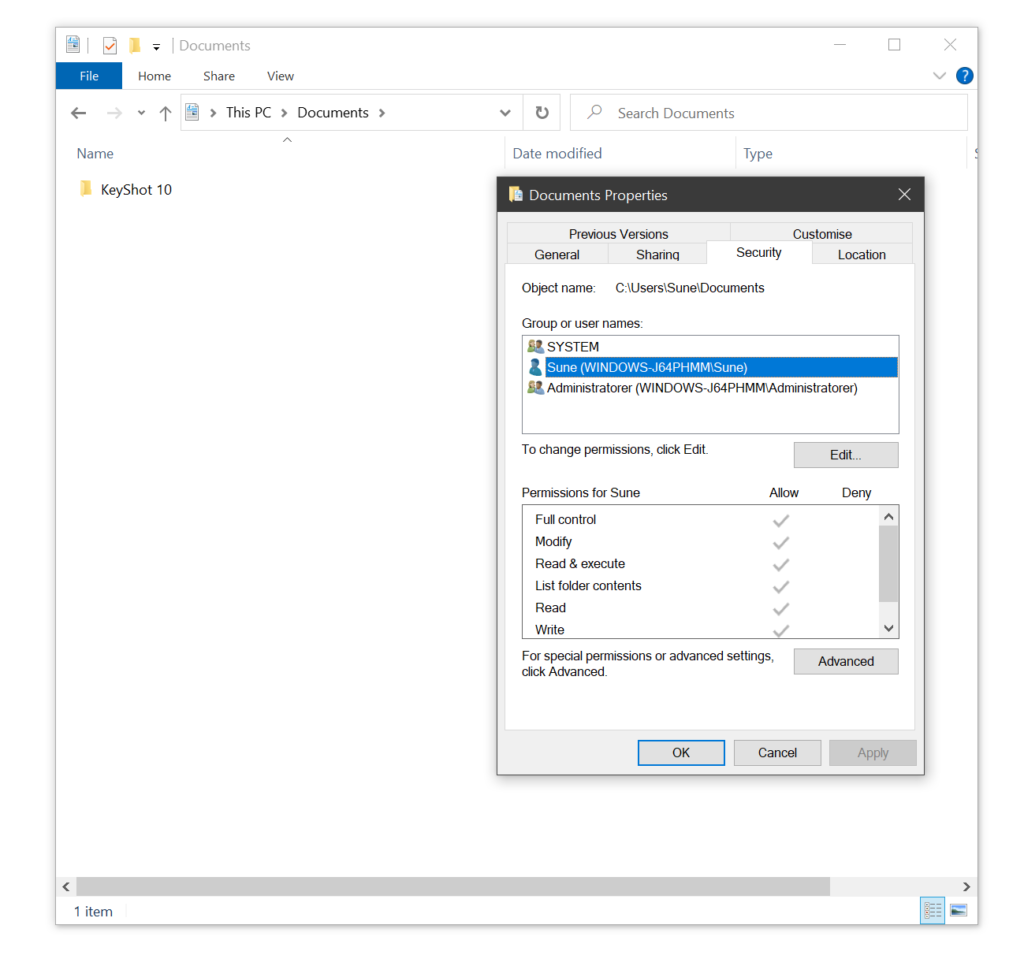
You need read and write permissions for your KeyShot Studio 2026 folder to save renders, animations and other files. Set the permissions as follows:
- Right-click the KeyShot Studio 2026 resources folder and select "Properties".
- Open the Security tab and select your group or user name.
- Click Edit.
- Set permissions to Full Control.
- Click Apply and OK.
Mac location
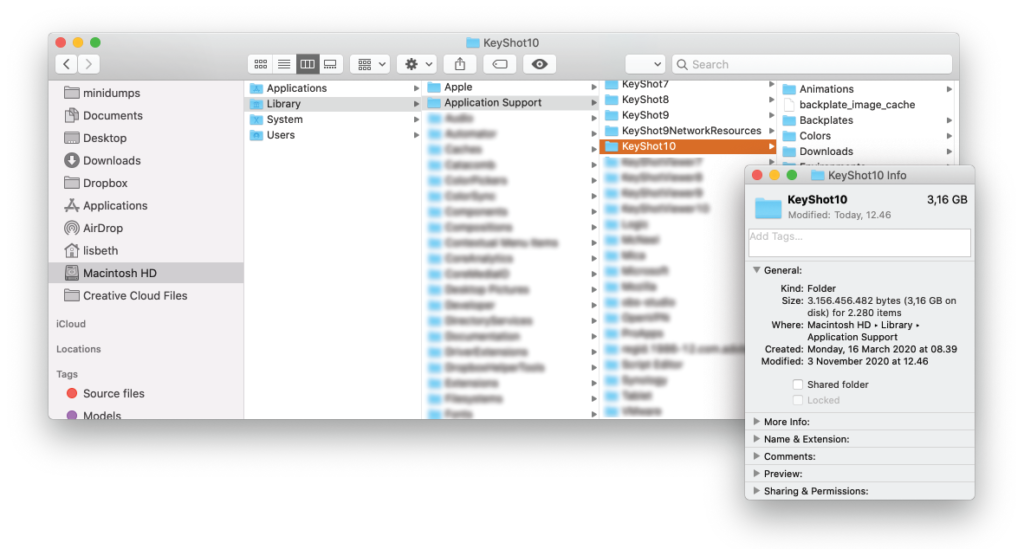
On a Mac, the KeyShot Studio 2026 resources folder is in Application Support at /Library/Application Support/KeyShot Studio 2026.
Set permissions
You need read and write permissions for your KeyShot Studio 2026 folder to save renders, animations and other files. Set the permissions as follows:
- Right-click the KeyShot Studio 2026 resources folder and select Get Info.
- Expand Sharing & Permissions and unlock access.
- Change all privileges to Read & Write.
- Click the settings button and select Apply to enclosed items….
- Click OK and close the window.