Use the Spots procedural texture in KeyShot to create a texture map of scattered spots on a surface.
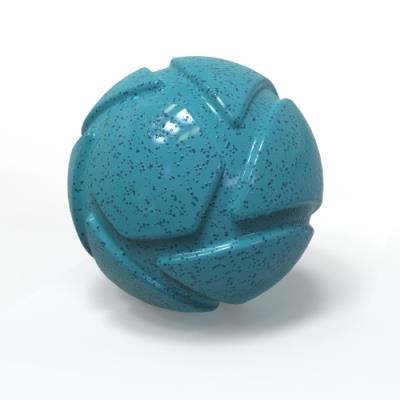
This example applies the Spot texture as both a Diffuse map and an Opacity map.
Color
Set the colour of the spots.
Background
Set the background colour.
Scale
Adjust the overall scale of the texture map.
Cell type
Choose circular, square or diamond-shaped spots.
Density
Adjust the number of spots on your surface.
Radius
Adjust the overall size of the spots.
Falloff
Feather the edges of the spots. Higher values produce softer edges.
Distortion
Increase this value to randomly warp the spots.
Distortion Scale
Adjust the amount of distortion applied to the spots.
Levels
Increase the number of spot size levels.
Levels Scale
Adjust the size difference between levels. Increase the value to greater than one to decrease the smallest spot size. Decrease the value to less than one to increase the largest spot size.
Intensity Modifier
Increase this value to make spots less opaque as they get smaller.
Advanced
Invert
Enable this option to feather the spots into the outside colour, creating rings or silhouettes that look like bubbles.