Skip to content
07-848 2005

SketchUp, 3D Warehouse and Extension Warehouse

Models in 3D Warehouse

Find and share SketchUp models in 3D Warehouse. You can use 3D Warehouse to find a lamp for a bedroom or a fully modelled skyscraper.
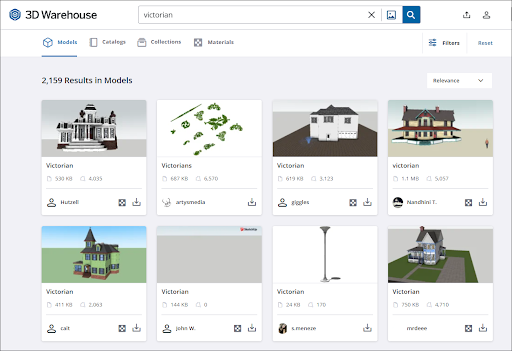
Find and share SketchUp models in 3D Warehouse. You can use 3D Warehouse to find a lamp for a bedroom or a fully modelled skyscraper.

3D Warehouse search results for 'victorian' with the Models tab selected and model thumbnails displayed.

When you find a model, you can view the details its creator has added, add it to your Likes or save it to a Collection. These articles explain how to use models in 3D Warehouse:

  • Read Searching for Models to learn the basics of searching 3D Warehouse.
  • Downloading Models explains how to download a model into SketchUp or to your device once you have found it.
  • Read Uploading Models to learn the different ways to upload a model to your 3D Warehouse profile.
  • Some models are marked as Certified Content. Read Certified Content to find out what this means.

Procadsys customer support

Still need help?

Licences, renewals and billing

Our New Zealand team looks after your SketchUp licences, renewals and invoices.

Monday to Friday, 9:00 am to 4:30 pm NZ time, excluding New Zealand public holidays.

Technical problems

Technical support from our New Zealand team is available with a current Procadsys SketchUp Plus subscription: Pro Plus, Pro Scan Plus, Pro Civil Contractor Plus, Pro Advanced Workflows Plus or Studio Plus.

Initial response within one business day.

On another SketchUp plan? Technical problems go to Trimble support.