SketchUp AI
SketchUp AI tools for visuals, assets and modelling help.
Last updated 17 July 2026
SketchUp AI provides visual generation, asset generation and modelling help.
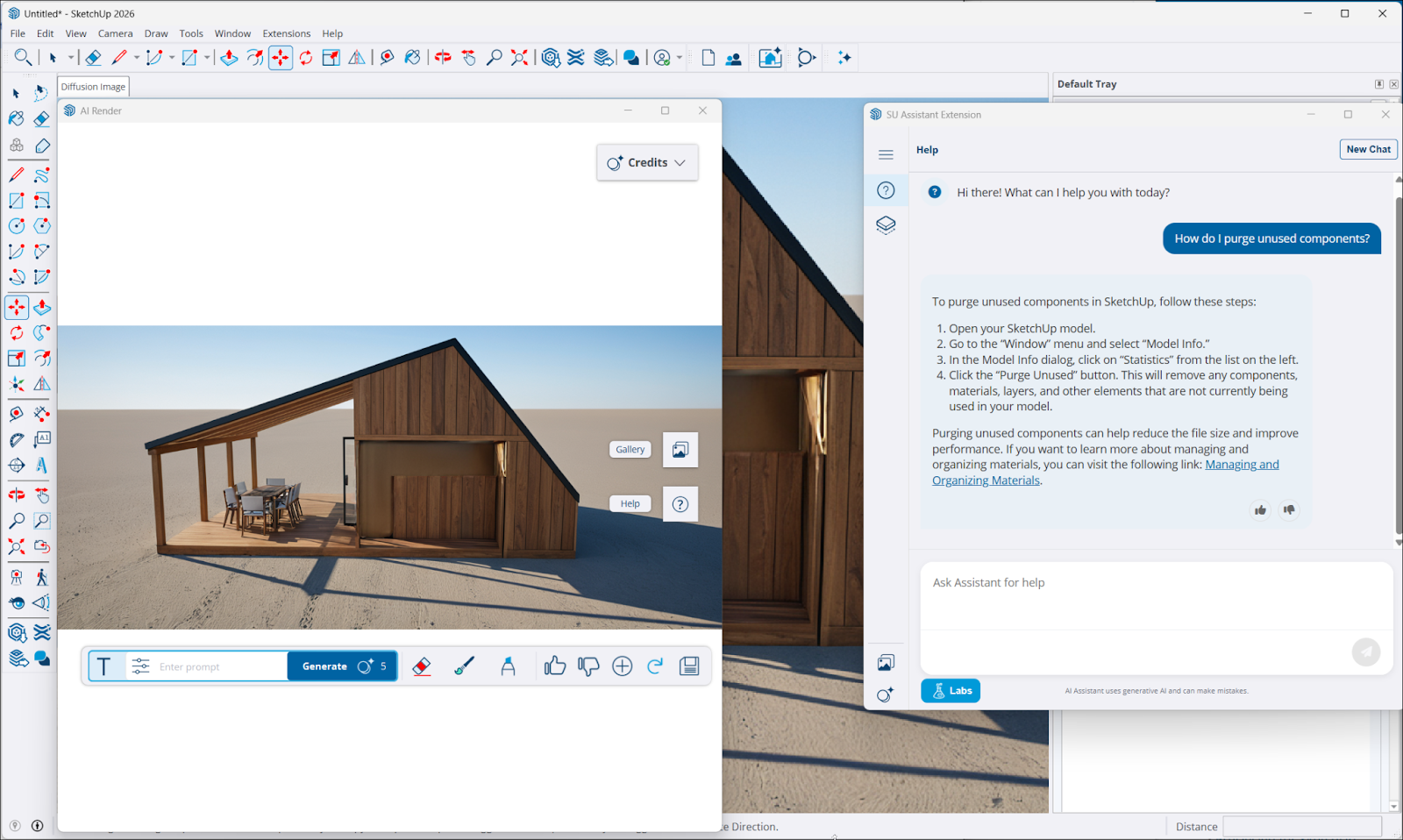
For more information about SketchUp AI, take a look at the following articles:
- AI Credits - SketchUp’s AI features use AI Credits each time you use them. Each subscription comes with a monthly allotment of credits.
- AI Assistant – AI Assistant offers two ways to save time and enhance your workflows. With Help, you can ask questions and receive immediate, in-app support. With Generate Object, you can create a 3D asset for your model using an image you provide or a text prompt.
- AI Render – Combine your model’s active viewport with a text prompt to create a new, photorealistic render, added to your model as a scene. Use one of SketchUp’s preset prompts, or craft your own. You can also use tools that can enhance or alter your output to get just the render you want.
- SketchUp Connector for Claude – Learn how to generate SketchUp files by having a text conversation in Claude.Ai.
- SketchUp AI FAQ – Some frequently asked questions about SketchUp's AI capabilities.
Still need help?
Technical support from our New Zealand team is available to customers with a current Procadsys SketchUp Plus subscription: Pro Plus, Pro Scan Plus, Pro Civil Contractor Plus, Advanced Workflows Plus or Studio Plus. Self-help articles are public.
Contact SketchUp support