Logging Out of SketchUp
The way you logout of SketchUp depends on what platform you are using.
Last updated 17 July 2026
The way you logout of SketchUp depends on what platform you are using.
Desktop
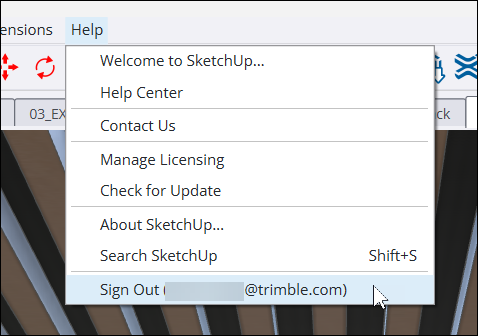
In SketchUp for Desktop , you can logout by clicking Help > Sign Out . Next to Sign Out you’ll see the email address or username of the current user.
Web and iPad
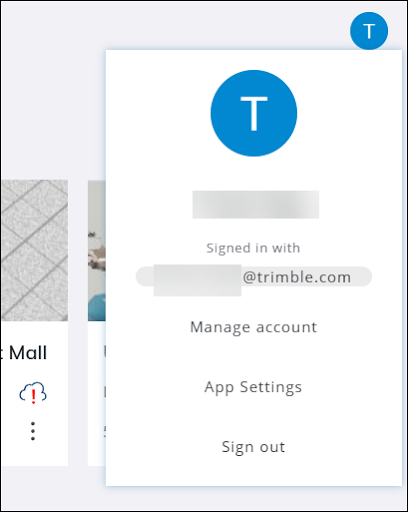
In SketchUp for Web or SketchUp for iPad , you can logout by clicking the profile icon in the upper right corner and selecting Sign Out .
After signing out, a message will appear on your web browser confirming you are now signed out.

After logging out, quit SketchUp completely. That way the next time you open SketchUp you’ll start fresh.
Still need help?
Technical support from our New Zealand team is available to customers with a current Procadsys SketchUp Plus subscription: Pro Plus, Pro Scan Plus, Pro Civil Contractor Plus, Advanced Workflows Plus or Studio Plus. Self-help articles are public.
Contact SketchUp support