When you open AI Render, it captures an image of your model's current viewport in the Preview pane.
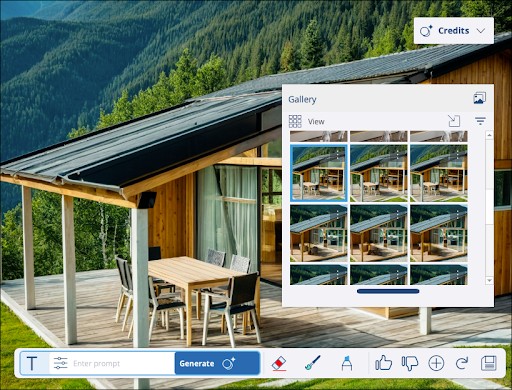
AI Render uses that viewport as the original input for generated images. These images appear in the Gallery.
The Gallery contains all images generated in your current AI Render session and any created in the past 30 days. Images are grouped by date in expandable menus. Images you have liked show a thumbs up in their preview. Click a generated image to open it in the main AI Render window. You can then refine the image or click Add Scene to add it to your model.
The Gallery also has these options:
- View (
 ) controls the size of your gallery thumbnails.
- Filter (
 ) lets you filter images using the Liked, Unliked and Neutral toggles.
- Import (
 ) opens your file browser so you can import an image into your Gallery. This option is only available on desktop.