Enscape Envision
Chaos AI Enhancer
This page provides information about the Chaos AI Enhancer for Envision.
Last updated 1 September 2026
This page provides information about the Chaos AI Enhancer for Envision.
Overview
The AI Enhancer tool allows you to enhance the quality of your visualizations, specifically people and vegetation assets. The tool can be accessed directly through the Envision user interface (UI).
To use the AI Enhancer, you must be signed in with your Chaos credentials in the Chaos Cloud Collaboration. Additionally, Cloud Collaboration must be enabled within Enscape Envision to activate the tool.

How to Use the AI Enhancer Tool
To upload an image for enhancing with the AI Enhancer tool, you need to be signed into Chaos Cloud Collaboration as well as to enable the Cloud collaboration feature inside Envision. For detailed instructions on how to enable Cloud collaboration, please refer to the Chaos Cloud Collaboration page.
Then you need to enable the AI Enhancer feature inside Envision.
Step 1. Within Envision
- Go to Render menu > Render image(s) and open the Render Setup window.
- In the AI Enhancer field under the Output section, choose a destination to save the rendered image.
You are prompted to select a file format too. Choose EXR. - Click the button to enable the AI Enhancer. When enabled, the rendered output is automatically uploaded to Cloud Collaboration – provided a destination has been set. If no destination is set, the files are saved locally, and you have to manually upload them to Cloud Collaboration.

Step 2. Within Chaos Cloud Collaboration
- Go to the Chaos Cloud Collaboration website and select the image.
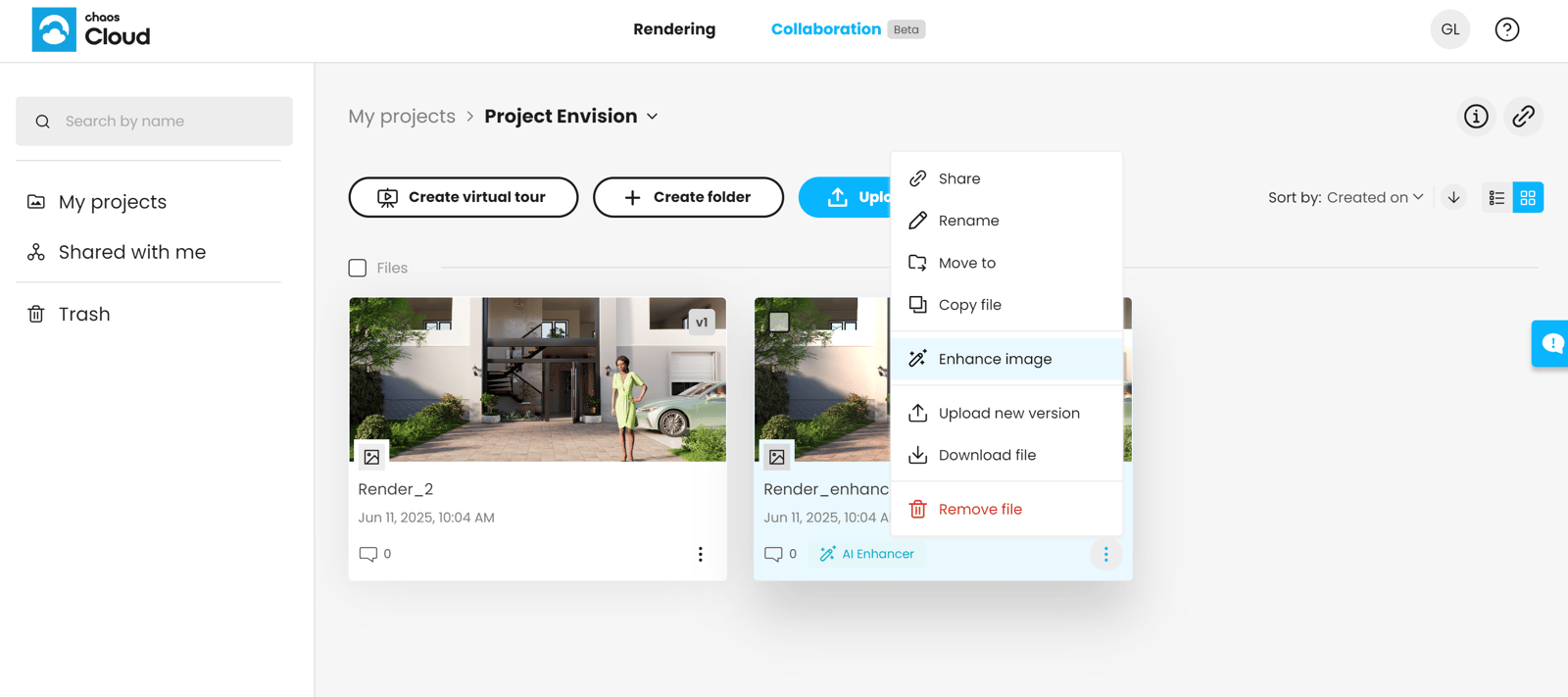
- Click on themenu and select Enhance image. This initiates the enhancement process.
Alternatively, open the image and then click the Enhance button. - Once the image is enhanced, you can download it from the dropdown menu.
Example: AI Enhancement
The following example compares the originally rendered image, as uploaded to Collaboration, with an enhanced version processed using the AI Enhancer tool to demonstrate the visual improvements achievable through AI-powered enhancement.

Original image

Enhanced image
See also: