Set a Skybox as the background in Enscape.
Overview
A Skybox is a background image that surrounds your project. It wraps an environment texture around the inside of an enclosure around your scene.
A 3D environment must be "unwrapped" to save it as a flat 2D image. Enscape supports the two most common Skybox formats:
- Longitude/Latitude (Equirectangular) maps a spherical environment onto a flat rectangle, like a 2D map of the globe.
- Cross Format (Cubemap) represents the environment as an unfolded 3D cube. Its six interior faces lie flat in a cross shape.
How to load
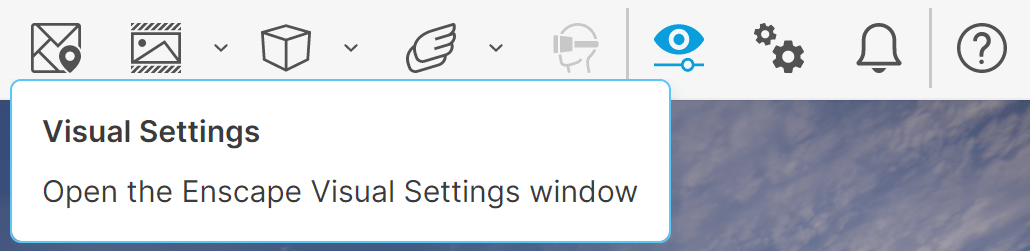
With Enscape running, open the Enscape Visual Settings window using its button in the Enscape viewport toolbar.
Open the Sky settings tab for your chosen Custom Preset.
The Horizon Source options appear in a drop-down menu.
Choose Skybox.
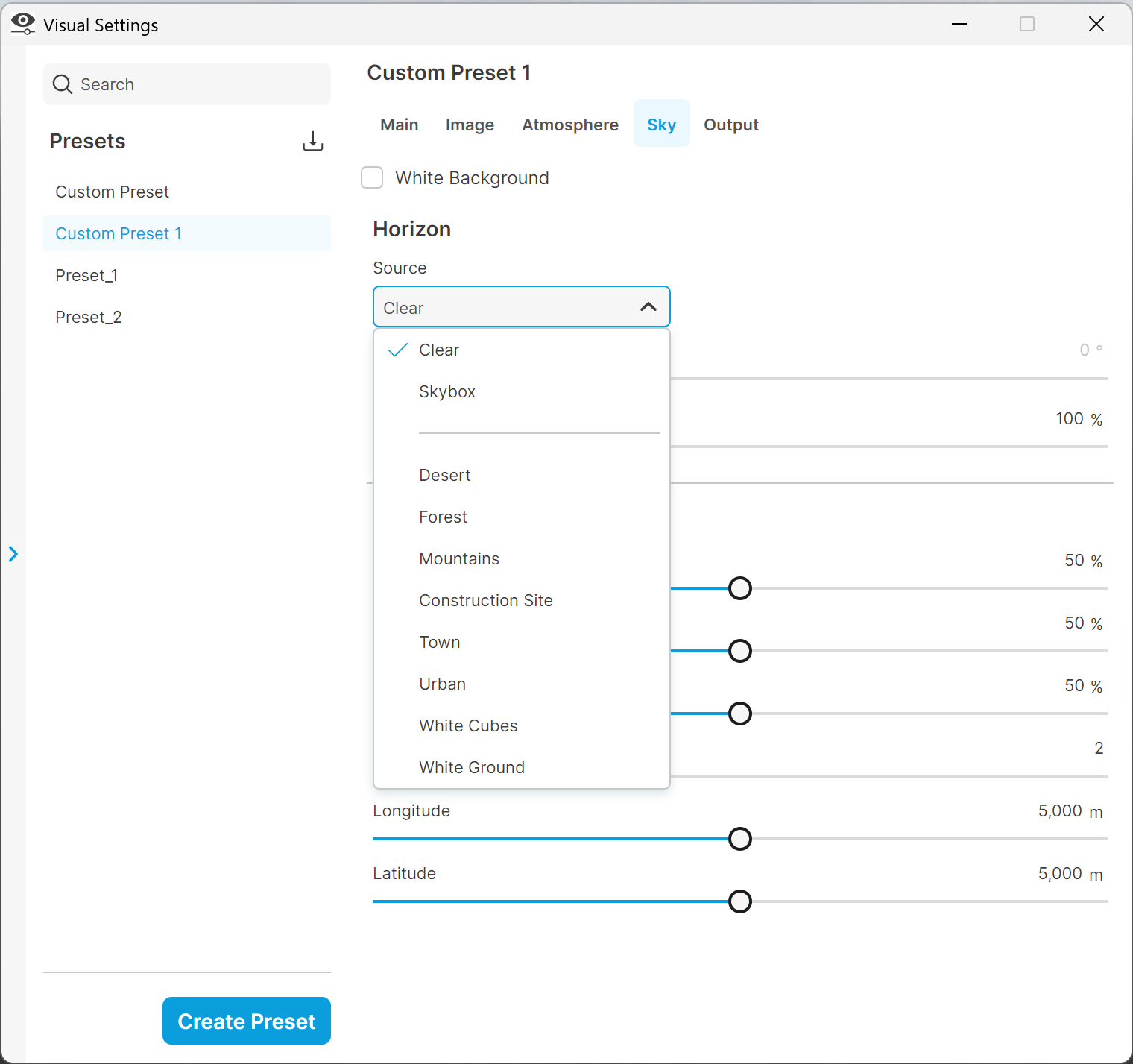
Sky Tab Horizon Source
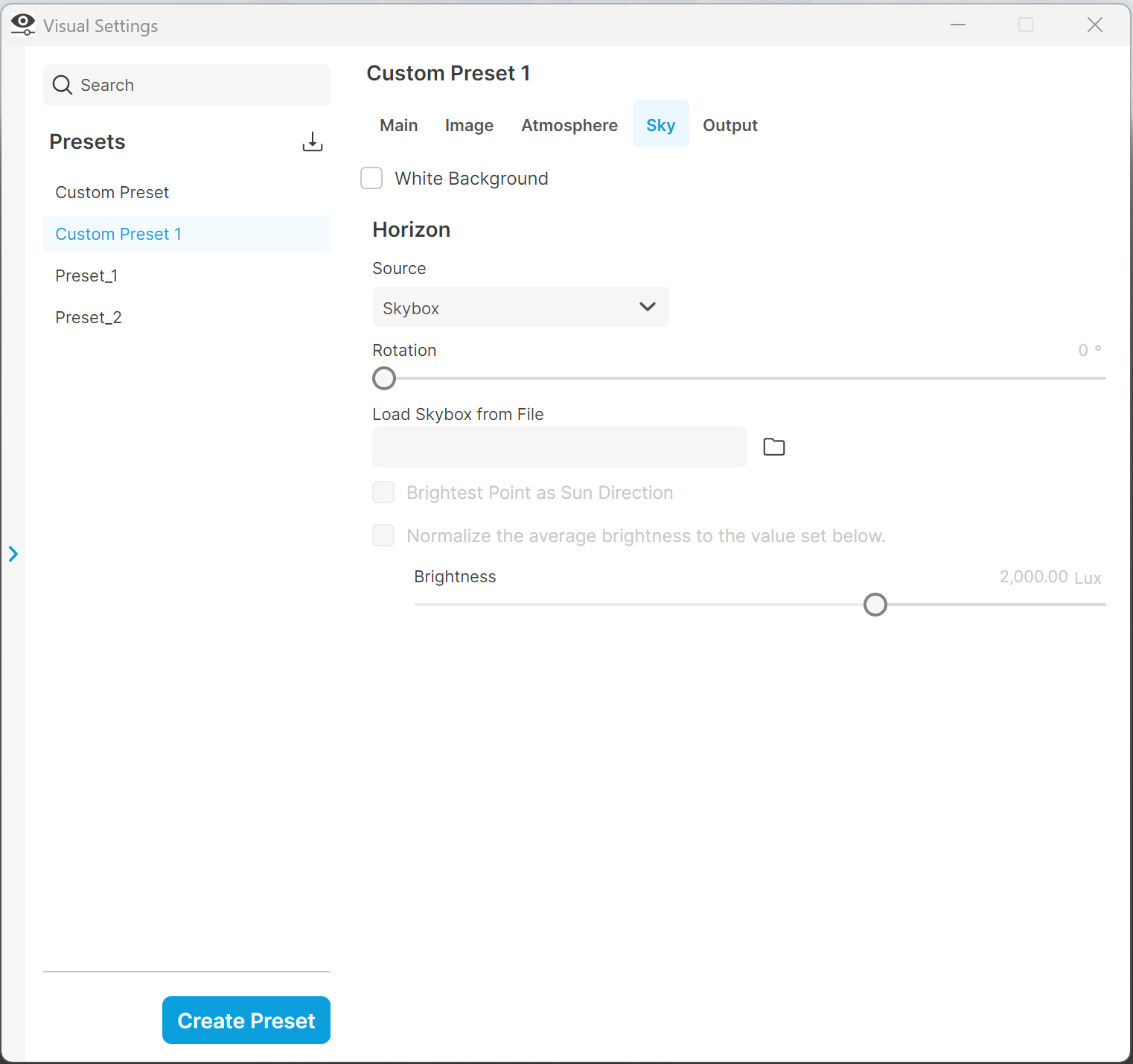
Load Skybox from File
Use the Rotation setting to adjust your Skybox's horizontal orientation.
Load Skybox from File opens a dialog where you can load image files (*.hdr, *.bmp, *.jpg, *.jpeg, *.png, *.tif, *.tiff, *.tga) in cross or panoramic (Longitude/Latitude) format.
The imported Skybox has these options:
- Brightest Point as Sun Direction places the Enscape sun at the brightest spot in your Skybox.
- Normalise the average brightness to the value set below brightens or darkens your Skybox's light emission so you can compare it with the Enscape sun brightness.
- The Brightness slider controls your Skybox environment's overall exposure, independently of the Normalize average brightness setting. Use it in interior scenes to adjust the exposure of the outdoor environment visible through windows.
Supported Skyboxes
Longitude / Latitude Panoramic Skyboxes should have an aspect ratio of approximately 2:1.
Horizontal cross Skyboxes must have a 4:3 aspect ratio. Vertical cross Skyboxes must have a 3:4 aspect ratio.
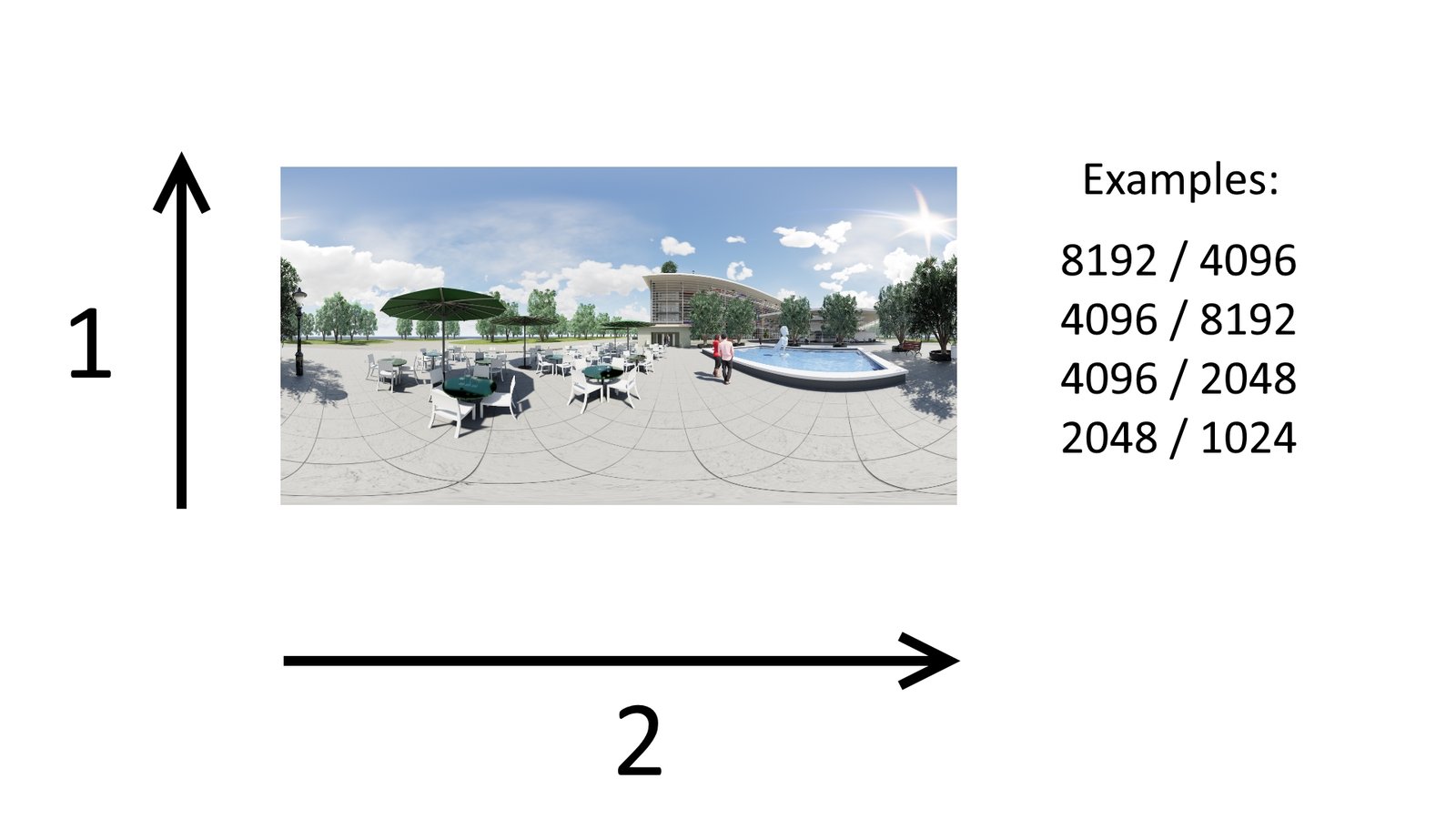
Longitude / Latitude (Panoramic) skybox with a 2:1 aspect ratio
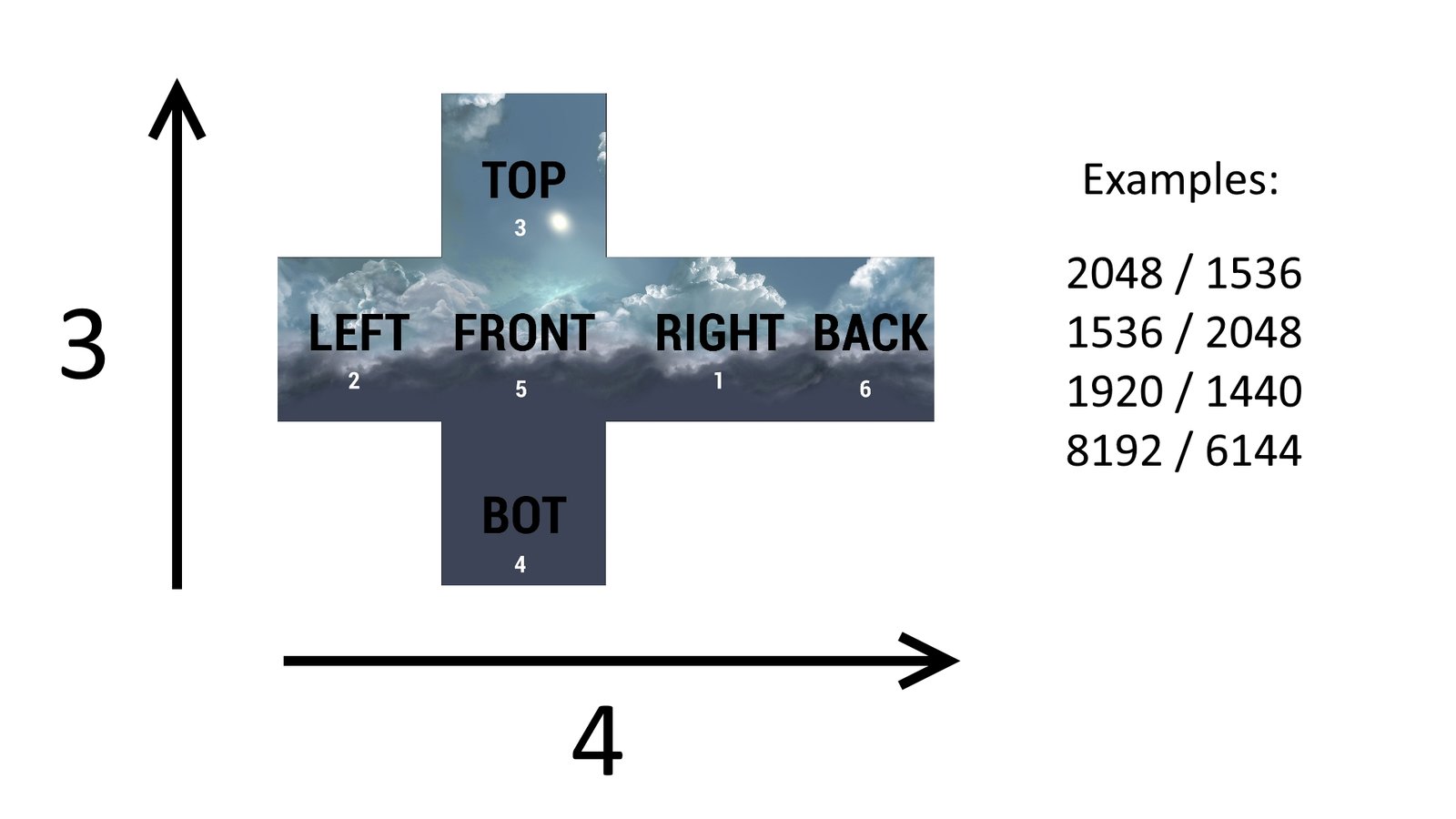
Cross Format Skybox with a 3:4 or 4:3 aspect ratio
Resources
Download cubemaps from the Free Samples projects page. Most come from Open Footage.
Other sources include:
- Shtlab
- Zwischendrin
- Food4rhino
- Hdrlabs
- Enscape3D