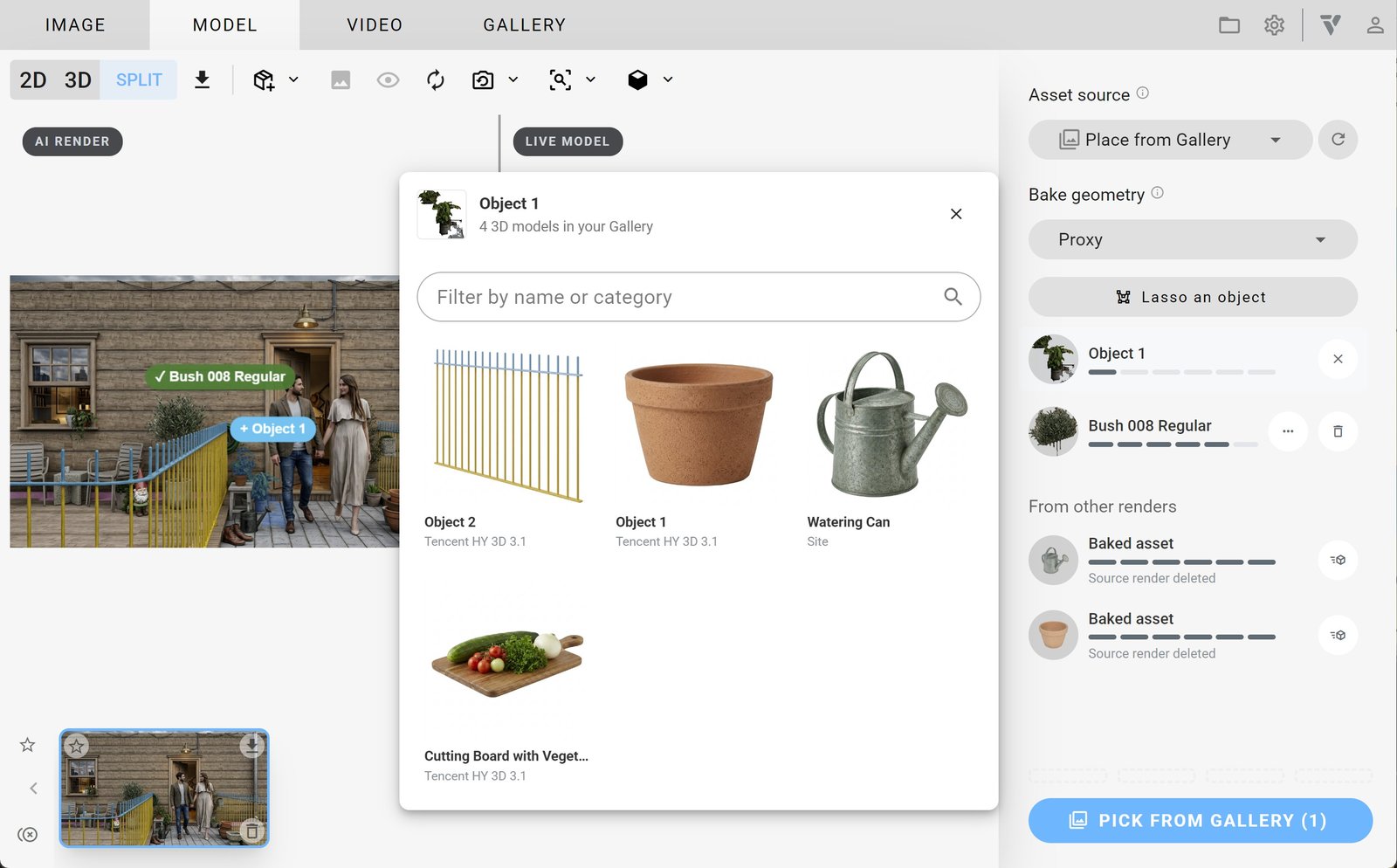
Use the Model tab in Veras to generate assets.
Choose an asset source before or after selecting an object:
- Search Cosmos library
- Generate 3D model
- Place from Gallery
Select an object using one of these two methods:
Option 1: Use Detect objects, the blue button at the bottom right. This is the default workflow.
Option 2: Use Lasso or manually select an object to search for or generate.
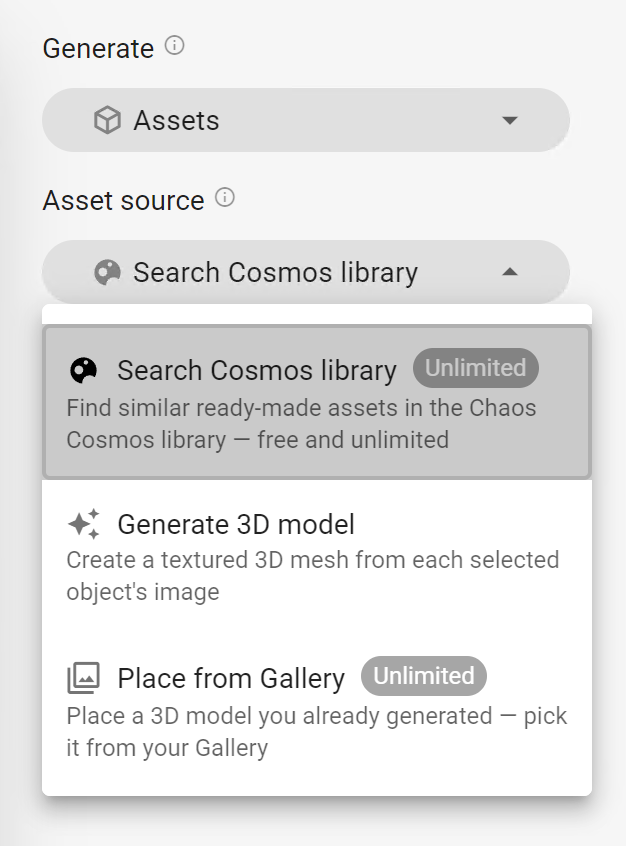
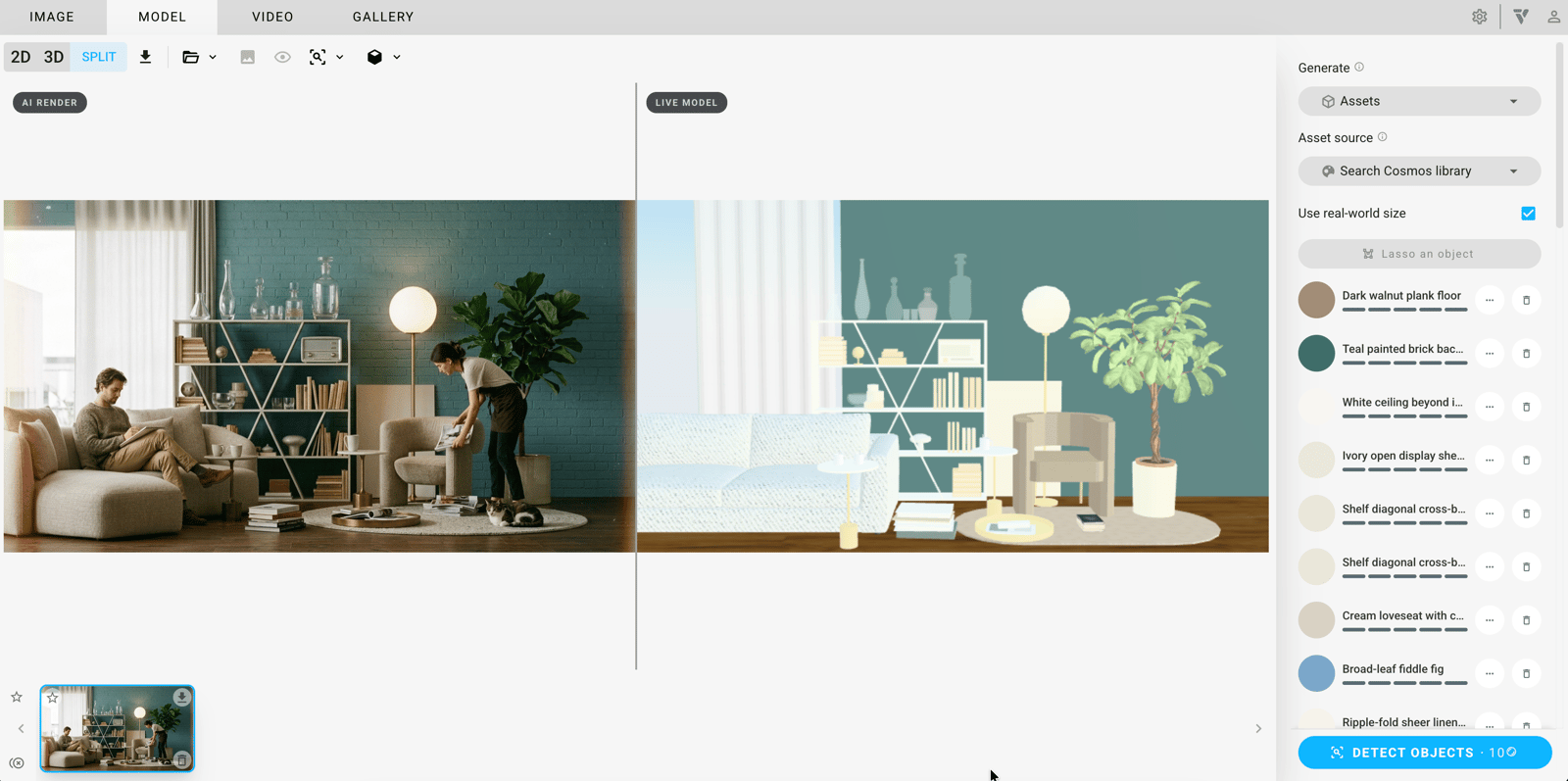
Search Cosmos library
Search the Chaos Cosmos library for objects with similar characteristics, styles or functions.
Use real-world size places library assets at their real-world size rather than sizing them to the detected object. It also rescales assets already in the scene without changing their position. It defaults to on in Revit, Rhino, SketchUp and Vectorworks, where the host provides its units. It defaults to off elsewhere because uploaded model units are unknown. To override it for an object, use that object's ··· menu.
Generate 3D model
Generate 3D model turns each selected object into a textured 3D mesh. It analyses the object's shape and surface to create a 3D representation. You can select multiple objects to generate separate 3D models with textures that reflect the original materials. You can use the meshes for visualisation, animation and gaming.
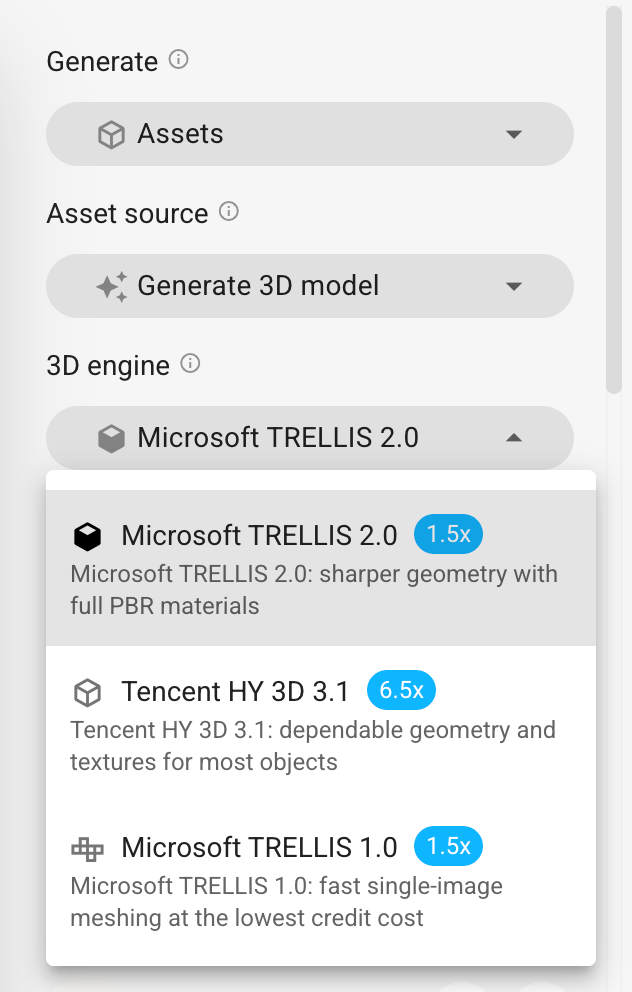
Choose a 3D engine:
Microsoft Trellis 2.0 uses structured latent and voxel representations to turn 2D image crops into textured 3D geometry. Developed by Microsoft Research, it runs faster than Tencent. Use it for quick iterations, scene population, prop creation and batch asset generation.
Tencent HY 3D 3.1 is the default engine. Developed by Tencent, Tencent HY 3D provides precise 3D reconstruction with detailed geometry and smooth surfaces. Use it for complex objects and production meshes when visual accuracy and texture quality matter more than processing speed.
Microsoft Trellis 1.0 creates meshes quickly from a single image at the lowest credit cost.
Under Quality, choose Draft, Standard or High.
Place from Gallery
Use Place from Gallery to import a 3D model you previously generated. Click Pick from gallery, select a model from your Gallery and add it to your current project. You can reuse it without limit.