Skip to content
07-848 2005

Veras, User Interface

Materials

Generate materials in the Model tab of Veras.

On this page
  1. Overview
  2. Search Cosmos Library
  3. Chaos Cloud Mat-gen

Generate materials in the Model tab of Veras.

Overview

Use these tools to generate materials:

Search Cosmos Library

Find matching ready-made materials in the Chaos Cosmos library. Access is free and unlimited.

Select the material in the render on the left, then click.

Click the material found (circle icon) to see more suggestions. Use the built-in semantic search to find other materials in the Cosmos library.
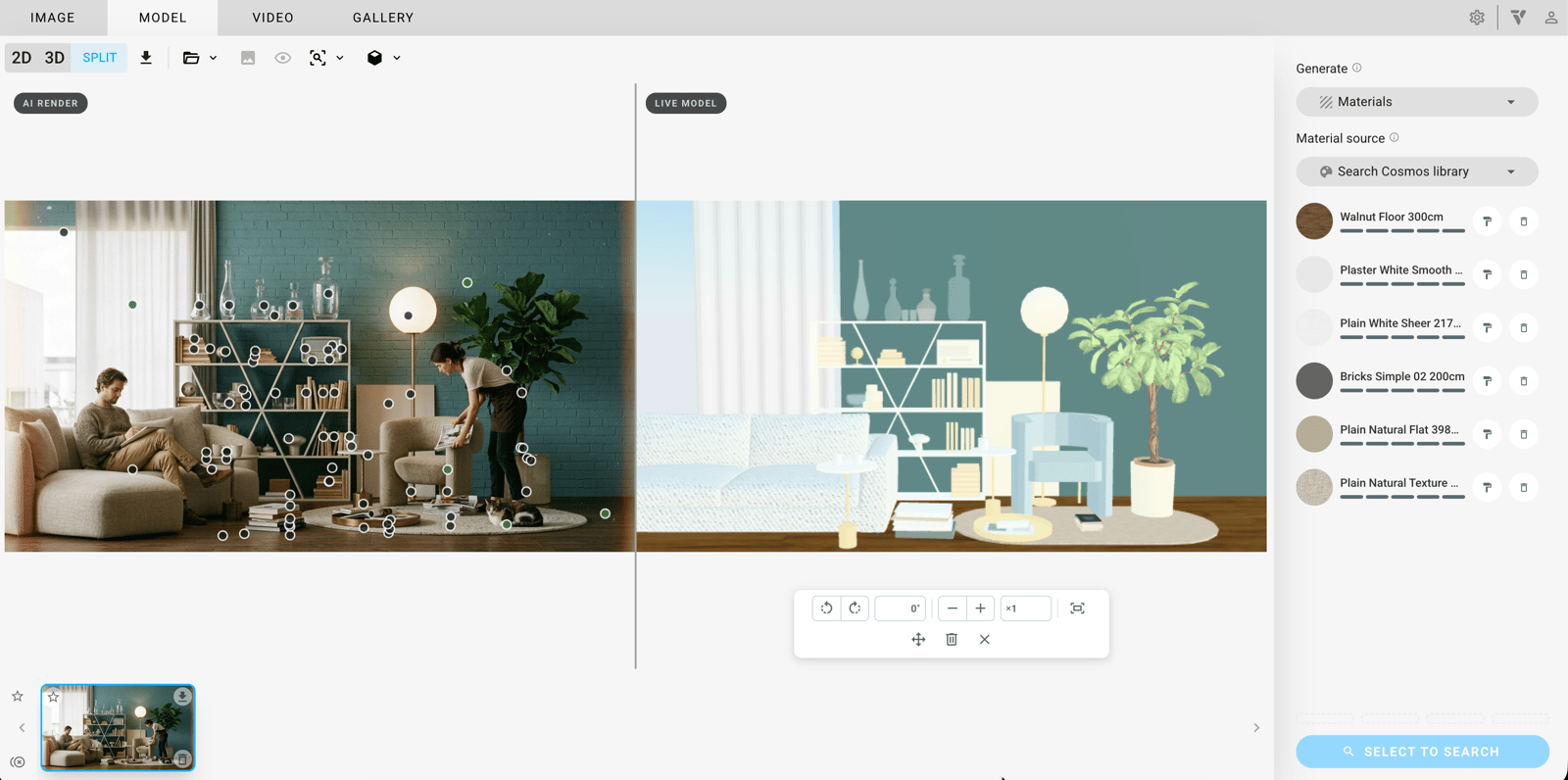
Materials panel with 'Search Cosmos library' selected and circular material swatches for finding similar materials.

Chaos Cloud Mat-gen

Generate a full material with albedo, roughness and normal maps using Chaos Cloud's material model.

Select the material in the render on the left, then click Generate.

Generate several surfaces at once. Bake without pressing Esc first.
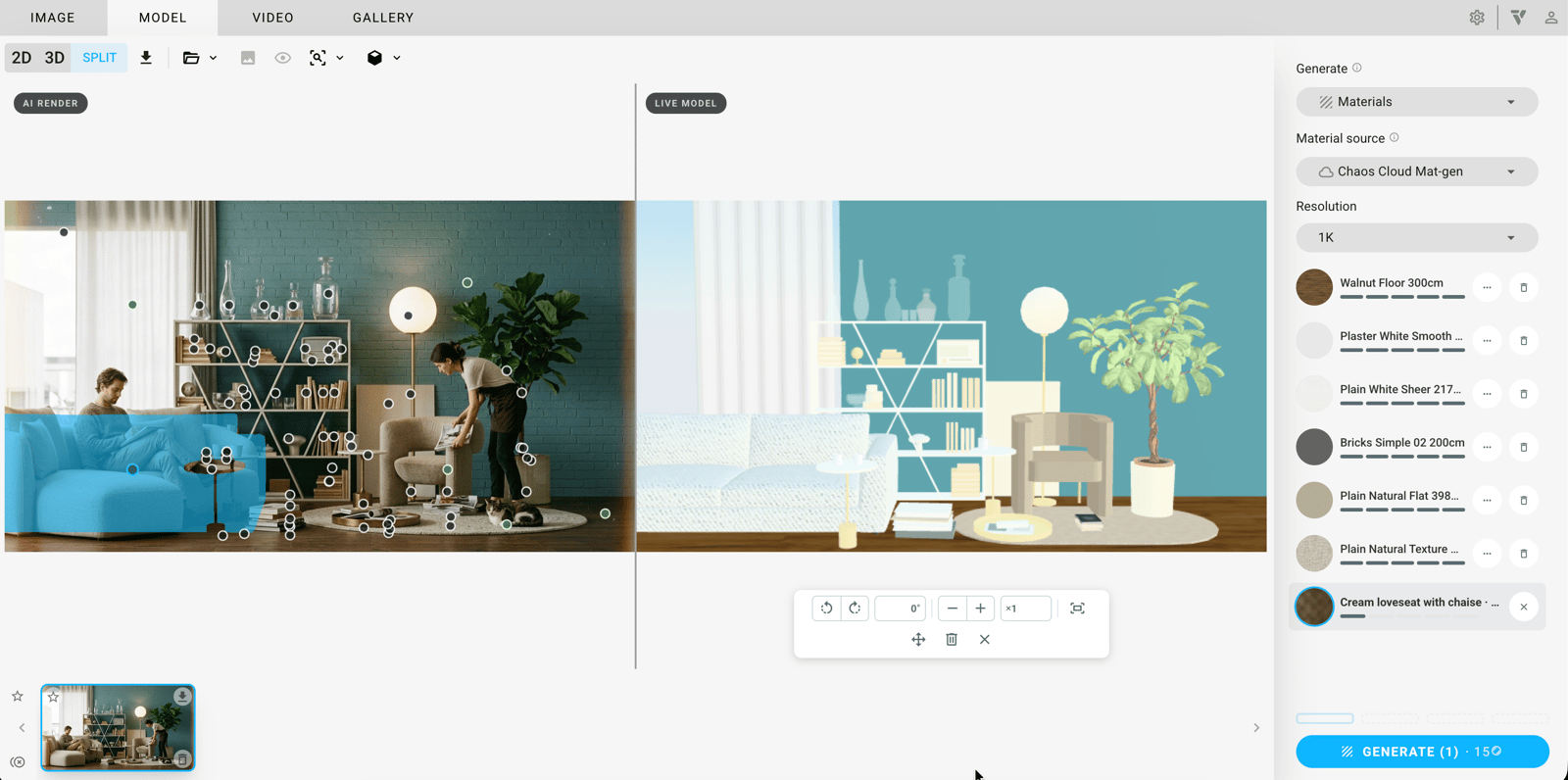
Materials panel with 'Chaos Cloud Mat-gen', 1K resolution, a selected loveseat material and the 'GENERATE (1)' button.
Adapted from Chaos documentation: Materials. © 2026 Chaos Software EOOD

Procadsys customer support

Still need help?

Licences, renewals and billing

Our New Zealand team looks after your Veras licences, renewals and invoices.

Monday to Friday, 9:00 am to 4:30 pm NZ time, excluding New Zealand public holidays.

Technical problems

Installation errors, crashes and other technical problems with Veras are handled by Chaos support.