KeyShot Studio
Color Composite
Color Composite nodes are commonly used create Opacity masks from multiple textures or to add gradients to textures.
Last updated 3 August 2026
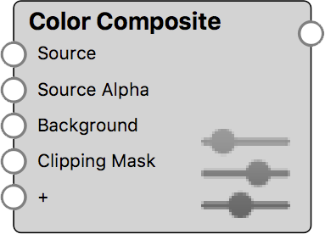
Color Composite nodes are commonly used create Opacity masks from multiple textures or to add gradients to textures.
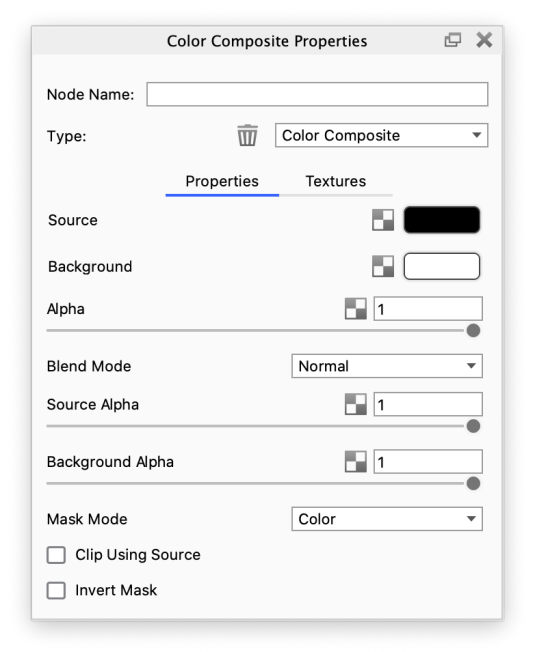
Alpha This defines the transparency of the composited result. The transparency can be set by either using the slider or applying a texture. The behavior is very similar to the Clipping Mask parameter, but the Clipping Mask has additional controls. Blend Mode This defines how the Source and Background layers are blended together. |
Source
This is the first and top layer of the texture composite. If the Source texture has alpha (transparency), then this will be propagated to the composite.
Source Alpha
This defines the transparency of the Source layer. The transparency can be set by either using the slider or applying a texture.
Background
This is the second and bottom layer of the texture composite. If the Background texture has alpha (transparency), then this will be propagated to the composite.
Background Alpha
This defines the transparency of the Background layer. The transparency can be set by either using the slider or applying a texture.
Mask Mode
The following Mask Modes can be chosen: Red, Green, Blue, Alpha, Color.
The Red, Green and Blue options refer to the individual RGB channels of the Clipping Mask texture.
Clip Using Source
If the Source texture has alpha (transparency), then this will be used to mask out the composite. The composited result will only show where the Source texture is non-transparent.
Invert Mask
Use this to invert the Clipping Mask texture.
Color Composite Example with Label Opacity
The examples below show how a Color Composite node can be used to create interesting Opacity masks for Label materials.
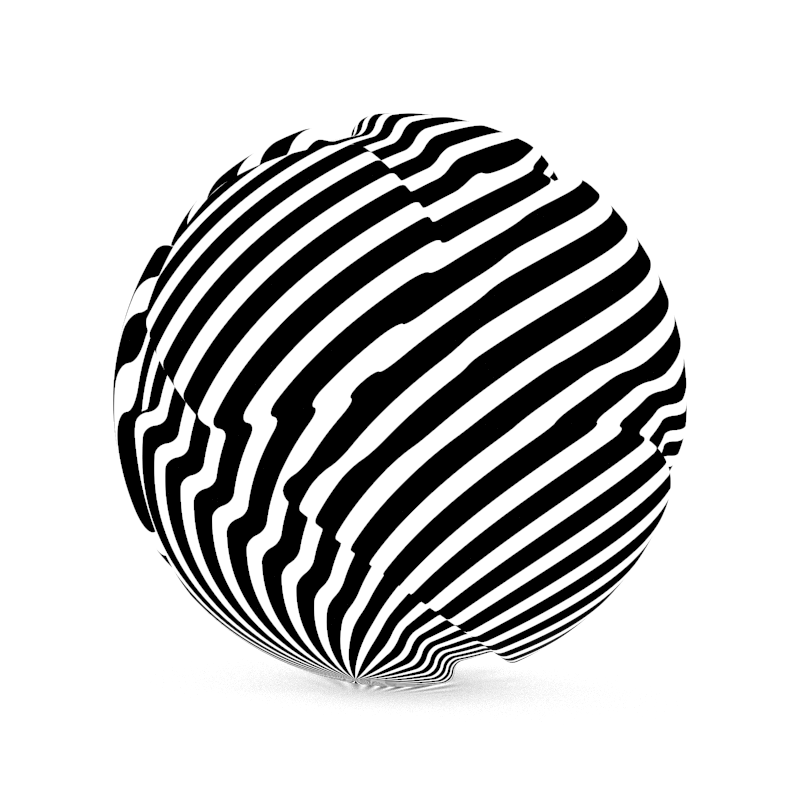
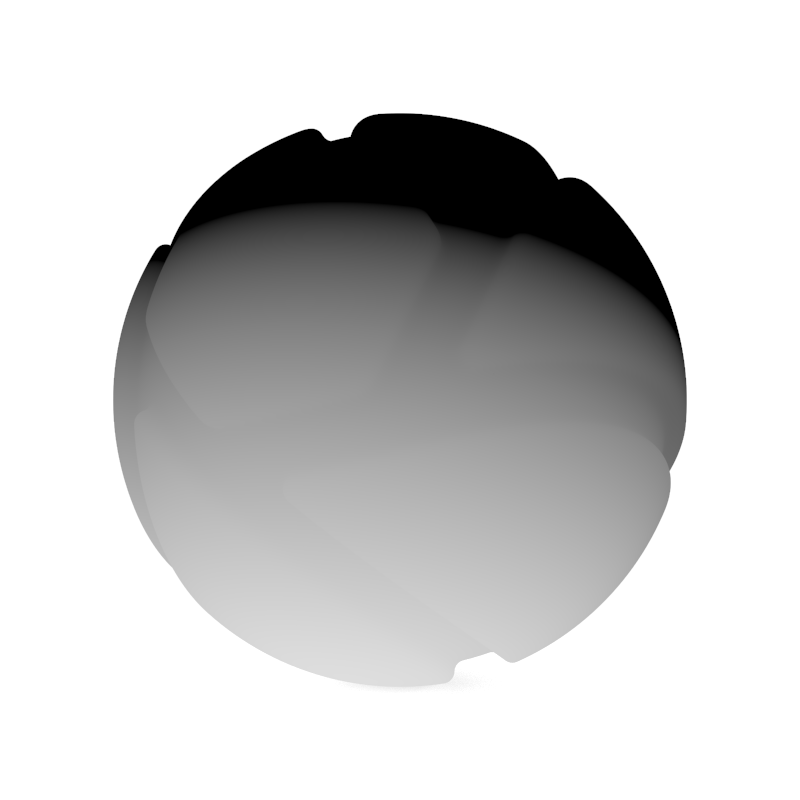
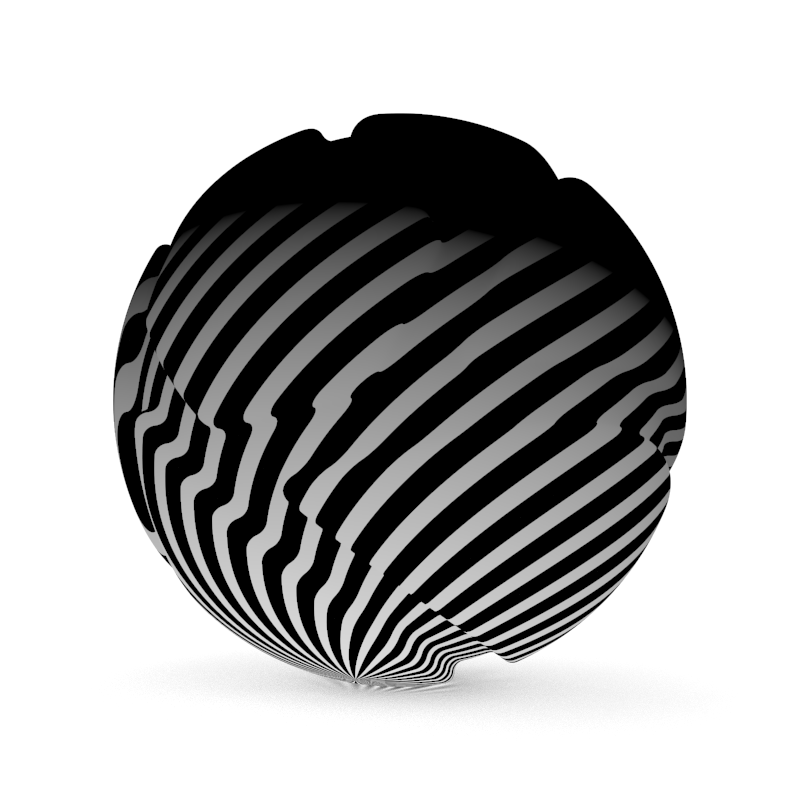
Flat material showing a Mesh texture | Flat material showing a Color Gradient texture | Flat material showing the blended result using Color Composite with Blend Mode Multiply |
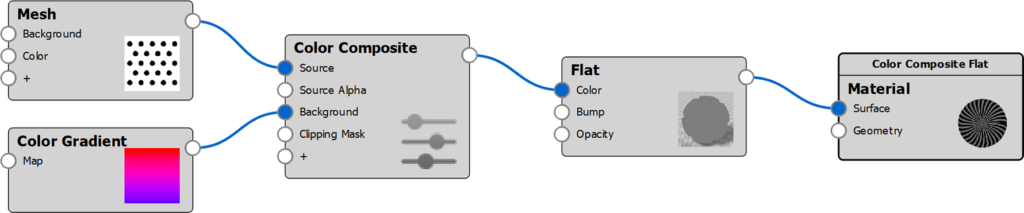
Applying the Label Mask
This Color Composite builds on the material graph above, but the material node has been altered.
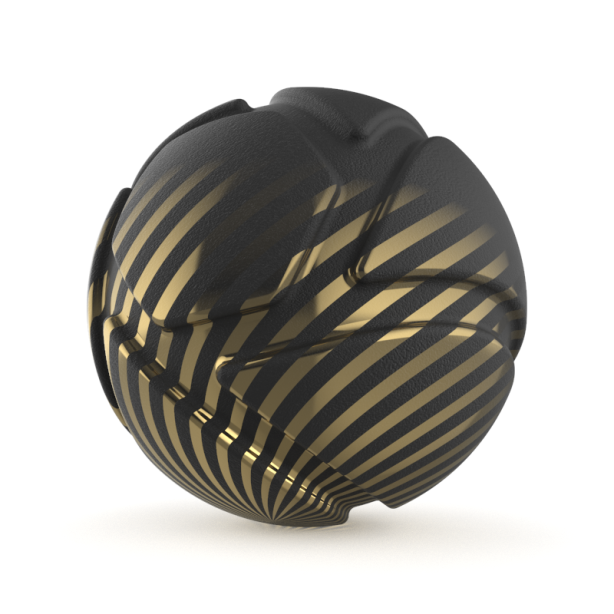
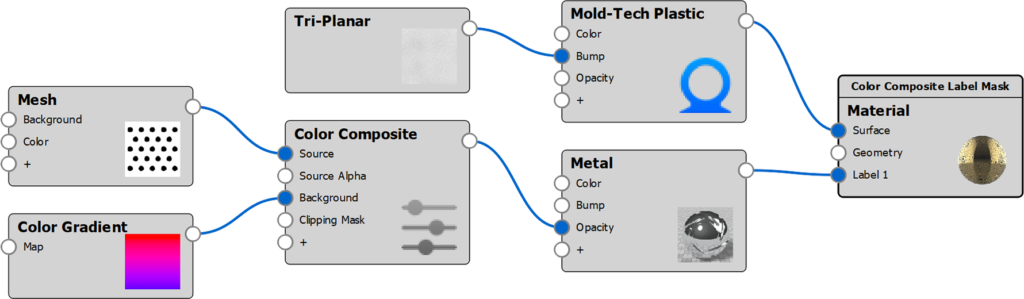
Mold-Tech plastic material with Metal Label using above composite texture as Opacity | The Material Graph structure of this example |
Color Composite Example with Complex Label
The examples below show how a Color Composite node can be used to create a complex Label material.
Source Layer

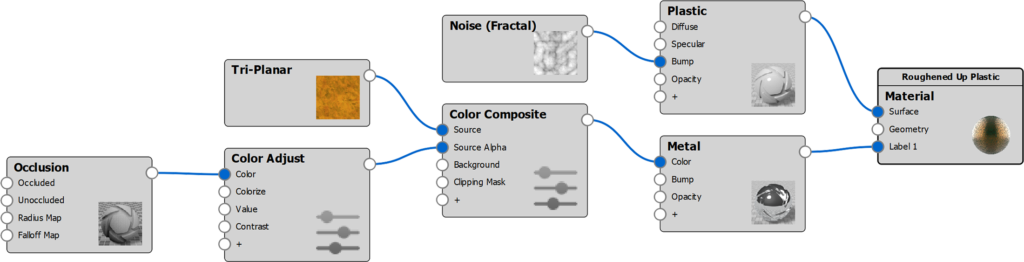
Plastic material with Metal Label using a Color Composite for Color. | The Material Graph structure of this example. |
Adding the Background Layer

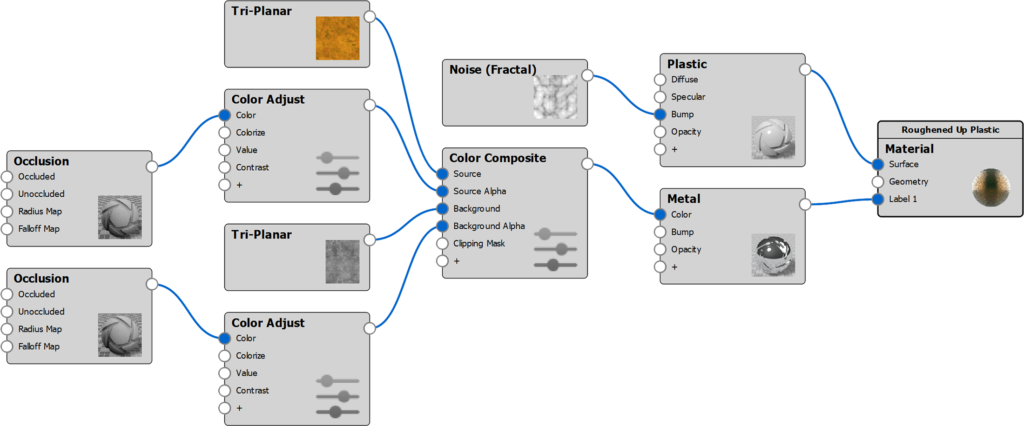
Same material from above with a Background texture added to the Color Composite. The Blend Mode is set to Normal. | The Material Graph structure of this example. |
Applying the Clipping Mask

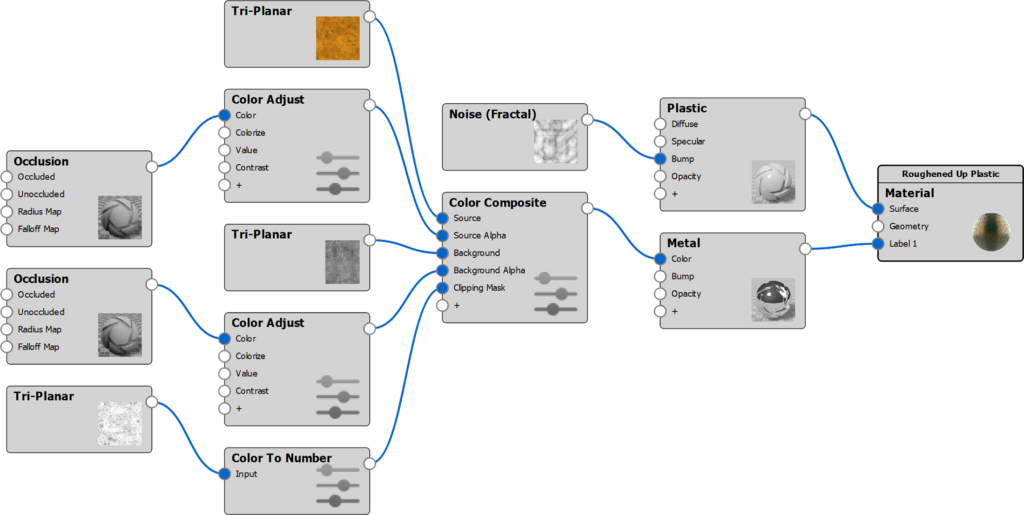
Same material from above with a Clipping Mask defined for the Color Composite. | The Material Graph structure of this example. |
Applying the Alpha

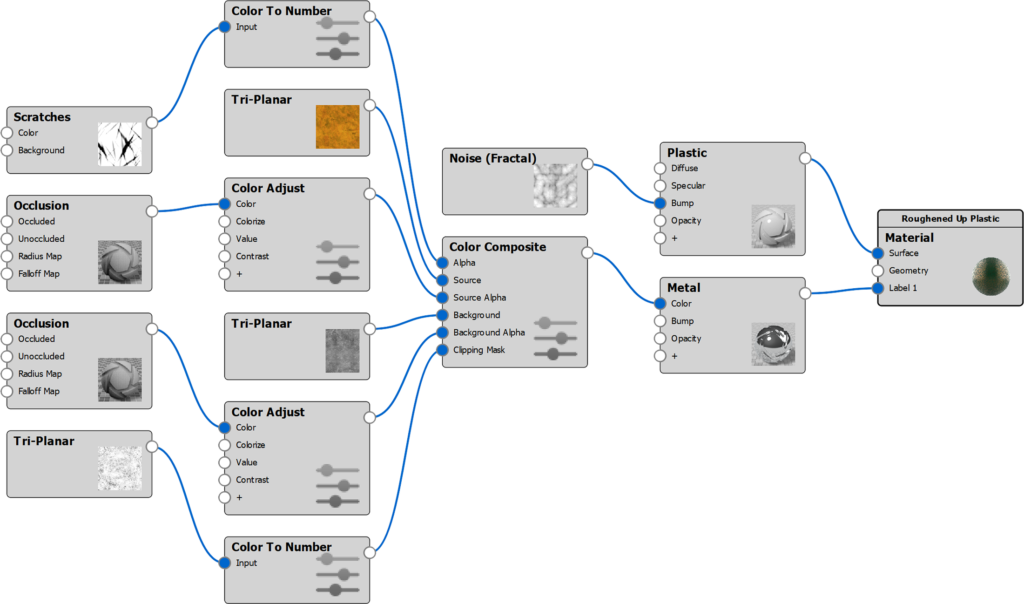
Same material from above with an Alpha texture defined for the Color Composite | The Material Graph structure of this example |