Skip to content
07-848 2005

KeyShot Studio, materials

Diffuse

Set the diffuse material's colour. Select the colour box to open the Color Picker and choose a colour.

Diffuse.11

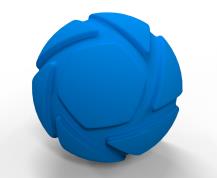
Use the Diffuse material type to create matte or non-reflective materials. It has one setting, the diffuse colour. Specular maps are not available because the material is entirely diffuse.

Color

This setting controls the diffuse material's colour. Select the colour box to open the Color Picker and choose a colour.

Adapted from KeyShot Studio documentation: Diffuse. © 2026 KeyShot

Procadsys customer support

Still need help?

Licences, renewals and billing

Our New Zealand team looks after your KeyShot licences, renewals and invoices.

Monday to Friday, 9:00 am to 4:30 pm NZ time, excluding New Zealand public holidays.

Technical problems

Installation errors, crashes and other technical problems with KeyShot are handled by KeyShot support.