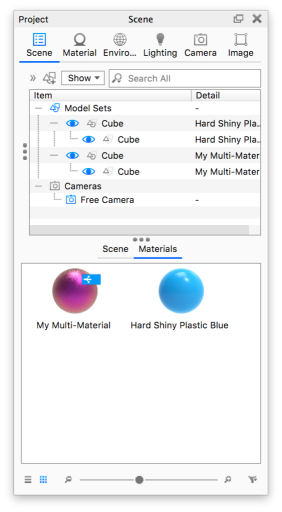
The In-Project Library shows all materials in your KeyShot scene as material ball thumbnails or a list. Find it in the lower half of the Scene tab (under materials) and in the Material tab below the current material's properties.
When you assign a material from the material library to a model, KeyShot adds a copy to the In-Project Library. If the material is already in the scene, KeyShot asks whether you want to link the materials. If you choose no, KeyShot adds an instanced version of the material to the In-Project Library.
KeyShot automatically removes materials from the In-Project Library when the scene no longer uses them. For example, if a material is assigned to only one part and you assign a new material to that part, KeyShot removes the previous material from the In-Project Library.
Multi-Materials (pro feature) are labelled so you can find them.
Below the material thumbnails, you can select  list or
 grid view, set the thumbnail size and filter what appears in the In-Project Library.
Material View
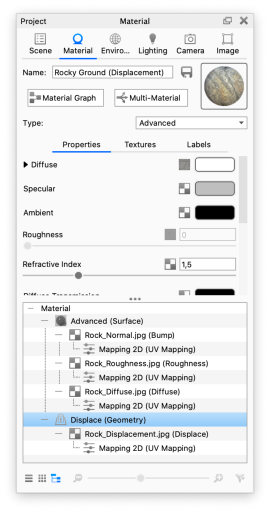
The In-Project Library in the Material tab also has a Material View option. Use it to see the structure of advanced materials created in KeyShot Studio Pro. You can adjust the effects of the nodes even if you are not a KeyShot Studio Pro user.