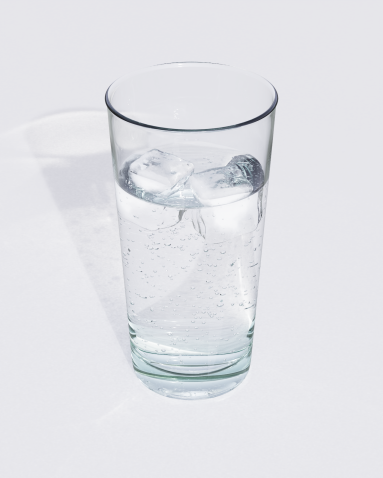
Liquid interfaces made with overlapping geometry. | The Liquid Material Type is a variant of the Solid Glass material that has the added ability to set the outside refractive index. This allows you to accurately create surfaces that represent the interface between, for example, a glass container and water. See description here. |
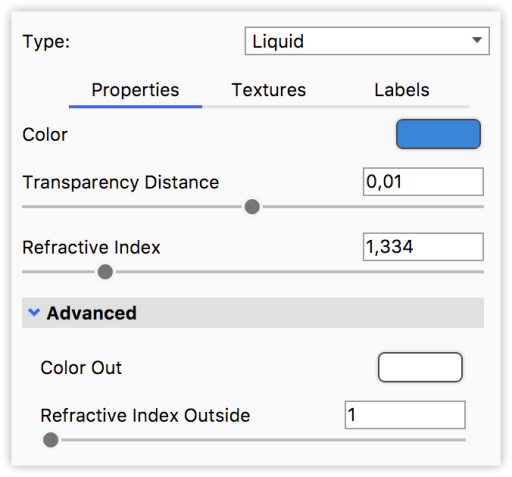
Color This controls the overall colour of this material type. When light enters the surface, it will take on the colour set here. The amount of colour that you see in this material is highly dependent on the transparency setting as well. Transparency Distance This slider controls the depth of the colour selected in the Color setting, depending on the thickness of the part to which the material is applied. After setting a colour in the Color setting, use Transparency Distance to make that colour more or less saturated and prominent. A lower setting will show the colour more in thin areas of the model, and a high setting will make the colour faint in the thin areas. This physically accurate parameter simulates the effect you can observe by looking at the colour of the shallow water at a beach versus the deep blue of a deep ocean. Without this you would see through to the bottom of the deepest ocean as easily as to the bottom of a swimming pool. |
Refractive Index
This controls how much light will bend or “refract” as it passes through parts that have this type of material.
Advanced
Color Out
This option controls the colour of the light on the outside of the material. It is an advanced and complex setting, but it is needed when rendering containers with liquid. In the example of a water glass, you will need to have a dedicated surface for where the liquid and glass meet. On this surface, you should set the colour of the glass with the transmission out setting and control the colour of the liquid with the transmission setting. If the glass and liquid are both clear, set both transmission and transmission out to white.
Refractive Index Outside
This is an advanced, but powerful, setting that allows you to accurately simulate the interface between two different refracting materials. The most common use for this is when you are working on a container with liquid inside, like a water glass. In such a scene you will need a single surface to represent where the glass and water meet. On this surface, you have the liquid on the “inside” and therefore, you should set the refractive index to 1.33. On the “outside,” you have the glass, and you should set the refractive index outside to 1.5.