KeyShot Studio
Plastic (Transparent)
The Plastic (Transparent) material provides the basic settings needed to create simple plastic materials. Set the diffuse (overall color) and add some specular (reflections), then adjust the roughness. This is a very versatile material type that is used for anything from concrete to woods.
Last updated 3 August 2026
The Plastic (Transparent) material provides the basic settings needed to create simple plastic materials. Set the diffuse (overall color) and add some specular (reflections), then adjust the roughness. This is a very versatile material type that is used for anything from concrete to woods.
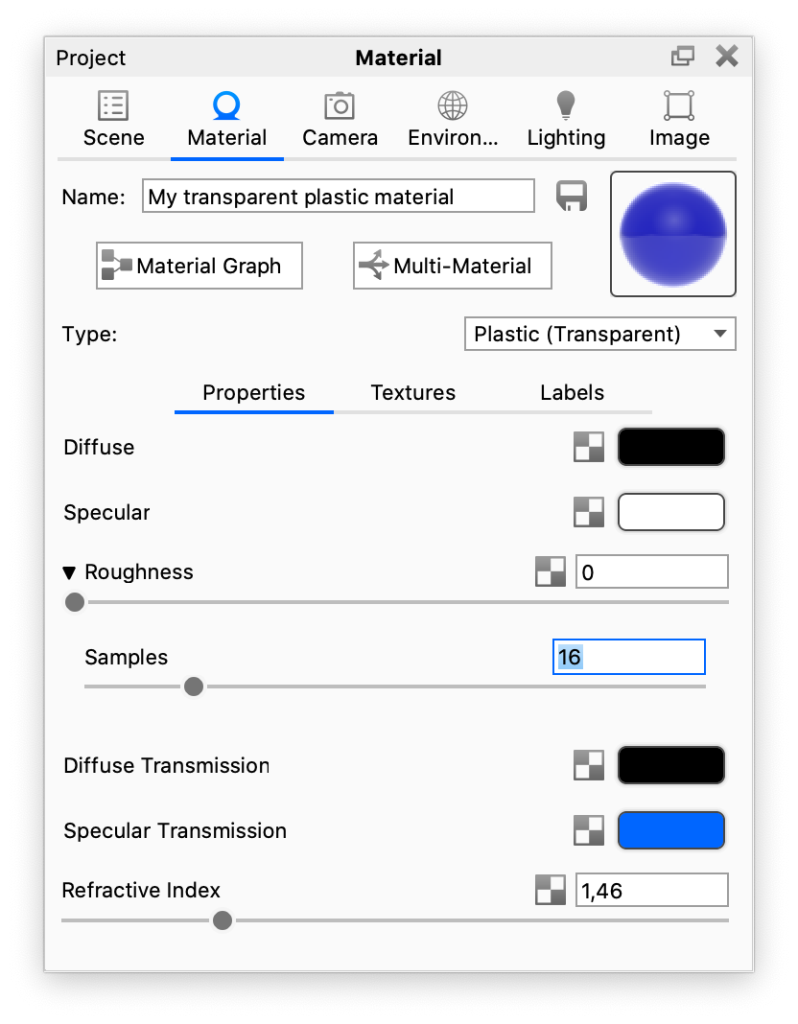
Diffuse This can be thought of as the overall color of the material. Transparent materials will have little or no diffuse color applied. Specular This is the color and intensity of the reflection of light sources within the scene. Black will completely turn off reflections, while white will provide a very shiny plastic look. Realistic plastic does not have color in the specular value, so generally you should use some level of gray or white. However, adding color can give the plastic material a metallic effect. |
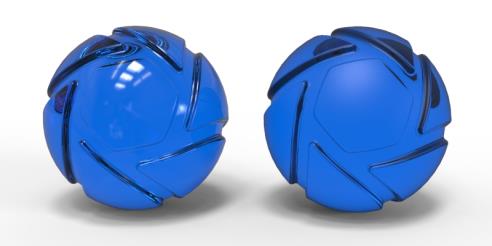
Roughness This will add microscopic levels of imperfections to the surface of the material when the values are increased. When set to 0, a material will appear perfectly smooth and polished. When the value is increased, the material will appear more rough as light is diffused across the surface. Samples Within the roughness parameter, you will find a samples setting. A low samples setting (8 or lower) will tend to make the surface look more noisy, which will give a more imperfect and rough look. As you increase the value, the noise will smooth out and provide a more evenly distributed roughness. | The material on the left has no roughness – the one on the right has a roughness of 0,15. |
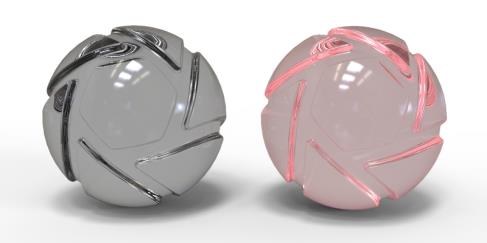
Diffuse Transmission This will cause additional light to be scattered across the surface of the material which can simulate a translucent effect. It will increase render time, so if it is not needed, the recommendation is to leave it at black. | The material on the left has black Diffuse Transmission Color – the one on the right has a red. |
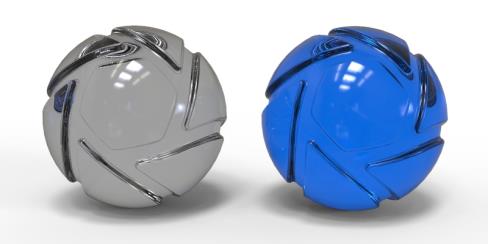
Specular Transmission This can be thought of as the transparency of the material. Black will be 100% opaque and white will be 100% transparent. | The material on the left has grey Specular Transmission Color – the one on the right has a blue. |
Refractive Index
This controls how much light will bend or “refract” as it passes through parts on your model that have this type of material. Increase the value to create a more dramatic refraction within the surface.