My Products
Open subscription products in My Products.
Last updated 17 July 2026
The My Products page provides an easy way to access the products in your SketchUp subscription. To access My Products:
- Login at Trimble.com and select My Products from the menu in the upper right.
- Login to your Admin Console and click My Products from the left pane.
Find your Trimble product tile using search or filters.
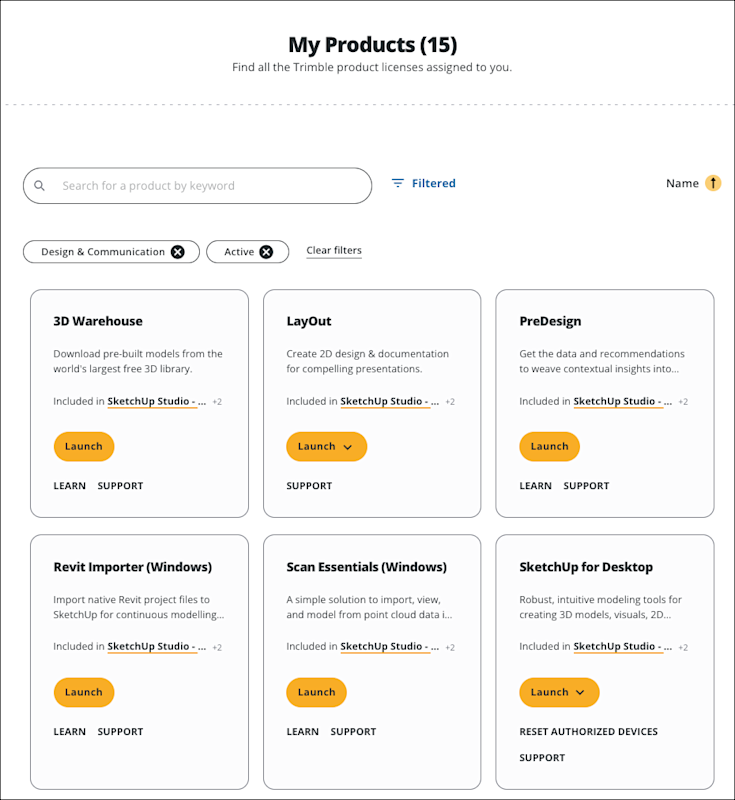
Each tile represents a different product available as part of your SketchUp subscription. A tile may contain the following options:
- Launch — For web-based products, like 3D Warehouse or Extension Warehouse, clicking Launch opens the application in a new browser tab. If the product requires installation, clicking Launch opens the download options for that product.
- Learn — Clicking Learn opens help content related to the product or application.
- Support - Clicking Support opens the Trimble Support Center.
Still need help?
Technical support from our New Zealand team is available to customers with a current Procadsys SketchUp Plus subscription: Pro Plus, Pro Scan Plus, Pro Civil Contractor Plus, Advanced Workflows Plus or Studio Plus. Self-help articles are public.
Contact SketchUp support