Managing Roles
Starting in April 2025, SketchUp will migrate all named-user subscription products from the Account Management Portal (AMP) to Trimble’s new Admin Console. The Admin Console is where you will manage all of your Trimble products and related accounts, including SketchUp.
Last updated 17 July 2026
The Account Management Portal is SketchUp’s legacy account management tool. Most subscribers now manage their accounts through the Trimble Admin Console. For more information see Admin Console.
The SketchUp Account Management Portal (AMP) helps manage who can use the products in your subscription. For subscriptions with multiple seats, the account owner manages the account and assigns each member a role using the Members section.
Member Roles
Each role determines the level of access a member has.
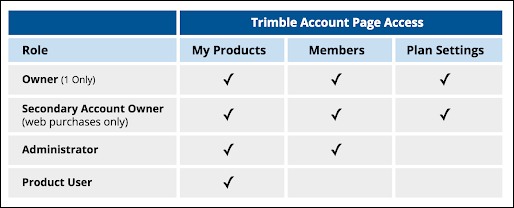
The Account Owner role has full access to all account management features in the AMP and receives all email notifications, purchase invoices, and renewal notifications. Account Owner access includes the following sections:
- My Products
- Members
- Plan Settings
- Billing Information
- Payment History
The Secondary Account Owner role has all the access associated with an Account Owner, but will not receive any notifications or invoices. Secondary Account Owner access includes the following sections:
- My Products
- Members
- Plan Settings
- Billing Information
The Company Admin role provides access to everything needed to manage available subscription seats. Company Admin access includes the following sections:
- My Products
- Members
- Plan Settings (View-only)
The Product User role is for users who don't need any added account access. These users only have access to the My Products section.
Managing Roles and User Access
Clicking the hamburger icon (  ) next to a user allows an Account Owner, Secondary Account Owner, or Company Admin to modify what roles and access to products a member has.
- Select Change Role to assign a new role to that member. A member can change a role for any other member of their same level or lower. For instance, an admin can reduce the role of another admin to product user or add another user as an admin).
Existing account owners can use the Change Role function to transfer account ownership to another user. Their own role then defaults to the Secondary Account Owner role.
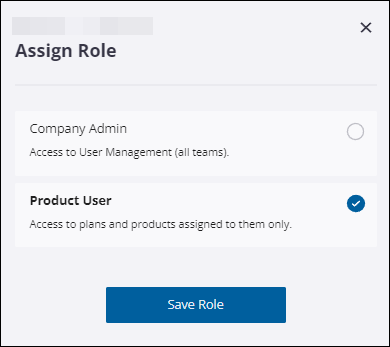
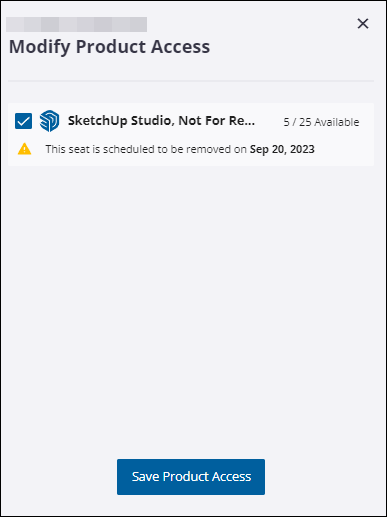
- Modify Product Access helps you change what products that member can use.
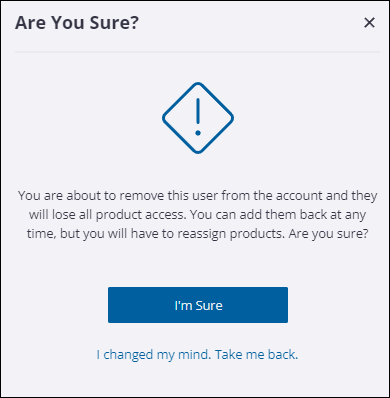
- Remove User removes the user and revokes all access. Revoking access does not cancel the subscription assigned to that user.
Still need help?
Technical support from our New Zealand team is available to customers with a current Procadsys SketchUp Plus subscription: Pro Plus, Pro Scan Plus, Pro Civil Contractor Plus, Advanced Workflows Plus or Studio Plus. Self-help articles are public.
Contact SketchUp support