Use the Image Adjustments panel in LayOut to adjust raster and hybrid renders and other image assets directly in the viewport. You can make these adjustments without an external image editor.
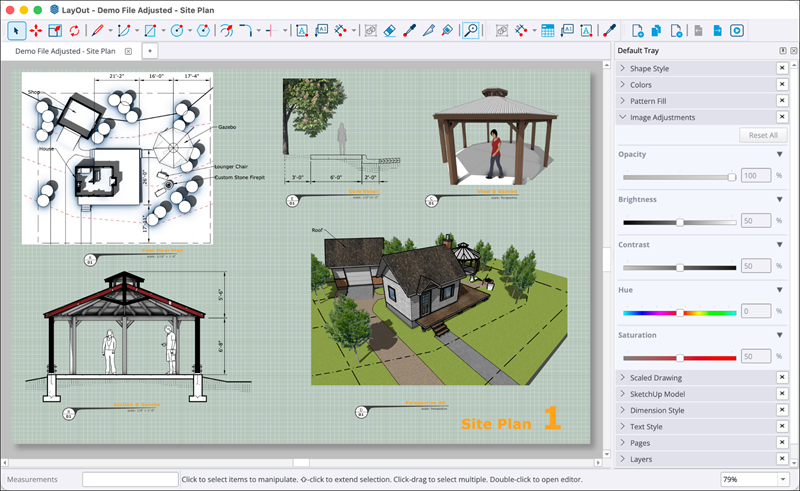
The panel has these controls for adjusting images in your document:
- Opacity adjusts the transparency of images or SketchUp model viewports.
- Brightness & Contrast adjusts the exposure of site photos and renders.
- Hue & Saturation adjusts colour balance or desaturates images to create greyscale documentation.
- Reset Controls lets you undo changes to each setting with its reset button. Use Reset All to return the image to its original state.
To adjust a SketchUp model viewport or an image, follow these steps:
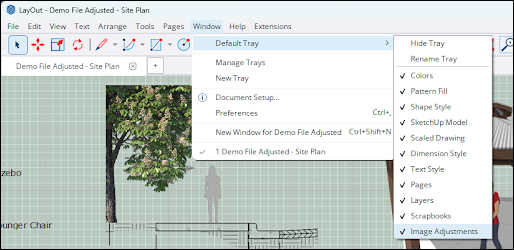
- If the Image Adjustments panel is closed, click Window > Default Tray > Image Adjustments to open it.
- Select the SketchUp model viewport or image you want to adjust.
- Use the image adjustment sliders to change individual settings.
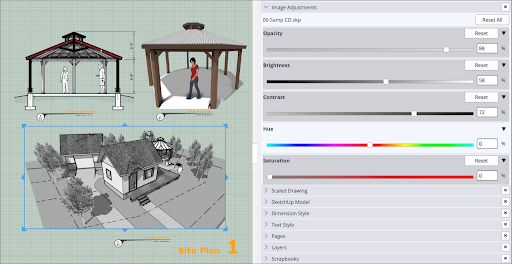
Use the arrow to the right of a setting's name to hide it in the panel. To return a setting to its original value, click Reset.