Applying SketchUp Styles
SketchUp styles bundle preset line widths, colors, materials, and other similar effects. In LayOut, you can change a SketchUp model’s style in the styles section of the SketchUp Model panel.
Last updated 17 July 2026
SketchUp styles bundle preset line widths, colors, materials, and other similar effects. In LayOut, you can change a SketchUp model’s style in the styles section of the SketchUp Model panel.
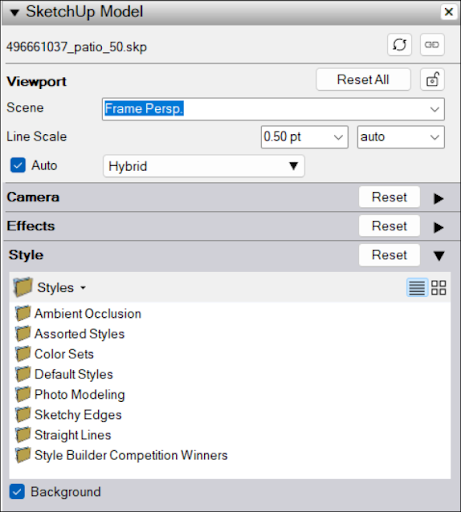
You can select from any of SketchUp’s default styles, or choose In Model to see any style already in your model. If the selected style includes a background, you can toggle it on or off by selecting Background.
For more information on how to use styles in SketchUp, see Choosing a Style.
Still need help?
Technical support from our New Zealand team is available to customers with a current Procadsys SketchUp Plus subscription: Pro Plus, Pro Scan Plus, Pro Civil Contractor Plus, Advanced Workflows Plus or Studio Plus. Self-help articles are public.
Contact SketchUp support