All Trimble Identity accounts require Multi-factor Authentication (MFA). The default method is a One-Time Passcode (OTP). If you have not set up MFA, use OTP to sign in or set up another method.
Sign in with a one-time passcode
Each time you sign in, Trimble asks you to enter a code sent to your Trimble account's primary email address.
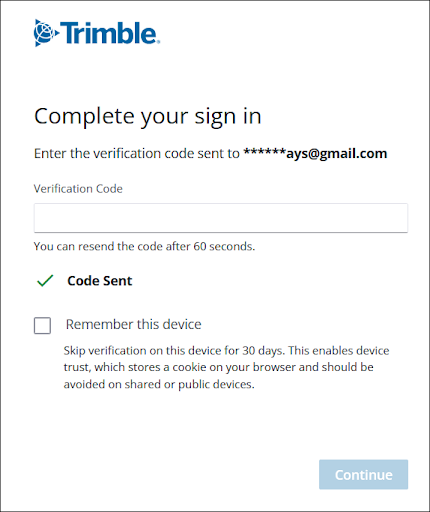
The code sent to your email address expires after 10 minutes. If it has not arrived or you have trouble using it, you can generate another code after 60 seconds.
If the email is not in your inbox, check your junk mail or spam folders.
Select Remember This Device to skip the passcode step when signing in from the same device for the next 30 days. Enter the code sent to the email address associated with your Trimble ID, then select Continue to sign in.