What the climate means for your architectural design
Use weather analysis to guide your building design. This page explains how to connect the site's climate with your design choices.
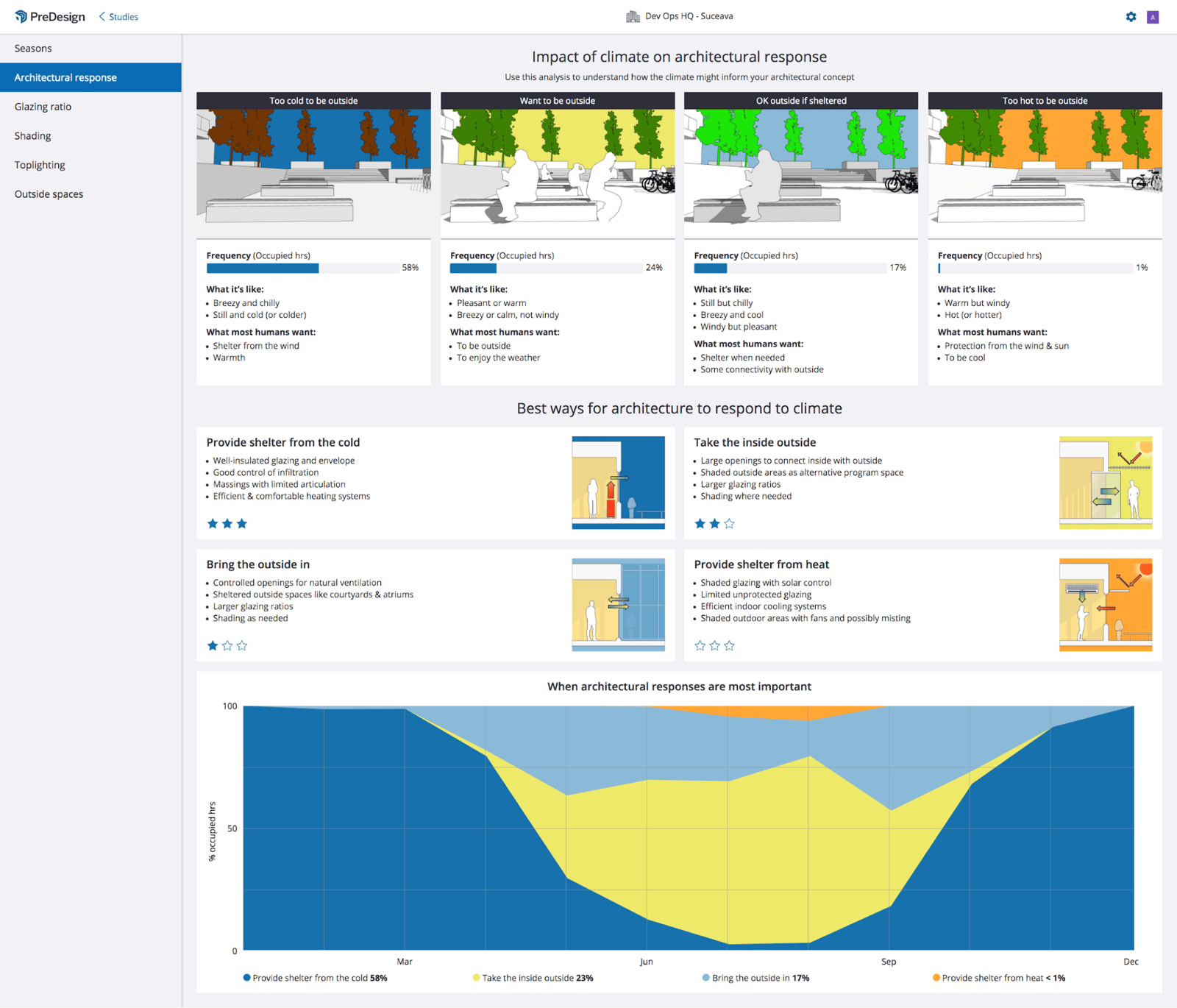
Characterising your climate
The site's historical weather conditions are divided into 4 broad categories based on how people feel in those conditions:
- Too cold to be outside
- OK outside if sheltered
- Want to be outside
- Too hot to be outside
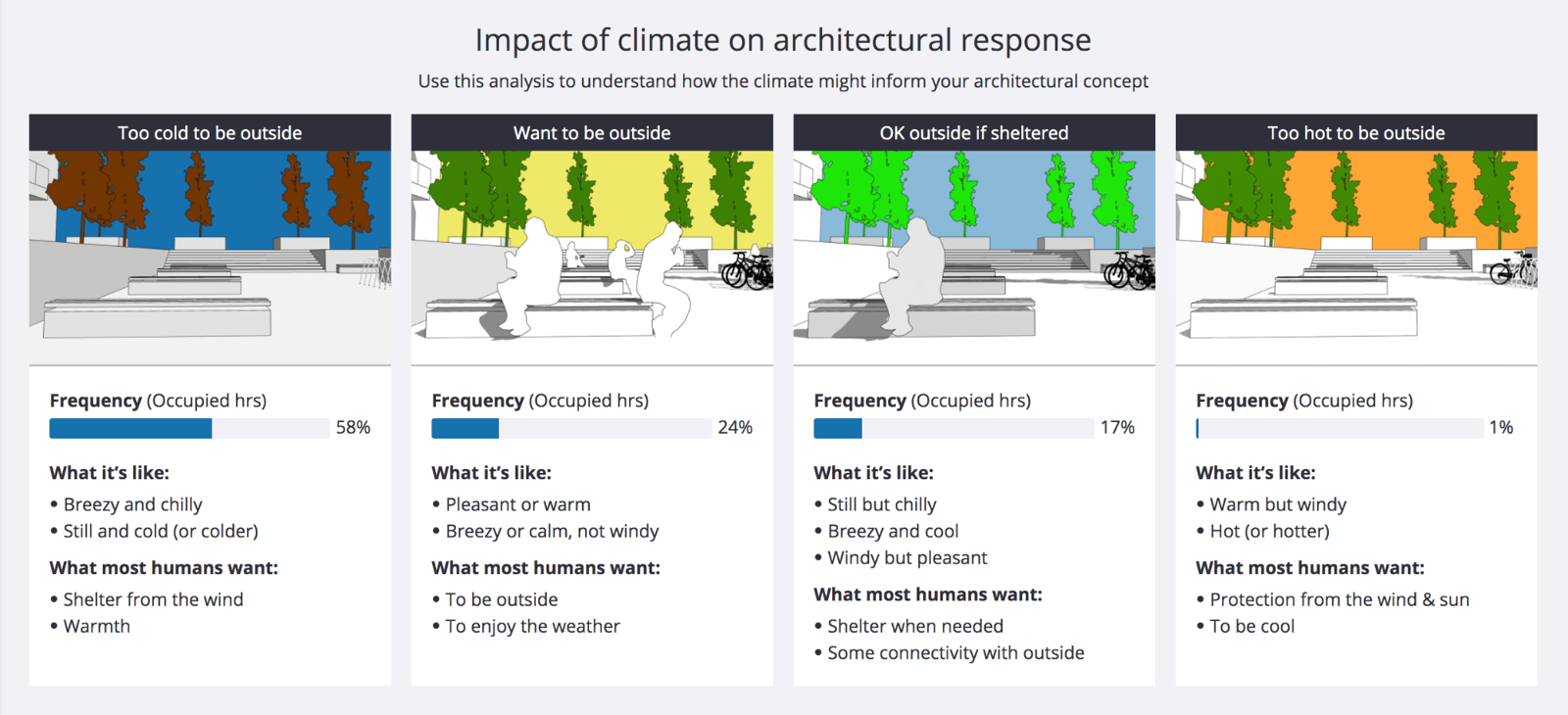
You can read more about the category definitions here. These definitions help you connect the climate with suitable architectural responses.
The 4 categories run from most common on the left to least common on the right. Each shows the % of occupied hours with those conditions.
Use these categories to explain the climate to your project team and discuss what it means for your design.
Architectural responses
There are 4 architectural responses, each linked to one of the climate categories above:
Climate Characteristic | Architectural Response |
Too cold to be outside | Provide shelter from cold |
OK outside if sheltered | Bring the outside in |
Want to be outside | Take the inside outside |
Too hot to be outside | Provide shelter from heat |
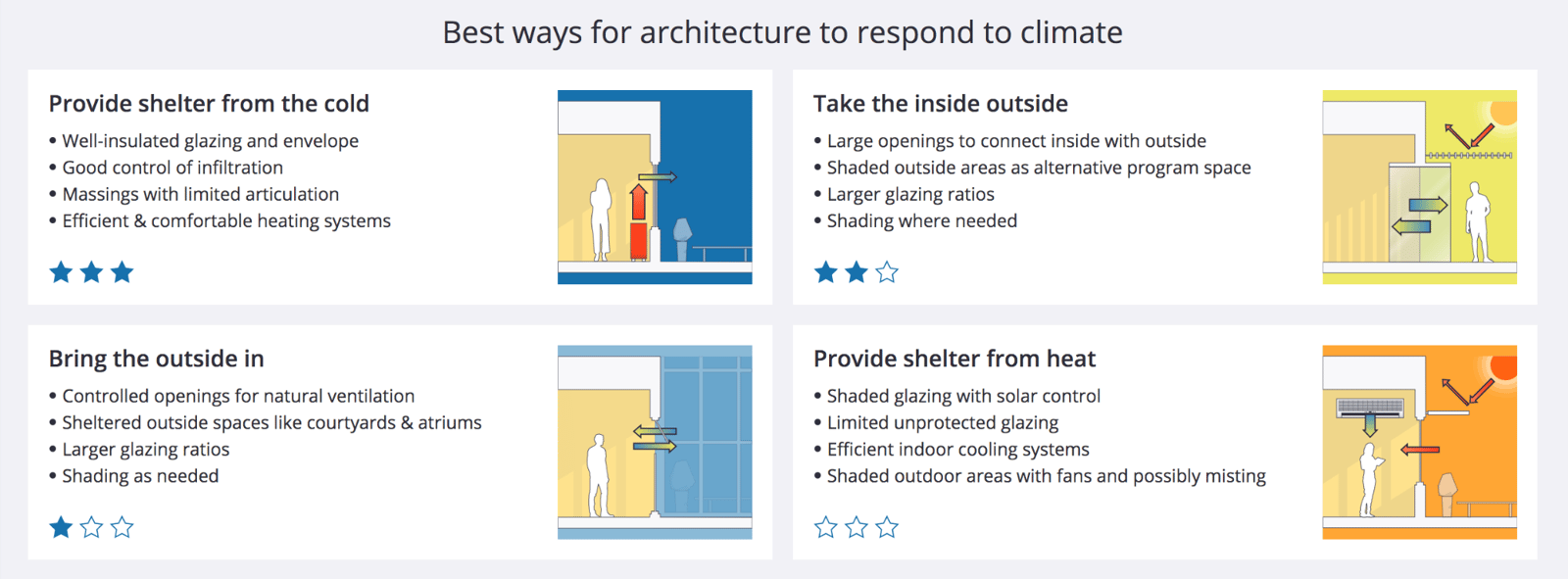
Each architectural response suggests design strategies to prioritise. For example, to provide shelter from the cold, make sure your building is well insulated and airtight.
Use these explanations to connect the climate with how people feel and decide which design features to prioritise.
Use the star ratings to compare design approaches and discuss them with your client. More stars mean a response will be effective more often. The ratings are a guide, with no strict rule to follow, and help you choose a direction before you start your 3D model.
When each response is relevant
The chart below the architectural response recommendations shows when each response is relevant throughout the year.
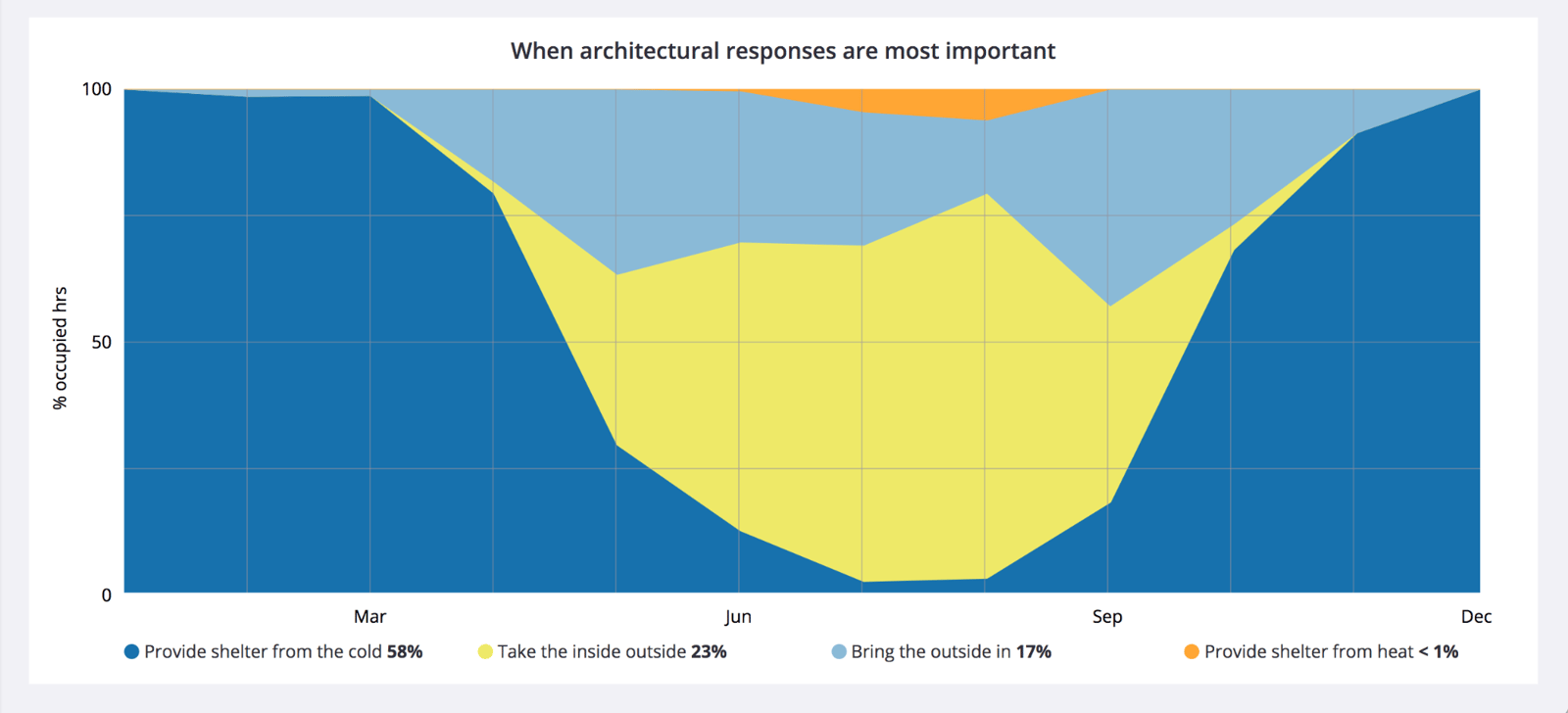
Use this chart to see when each response matters most and how often different conditions occur. This can help you prioritise your design approaches. In this example, taking the inside outside is relevant all year, while providing shelter from the cold is mainly relevant in December and January.