Use the Trimble Site Contractor (TSC) extension to export your prepared SketchUp model to Trimble Siteworks.
For help preparing your model for export, see Best Practices for Trimble Site Contractor.
You can also import geolocated point and surface data into SketchUp to create or revise your design.
Export SketchUp geometry
When you export with TSC, you position your SketchUp model on the site by:
- Setting numerical offsets for northing, easting and elevation to move the SketchUp origin to specific project coordinates.
- Setting control point locations on the model to pin your design to the ground where you plan to build.
The export creates two design files:
- A
.dxffile for the linework. - A
.ttmfile for the terrain model.
If you export the model as a project, TSC creates a complete Trimble Siteworks project folder with the design files in your chosen location.
Follow these steps to export a model:
- Click Export (
 ). The Trimble Site Contractor dialog opens.
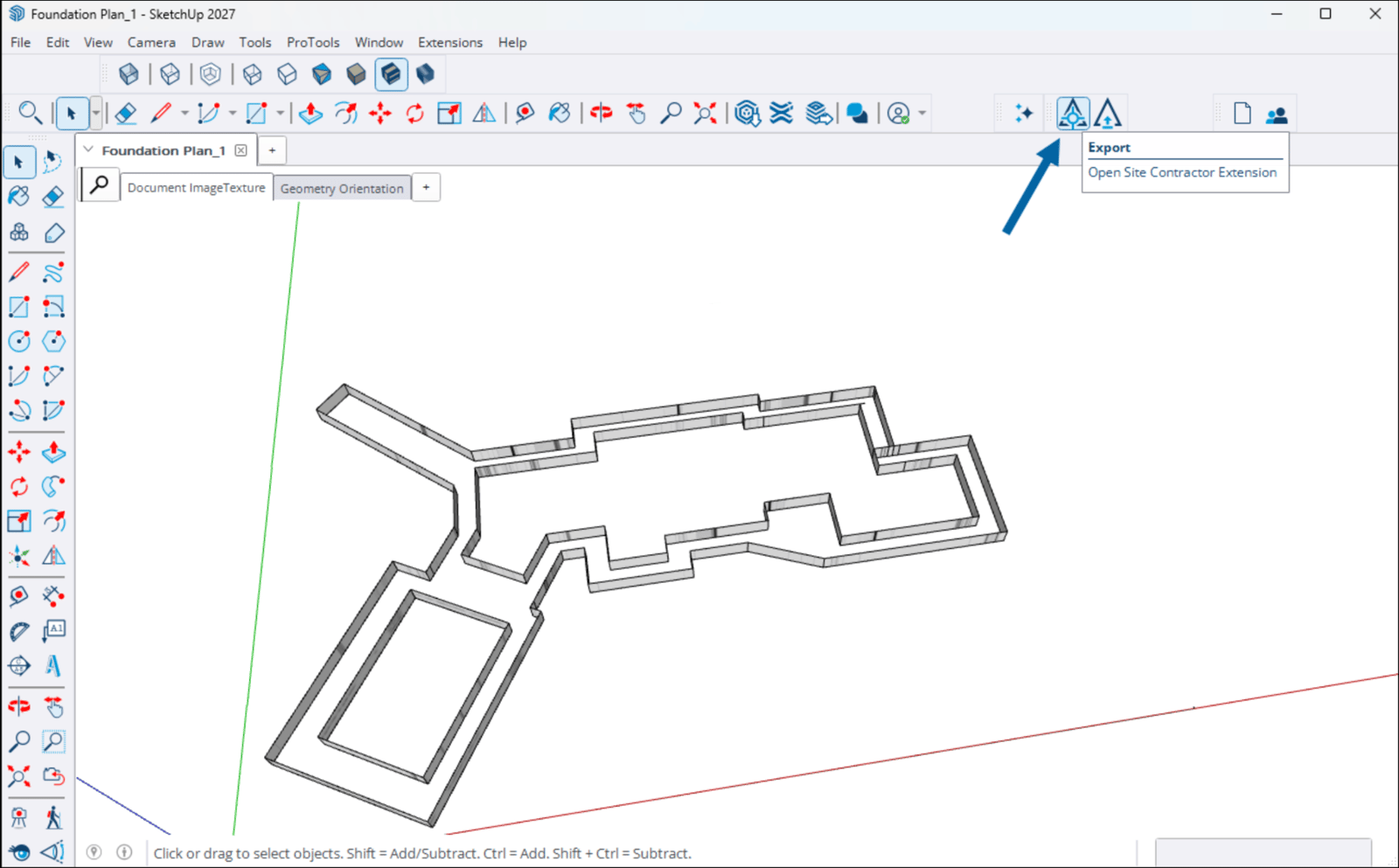
- Under Export Units, choose the unit of measurement TSC uses to export your model.
- Enter the project and design names.
- In the Offset section, enter the offset values for the SketchUp origin. These values move your model to the required project coordinates.
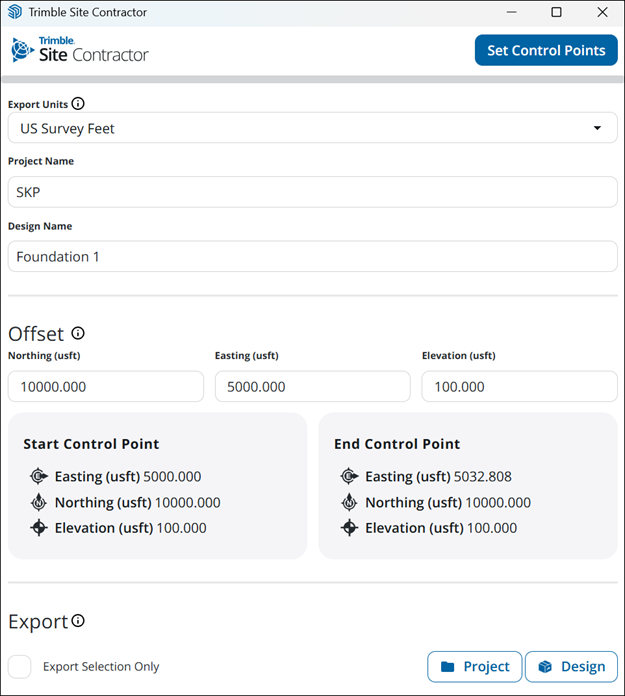
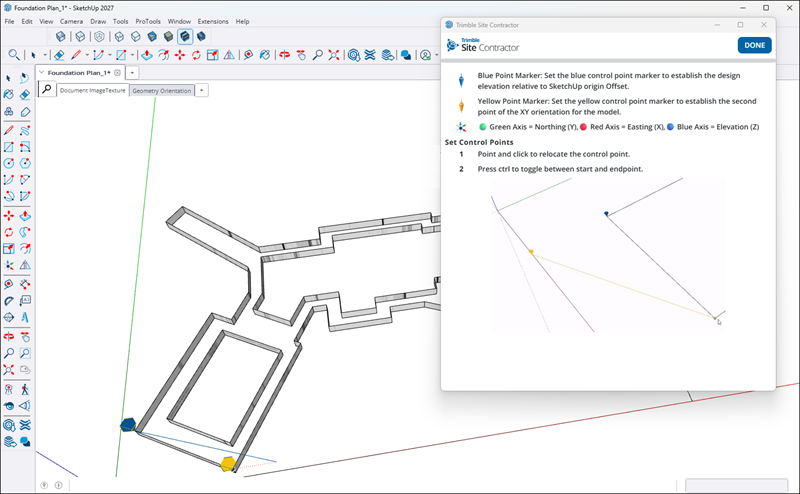
- Click Set Control Points. Control point markers appear in the modelling window. A screen also opens with information on setting the control points.
- Set the control points on the model as follows:
- Click the location for the yellow control point marker to set a 2D control point.
- Click the location for the blue control point marker to set a 3D control point that includes the model's benchmark elevation.
- Click DONE when you have set the control point locations.
- If you selected the geometry to export beforehand, select Export Selection Only.
- To create a Trimble Siteworks project for the exported design:
- Click Project.
- Choose the folder on your device where you want to export your Trimble Siteworks projects, or create a folder if needed.
- Click Select Folder. TSC creates a Trimble Siteworks project with the design files in your chosen location.
- To export only the design:
- Click Design.
- Choose a location on your device.
- Click Select Folder. TSC adds the
.dxfand.ttmfiles to the folder.
Status notifications appear briefly during the export.
Import field data as reference geometry in SketchUp
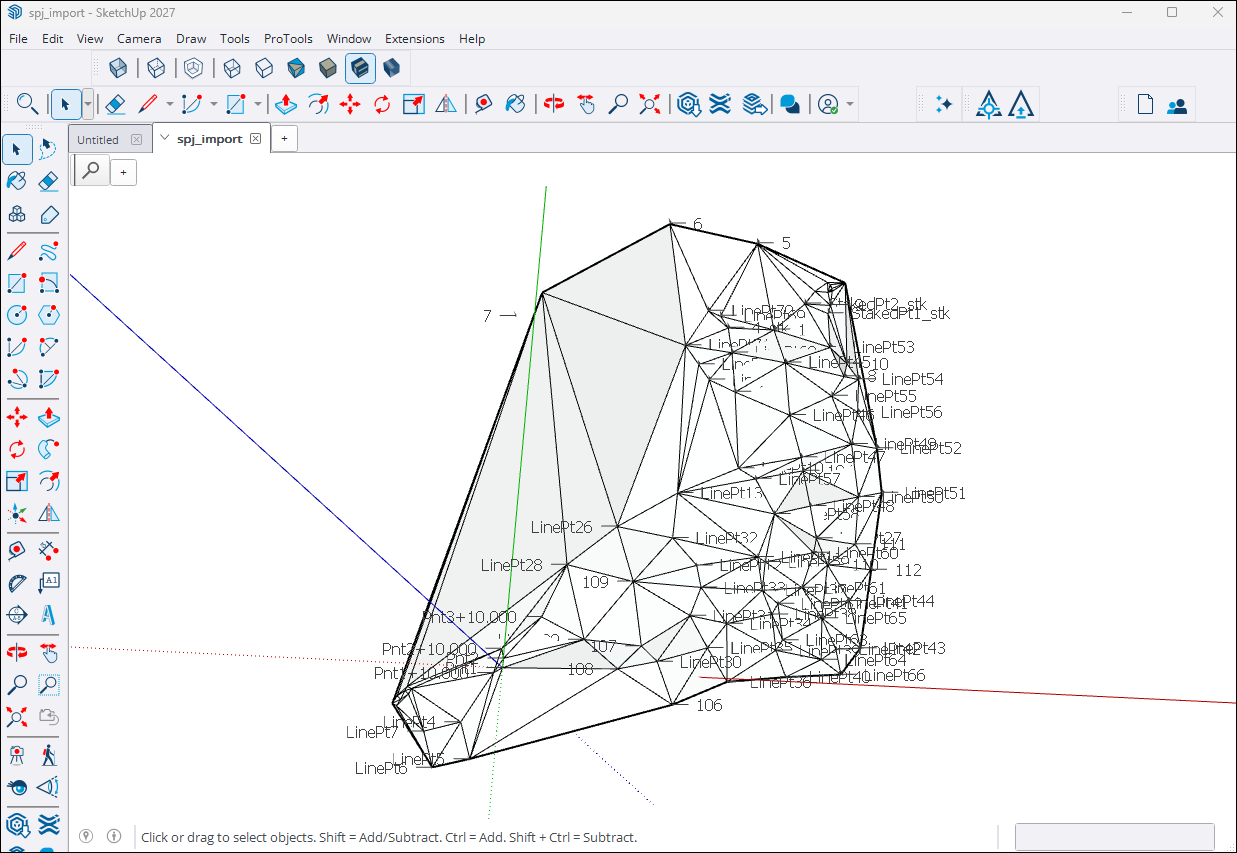
You can collect field data, such as surveyed points, linework and surfaces, and save it in Siteworks as a .spj file. Use the Trimble Site Contractor extension to import the .spj file into SketchUp as reference geometry for your excavation model. When you import a .spj file, SketchUp places the file's first measured point at the SketchUp origin.
Follow these steps to import field data from Siteworks:
- Click Import (
 ).
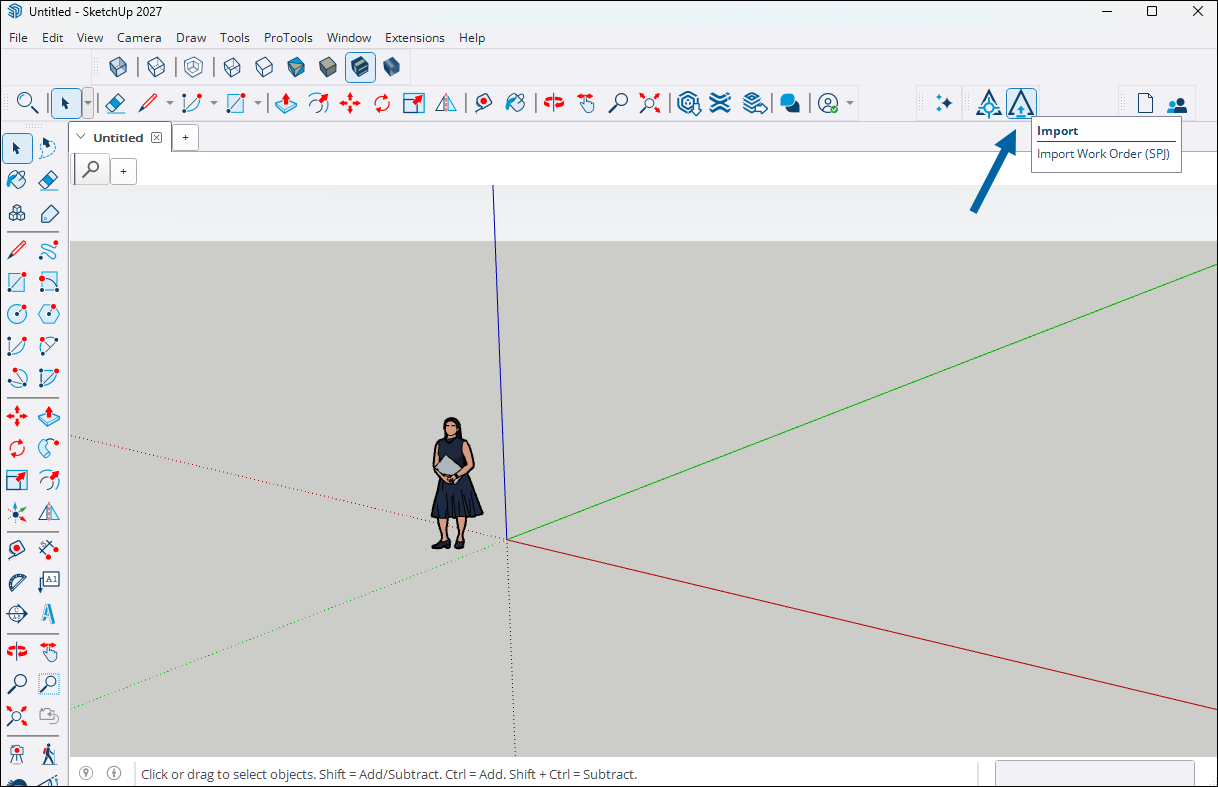
- Find and select the .
spjfile on your device. - Click Open.