You can edit an existing style or create a new one in SketchUp. Open the Styles panel to get started.
- To create a style, click Create New Style (
 ) on the Select tab. To edit an existing style, go to step 2.
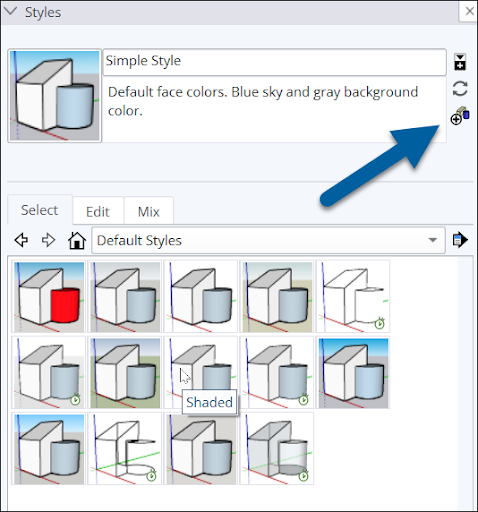
- Select the style you created or an existing style to edit.
- Click the Edit tab. Use the following options to edit the style:
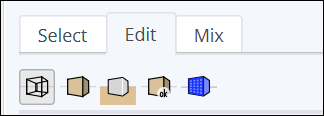
- Use Edge Settings (
 ) to adjust how edges appear when the style is selected. See Edge Styles for details.
- Use Face Settings (
 ) to adjust how faces appear when the style is selected. See Face Styles for details.
- Use Background Settings (
 ) to adjust the sky, horizon and ground.
- Use Watermark Settings (
 ) to add a watermark. See Watermarking a Model for details.
- Use Modeling Settings (
 ) to change the colour of modelling cues such as guides and axes.
- Use Edge Settings (
- Click Update Style with Changes (
 ).
Your model saves all styles and any changes you make to them. To manage these styles, see Managing In Model Styles and Collections.