Skip to content
07-848 2005

Enscape, Enscape Impact

Enscape Impact overview

Learn how to access Enscape Impact on Windows and prepare your building for an energy performance assessment.

Use Enscape Impact to assess your building's energy performance during early design.

Overview

Enscape Impact analyses building performance within Enscape. You can assess energy performance in real time during early design, then use the results to inform sustainability and efficiency decisions within your existing design workflow.

Access Enscape Impact from the Enscape Viewport User Interface (UI) toolbar.

Enscape Impact's house and lightning bolt icon highlighted on the Enscape Viewport toolbar.

Impact button in the Enscape Toolbar

You need an active Chaos licence to use Impact. If you do not have an Impact licence, Request a quote.
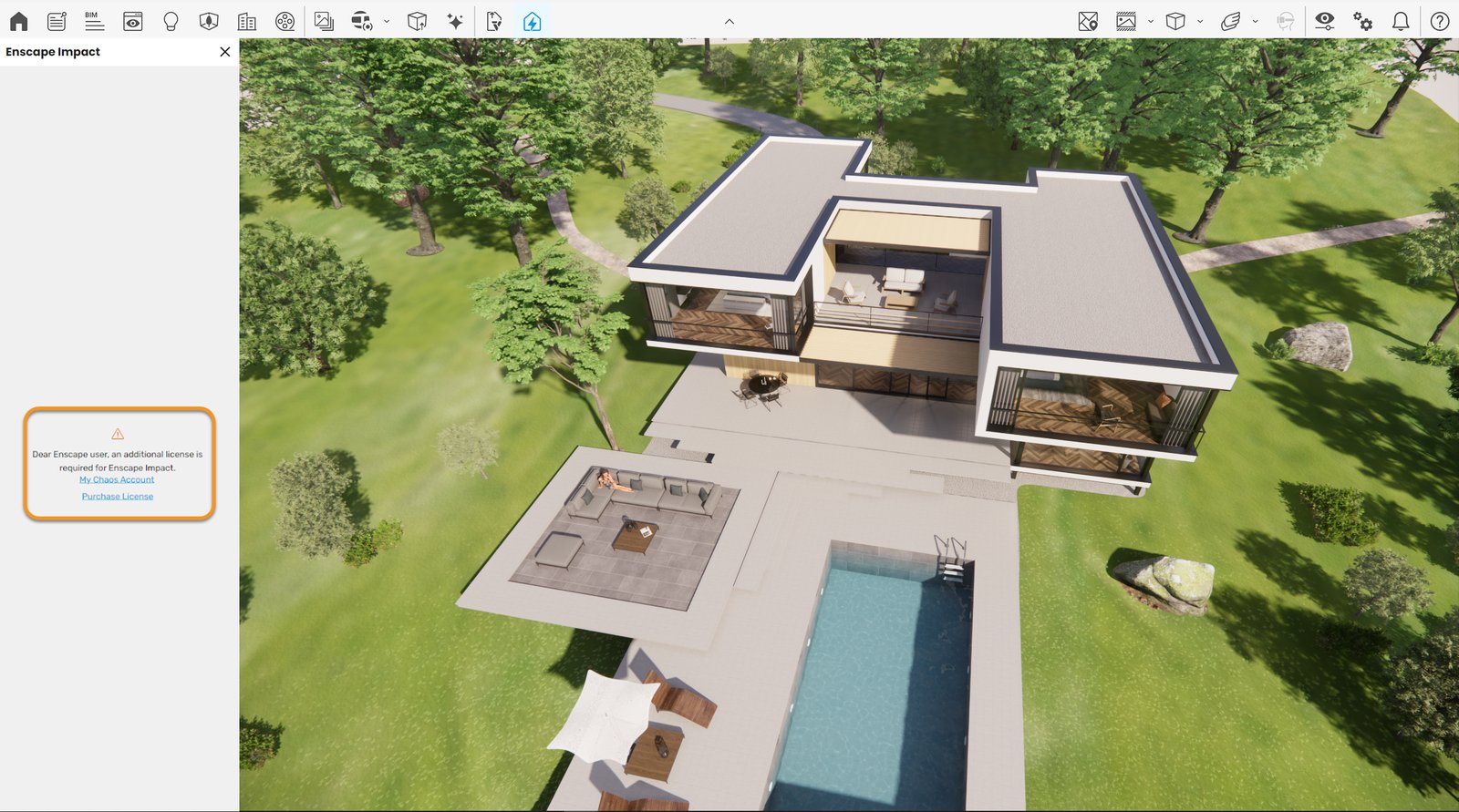
Enscape Impact panel says an additional licence is required, with 'My Chaos Account' and 'Purchase License' links.

Impact error message

If your scene is too large, you see an error message.

To resolve this, isolate a specific building and remove its surrounding environment. Check that there are no detached objects far from the building.

Enscape Impact panel shows 'Scene too large' because the visible scene exceeds 92 million cubic metres.

Impact error message

The analysis sidebar opens the first time you select the Impact button. Enter the required information in the sidebar before the analysis starts.
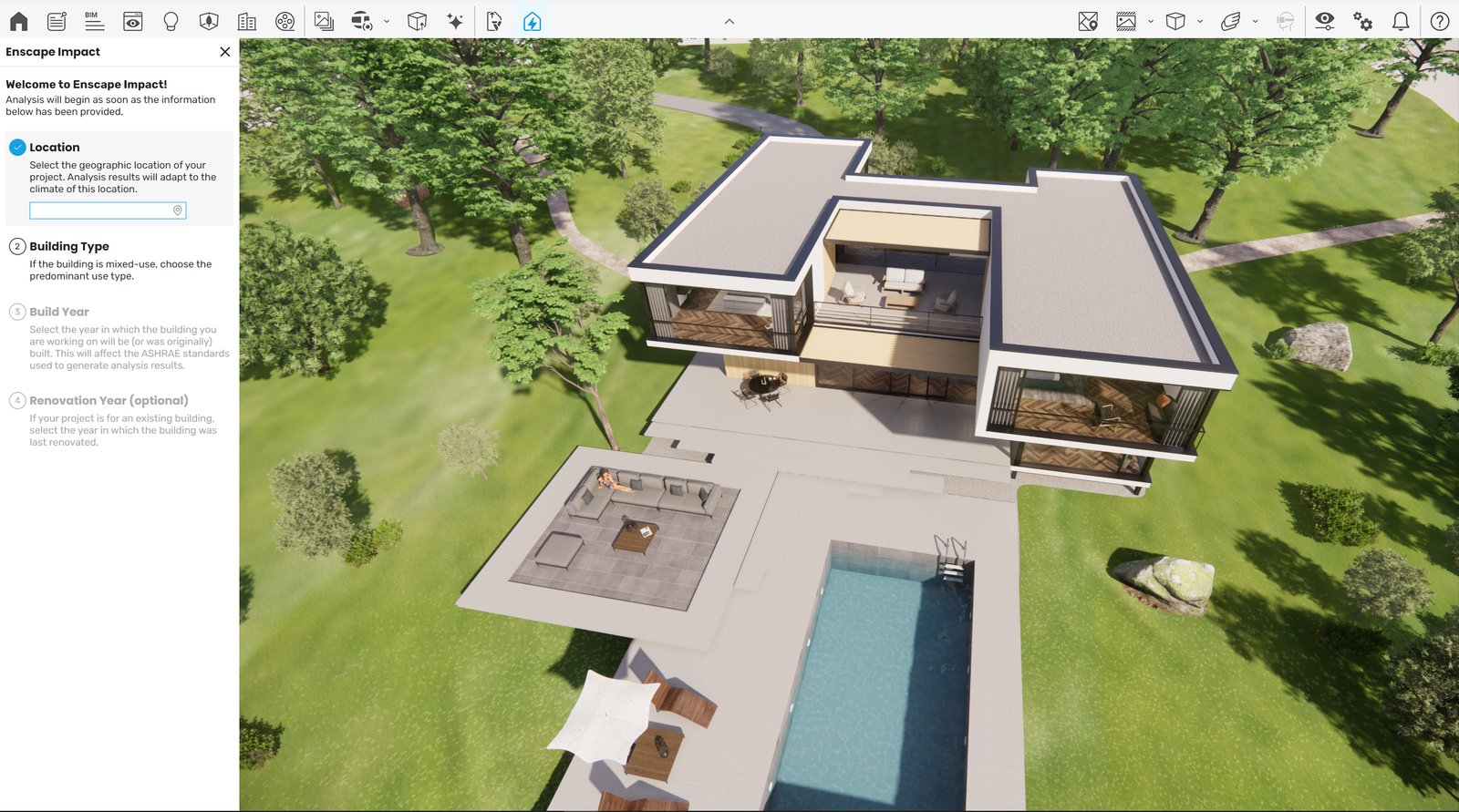
Enscape Impact setup sidebar requests Location, Building Type, Build Year and optional Renovation Year.

Impact sidebar

Procadsys customer support

Still need help?

Licences, renewals and billing

Our New Zealand team looks after your Enscape licences, renewals and invoices.

Monday to Friday, 9:00 am to 4:30 pm NZ time, excluding New Zealand public holidays.

Technical problems

Installation errors, crashes and other technical problems with Enscape are handled by Chaos support.