Enscape
Impact Report
This page provides information about the report generated by Enscape Impact.
Last updated 4 June 2026
This page provides information about the report generated by Enscape Impact.
Overview
The Enscape Impact Report feature helps you easily share, store, and access the results of your room detection and energy analysis. Once your analysis is complete, you can instantly generate a report in one of two formats:
- Summary Report: Perfect for a high-level overview. It provides key performance values and project details in a clean, shareable document.
- Detailed Report: For a deeper dive, this spreadsheet provides an in-depth look at all performance metrics, user inputs, and monthly data for thorough validation.
Usage
To get started, open Enscape Impact from the toolbar or press N on your keyboard. In the Energy Performance panel, enter your project details — location, building type, build year, and optionally the renovation year. Once all required information is entered, click Analyse to start the calculation. When the analysis is done, click the Export Report button to download your report.
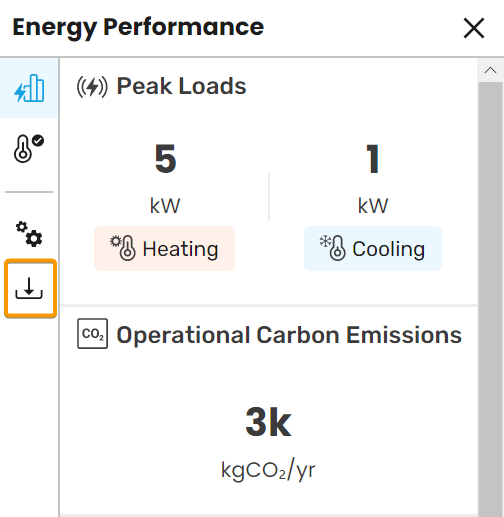
Export Report button
Clicking the Export Report button opens the Report Export window.
Choose your report type:
- Summary Report – Exports key performance insights in a clean, easy-to-share PDF document.
- Detailed Report – Exports all available building performance metrics as an Excel spreadsheet. Perfect for deeper analysis or data comparison.
Select your preferred unit system:
- Metric units (°C, m², m³) – Commonly used in most regions worldwide.
- Imperial units (°F, ft², ft³) – Standard in the U.S. and a few other countries.
Once you’ve made your selections, click Export to generate your Impact Report in the chosen format.

Report Export window
Examples
Impact Summary Report: ReportExample_PDF.pdf
Impact Detailed Report: ReportExample_Excel.xlsx