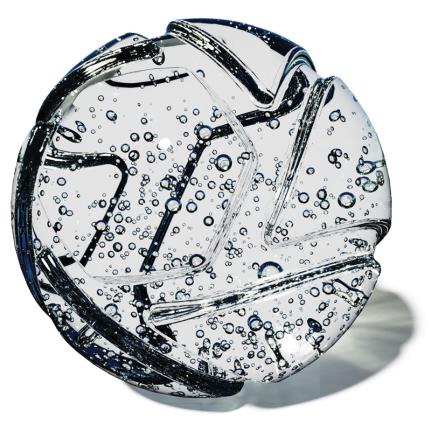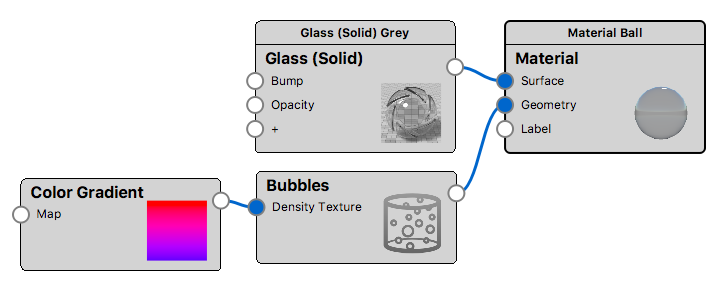
Use the Bubbles node to add spheres of air inside your object's material. The material must be at least partly transparent for the bubbles to be visible. To show bubbles in your geometry, connect the Bubbles node to the Geometry socket of the root Material node. |
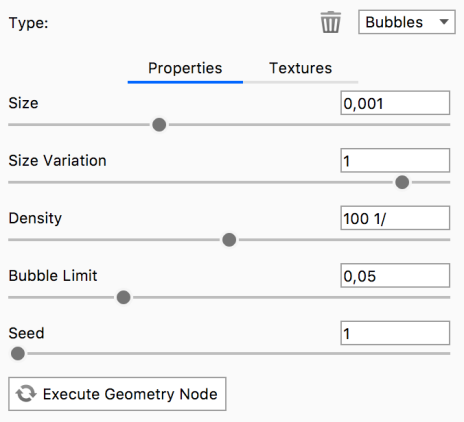
Size Use the Size slider to set the bubble size. The animation shows the bubble size changing between 0.01 cm and 0.1 cm. The Liquid material is applied to a 1 cm cube. | |
Size Variation The Size Variation slider applies a fractional variation to the bubble size. The animation shows the bubble size variation changing between 0.1 and 3. | |
Density Use the Density slider to adjust how close the bubbles are to each other. The animation shows the bubble density changing between 1/cm and 10/cm. |
Bubble Limit
Use the Bubble Limit slider to limit the number of bubbles. The limit applies to each object, rather than all objects using the material in the scene. The value is in millions.
Seed
Use the Seed slider to randomise the distribution of bubbles within the geometry.
Connected nodes
Density texture
To distribute bubbles unevenly inside the object, add a texture to control their density. The texture acts as a density mask. Black areas show no bubbles. Lighter areas show more bubbles, up to the density set on the Bubbles node where the texture is 100% white.