Use Close Mesh in KeyShot to fill missing polygons or close gaps between holes in a mesh.
Use Close Mesh
- Open the
 Close Mesh tool from the Tools section in the Ribbon, or from the context menu in the Real-time View or Scene tree.
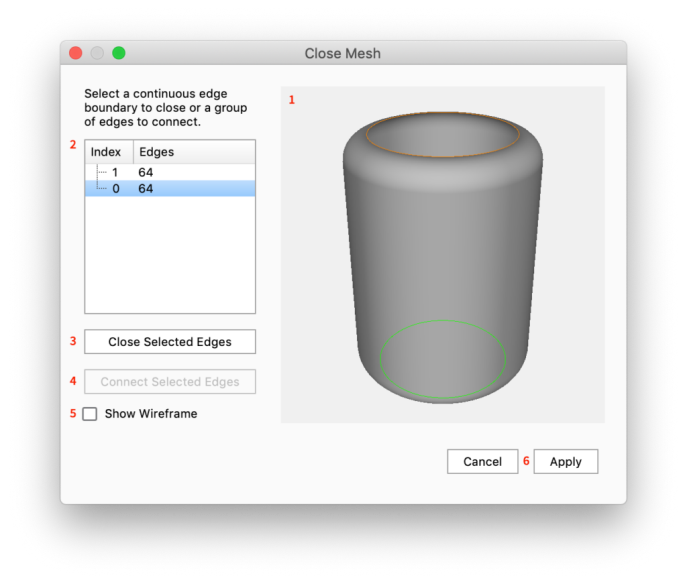
- The Close Mesh tool lists the open edges of your selected part. The preview shows each open edge as a green line.
- Select the open edges you want to fix from the list. The preview highlights them with an orange outline.
- Choose from 2 methods to close the holes.
- Close Selected edges creates polygons to fill the hole.
- Join Selected Edges creates a solid connection between holes if the part has multiple holes. Select the 2 edges you want to join, then click Join Selected Edges.
Tool controls
|