KeyShot Studio
Flip Normals
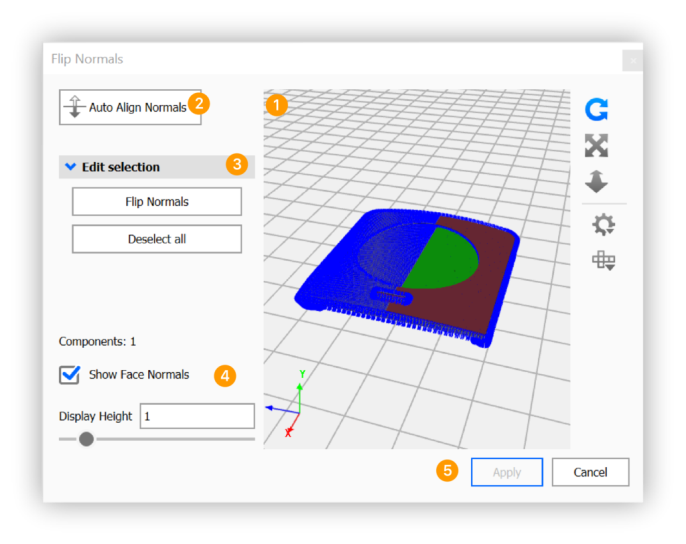
The Flip Normals tool allows you to automatically or manually reverse the direction of the normals on an object by selecting its faces.
Last updated 3 August 2026
The Flip Normals tool allows you to automatically or manually reverse the direction of the normals on an object by selecting its faces.
A normal is the direction that is perpendicular to a mesh surface. In a 3D model, the normals should all be facing the same direction, otherwise “holes” might appear. Also if your vertex normals are not aligned, flat spots might appear on what was intended to appear as a curved surface.
How to Flip Normals
You can launch the  Flip Normals tool either via the Tools section in the Ribbon or via the context menu in the Real-time View or the Scene tree.
|