KeyShot Studio
Light Layers
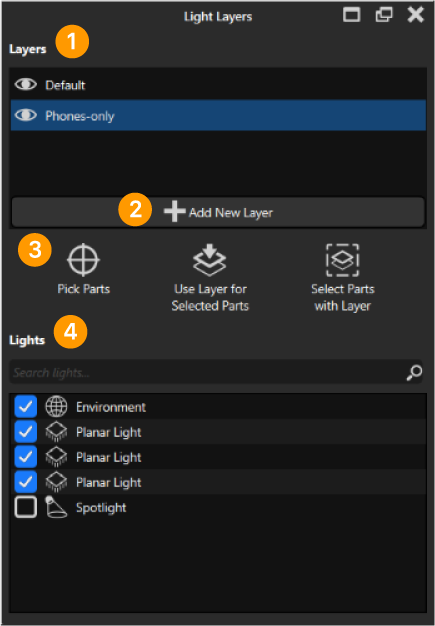
Light Layers allow you better control over the direct lighting in your scene. You can simply create a Layer with a set of lights and specify which part(s) should be affected. This can be very useful if you want a highlight on a specific part without affecting the rest of your scene. You can access Light Layers via:
Last updated 3 August 2026
Light Layers allow you better control over the direct lighting in your scene. You can simply create a Layer with a set of lights and specify which part(s) should be affected. This can be very useful if you want a highlight on a specific part without affecting the rest of your scene. You can access Light Layers via:
- The Light Layer button in the Tools menu.
- A parts context menu in the real-time view.
- Properties in Project > Scene.
- The hotkey Ctrl+K on Windows and Cmd+K on MacOS.
Working with Light Layers
|