Skip to content
07-848 2005

KeyShot Studio, animation

Depth of Field

Animate your camera's focus point in KeyShot. Enable Depth of Field in the camera settings before adding this animation.

Use a Depth of Field animation in KeyShot to animate your camera's focus point. Enable Depth of Field in the camera settings before adding this animation.

Properties

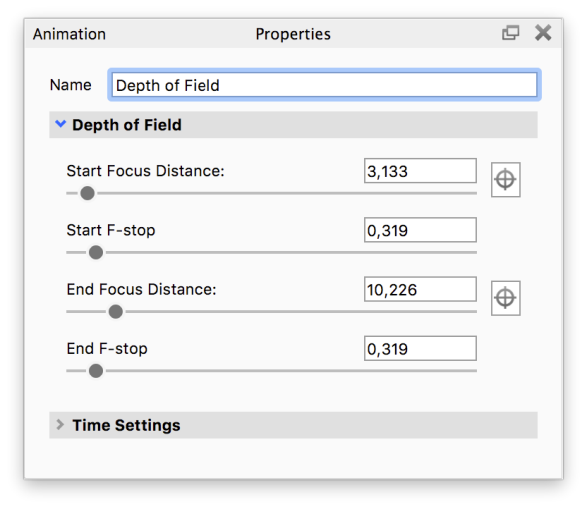
Start/End Focus distance
Set the distance from the camera to where the image is sharpest.
Use the focus point picker Select icon to select a part to focus on.

Start/End F-stop
Adjust the camera's virtual aperture to set how much of the image is in focus.

Dof animation example
Camera dof
Adapted from KeyShot Studio documentation: Depth of Field. © 2026 KeyShot

Procadsys customer support

Still need help?

Licences, renewals and billing

Our New Zealand team looks after your KeyShot licences, renewals and invoices.

Monday to Friday, 9:00 am to 4:30 pm NZ time, excluding New Zealand public holidays.

Technical problems

Installation errors, crashes and other technical problems with KeyShot are handled by KeyShot support.