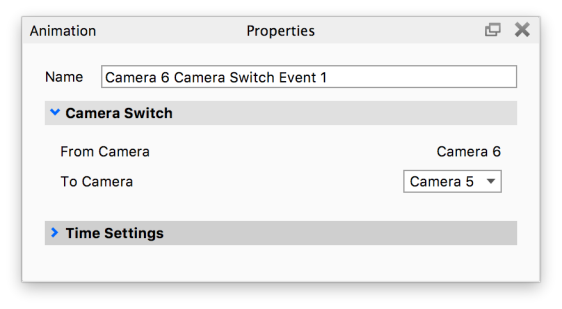
Use a camera Switch animation to change instantly from the current camera view to another camera in the scene.
Properties
From Camera
This stays set to the camera you added the switch event to.
To Camera
Select the camera you want to switch to.
KeyShot Studio, animation
Use a camera Switch animation to change instantly from the current camera view to another camera in the scene.
Use a camera Switch animation to change instantly from the current camera view to another camera in the scene.
From Camera
This stays set to the camera you added the switch event to.
To Camera
Select the camera you want to switch to.
Procadsys customer support
Our New Zealand team looks after your KeyShot licences, renewals and invoices.
Monday to Friday, 9:00 am to 4:30 pm NZ time, excluding New Zealand public holidays.
Installation errors, crashes and other technical problems with KeyShot are handled by KeyShot support.